

SoapUI is one application where you can see the output of your WSDL.
Let us go step by step and learn SoapUI :
- Download Soap UI from the below link and install the software.
- Open your Visual Studio and create a simple WCF application.
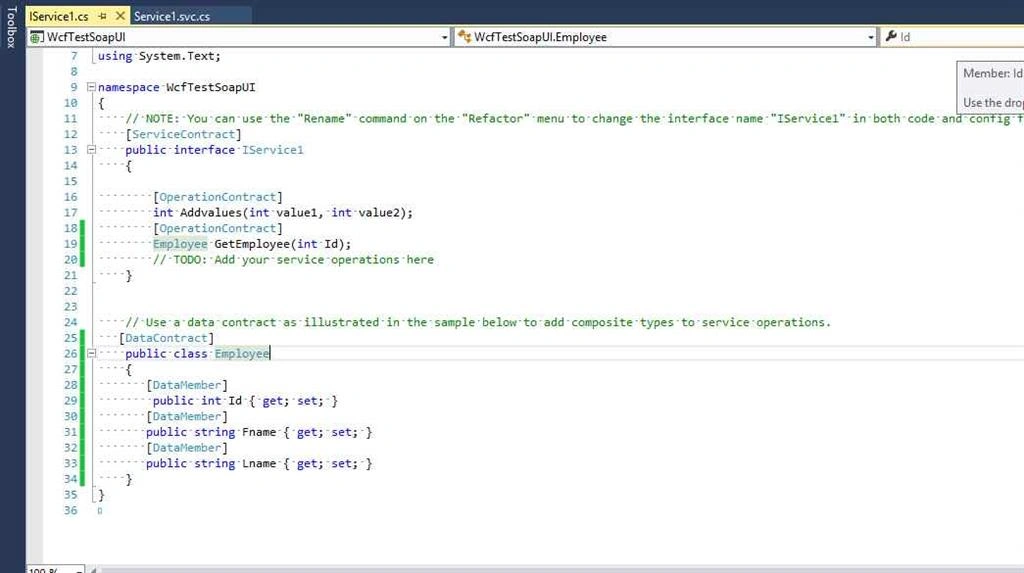
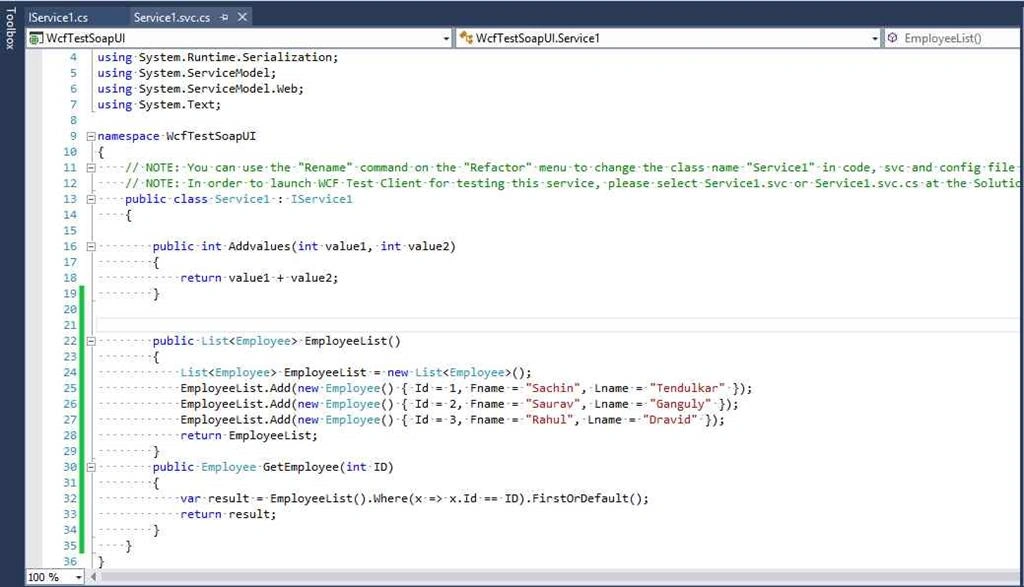
- Run the created WCF service in browser.
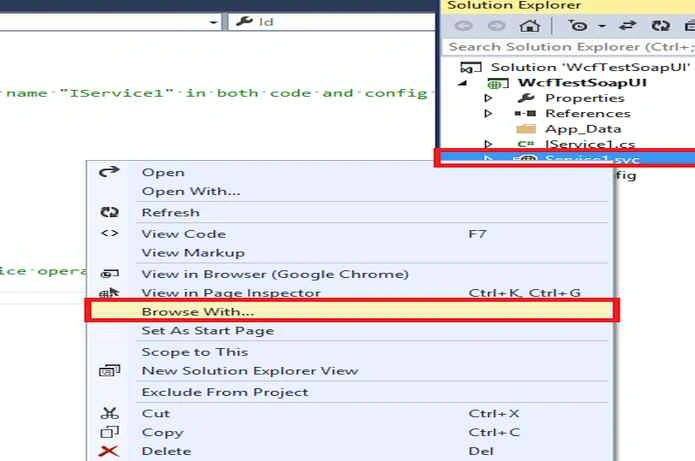
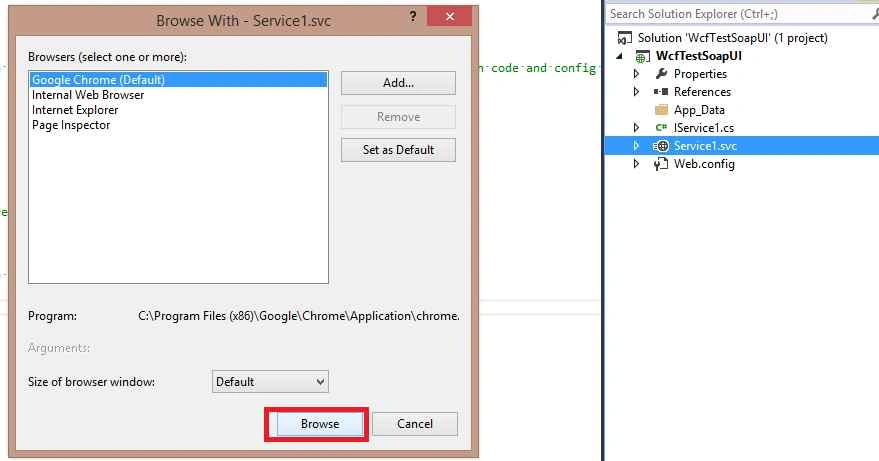
Click on browse.
- Click on svcutil.exe.
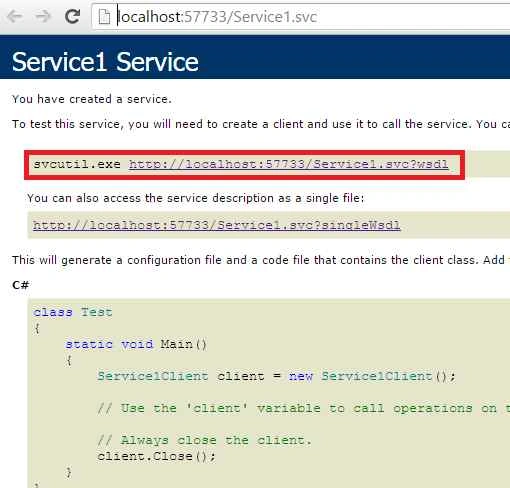
- Save the opened wsdl in your desktop as .wsdl as your extension.
- Now open the SoapUI software.
Click on New Soap Project
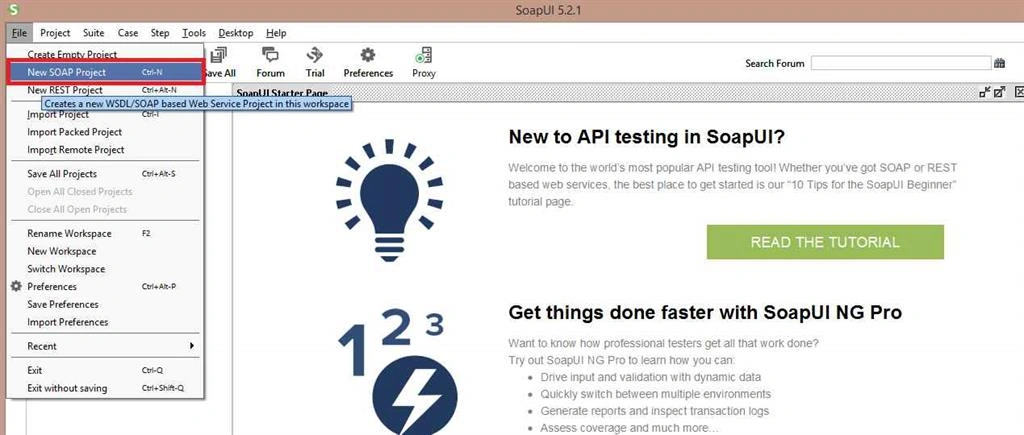
- Browse and import your WSDL.
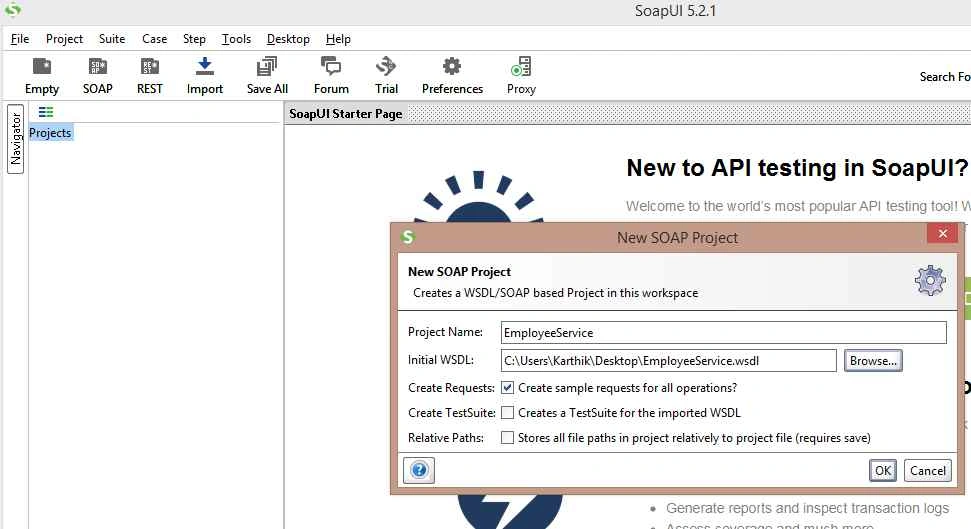
- Once the WSDL is imported the operation contract can be seen in the following screenshot,
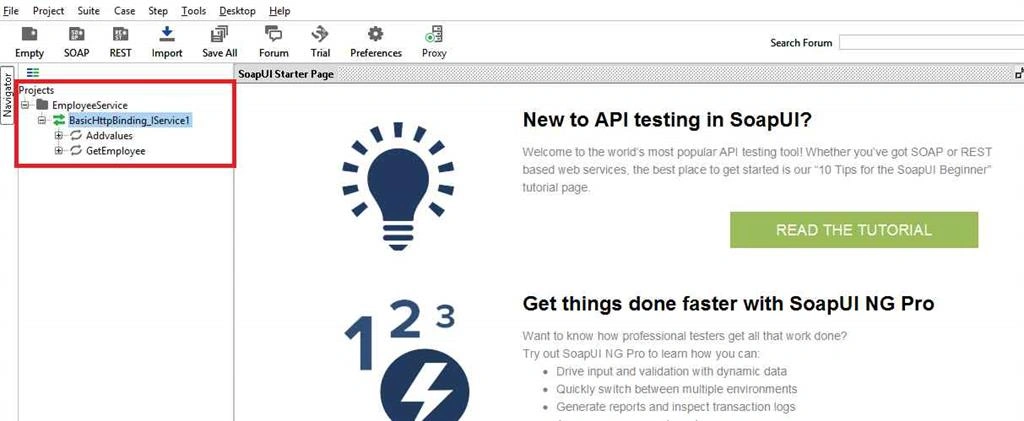
- Enlarge the Add values method and click on the Request1
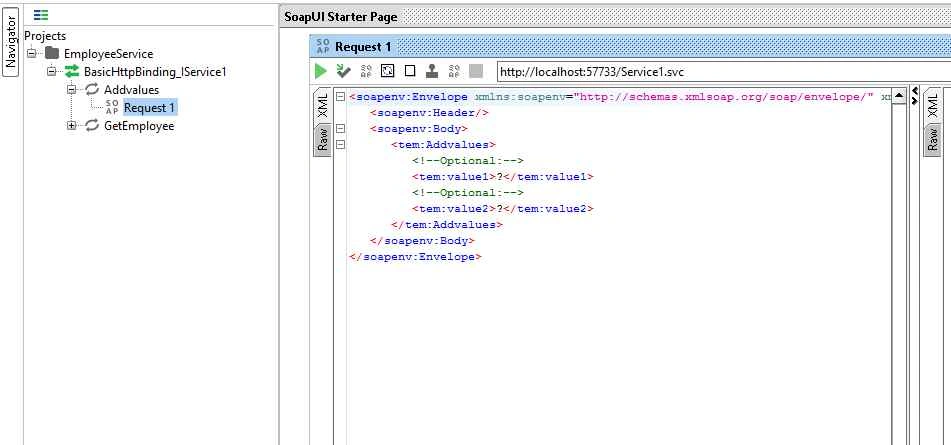
Wherever input needs to be given the place will be filled with question mark.
Replace the question mark with your real input.
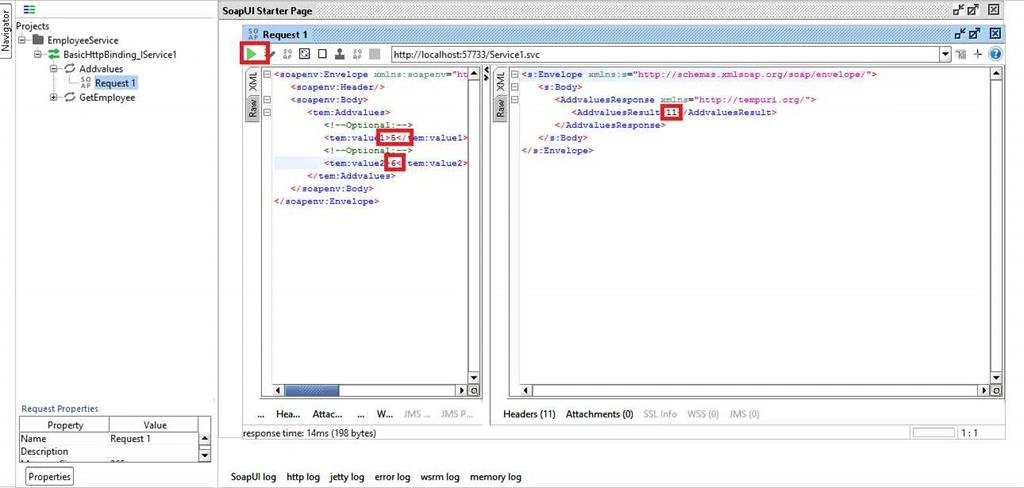
Example: Add values method that expects 2 parameter of type Int and returns a integer with the sum of inputs,.
So, I am giving 5 and 6 as my input.The expected response will be 11
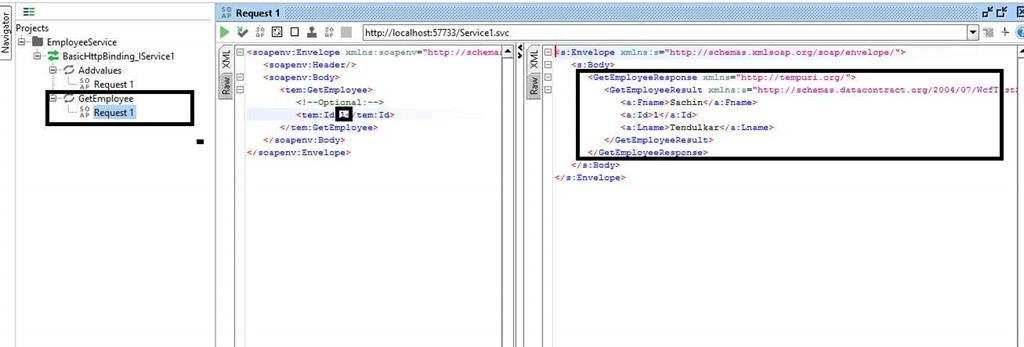
Example 2: GetEmployee.
- Enlarge the GetEmployee
- Click on the Request1
- Give input parameter 1.
- Output will be shown in the response.
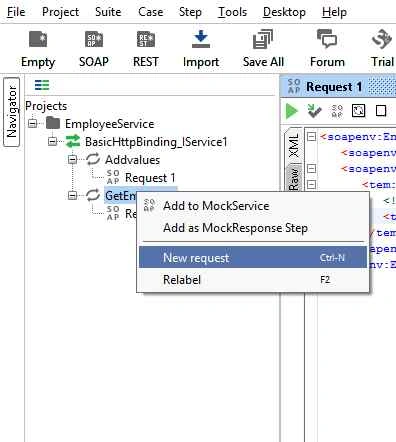
- You can add as many request as you want.
To add request RT click on the method and select New Request.
- You can also save the project when you open the saved project the values will be preserved.
So you can check with what values you have executed the WSDL before.
Hadshana KamalanathanPosted Jul 22, 2018, 1:51 AM
Good one...
Santhakumar MunuswamyPosted Nov 29, 2015, 11:45 PM
Good one
Jaipal ReddyPosted Nov 29, 2015, 11:43 PM
Good one
Hemanth KumarPosted Nov 29, 2015, 11:25 PM
Good one, Thanks for sharing
Banketeshvar NarayanPosted Nov 29, 2015, 11:23 PM
Nice Share
Ajay GandhiPosted Nov 29, 2015, 11:10 PM
Helpful
Raja TPosted Nov 29, 2015, 10:39 PM
Nice, Thanks for sharing
Mukesh KumarPosted Nov 29, 2015, 1:26 PM
Good Job
Manas MohapatraPosted Nov 29, 2015, 1:09 PM
Good one Kaushik. Nice introduction to SOAP UI and how it can used in to test Service.