

Introduction
This article explains how to do tracing in Web API 2. Tracing is used for finding the ITracewriter instance. If the ITraceWriter instance is present then we use tracing otherwise tracing is not used.
Features of Tracing:
- Application Level Tracing
This type of tracing allows you to see the recent tracing data without restarting the tracing session. It removes the older tracing data and only displays the recent data.
- Integrating tracing functionality
The class "System.Diagnostics.Trace" is for the tracing output and we can forward the instrumentation events to this class.
- Programmatic to trace message
It allows you to access and manipulate the trace.
Now see the use of tracing in the Web API.
Step 1
First we create a Web API Project as in the following:
- Start Visual Studio 2013.
- From the Start Window select "New Project".
- Select "Installed" -> "Template" -> "Visual C#" -> "Web" and select the "ASP.NET web Application".
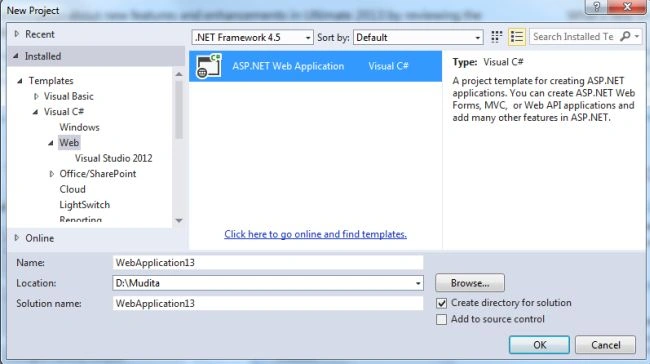
- Click on the "OK" button.
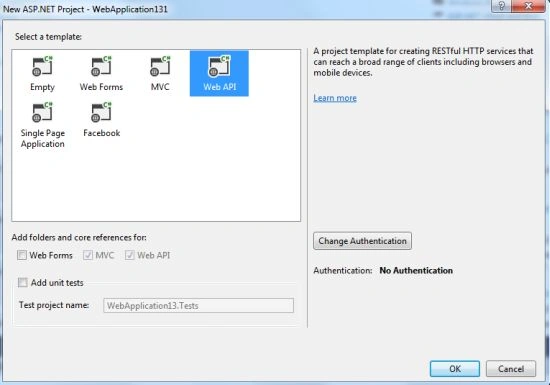
- From the Project window select the "Web API" template.
Step 2
Now install the "Microsoft ASP.NET Web API2 Tracing" form the NuGet package manager.
- Go To tools menu Select "Library Package Manager".
- The select "Manage Nuget Packages for Solutions".
- And install the "Microsoft ASP.NET Web API2 Tracing".
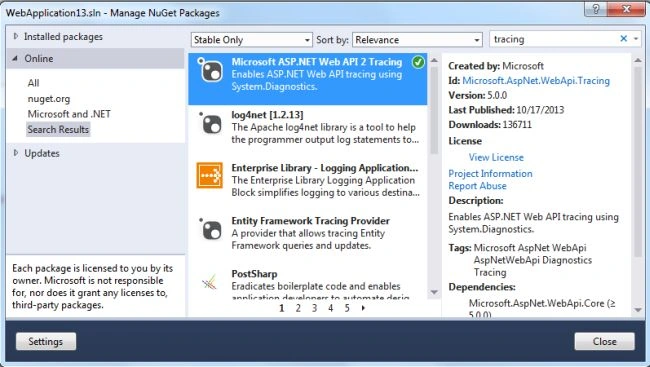
Step 3
There are two ways to enable the default TraceWirter, the first is a short route and another is a long route. For the short route add the simple code to the "Global.asax.cs" that is "confog.EnableSystemDiagnosticsTracing()." And in the other, the long route, we can add the class in the App_Start folder named "TracingConfig.cs". So we add a class in this folder:
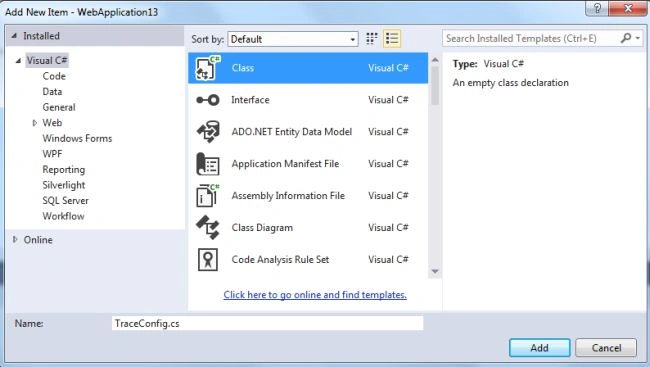
- Right-click on the App_Start folder then select "Add" -> "Class".
- Change the name and click on the "Ok" button.
Step 4
Now we add a static method in the "TraceConfig.cs" file that is the Register method.
- public static void Register(HttpConfiguration config)
- {
- }
Step 5
In this step we will ensure that the config is not null; if it is null then it throws an exception. We also create the SystemDiagnosticsTraceWriter instance.
The entire code looks like this:
Join the conversation! Your thoughts help the community grow.