

Azure Logic Apps provide a low-code way to automate workflows, integrating with various services like Azure OpenAI to enable AI-driven automation. In this article, we'll create a Logic App that leverages Azure OpenAI for text generation using GPT models.
Prerequisites
Before you begin, ensure you have,
- An Azure subscription
- An Azure OpenAI resource (GPT-4 or GPT-3.5-turbo deployed)
- An API Key and Endpoint from the Azure OpenAI resource
- Access to the Azure Portal
Step 1. Set Up Azure OpenAI.
- Go to Azure Portal and search for Azure OpenAI.

- Click Create and deploy the required GPT model.
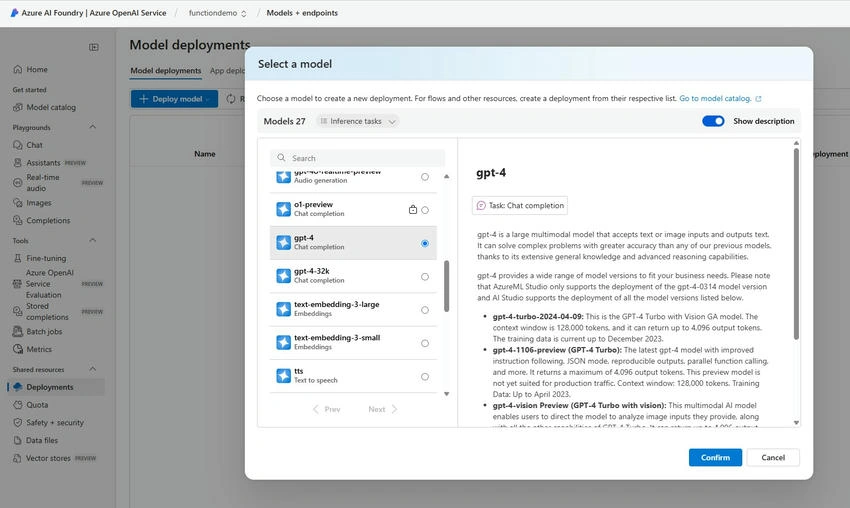
- Navigate to the Keys and Endpoint section and copy the API Key and Endpoint.
Step 2. Create a Logic App.
- In Azure Portal, search for Logic Apps.
- Click Create and choose Consumption Plan.
- Select a Resource Group, enter a Logic App name, and choose a Region.
- Click Review + Create, then Create.
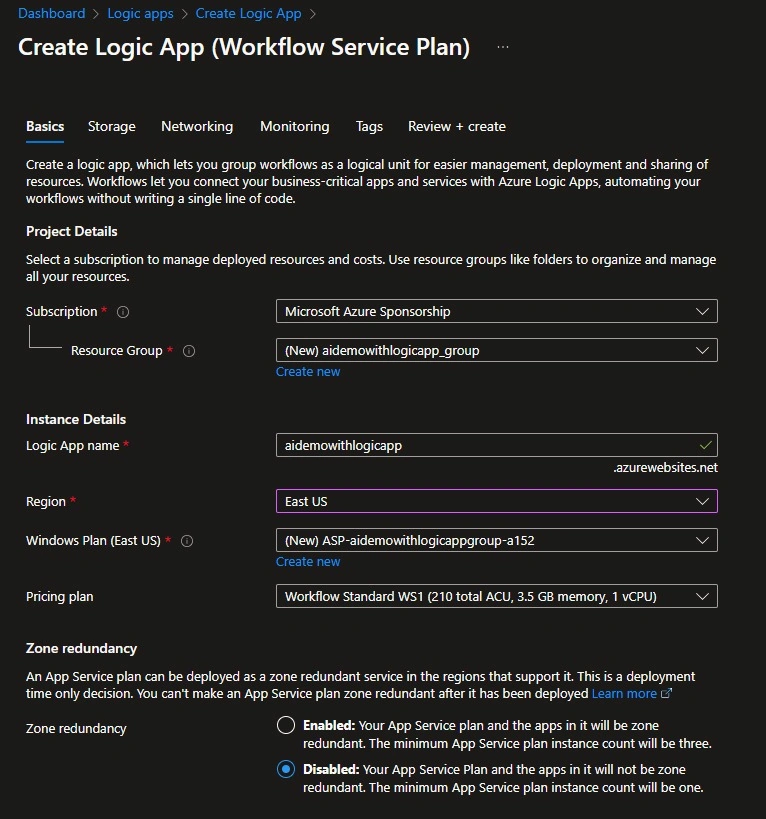
Step 3. Design the Logic App Workflow.
Add an HTTP Trigger
- Open the Logic App Designer.
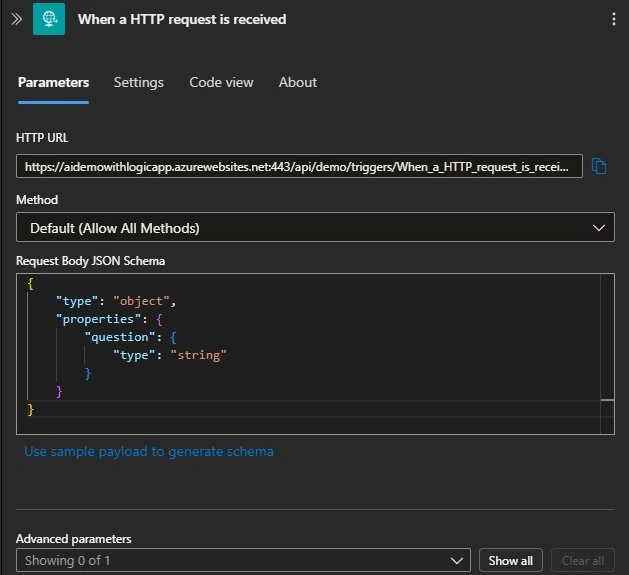
- Choose "When an HTTP request is received" as the trigger.
- Click "Use sample payload" and enter the following JSON.
{
    "question": "What is AI?"
}
Call Azure OpenAI API
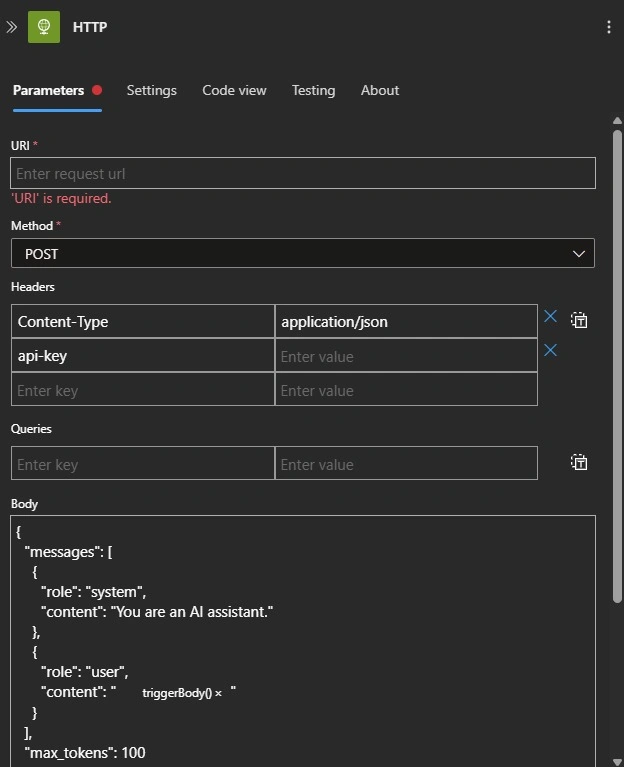
- Click "New Step" and add an HTTP Action.
- Configure it as follows.
- Method: POST
- URL: {your Azure OpenAI endpoint}/openai/deployments/{deployment_name}/chat/completions?api-version=2024-02-01
- Headers
- Content-Type: application/json
- api-key: {your_api_key}
- Body
{
  "messages": [
    {
      "role": "system",
      "content": "You are an AI assistant."
    },
    {
      "role": "user",
      "content": "@{triggerBody()['question']}"
    }
  ],
  "max_tokens": 100
}
Return AI Response
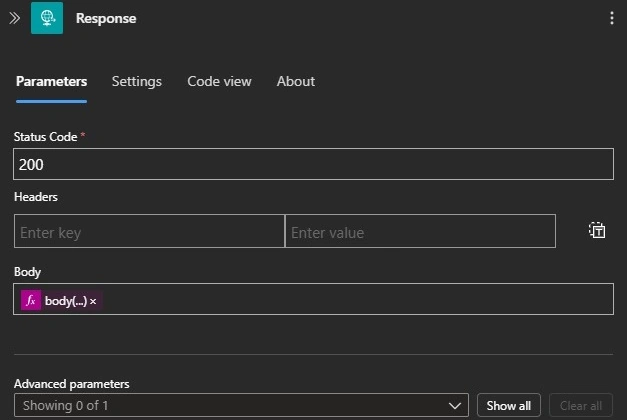
- Click "New Step" and add "Response".
- Set Status Code to 200.
- In the Body field, add @body('HTTP')?['choices'][0]['message']['content'].
Step 4. Test the Logic App.
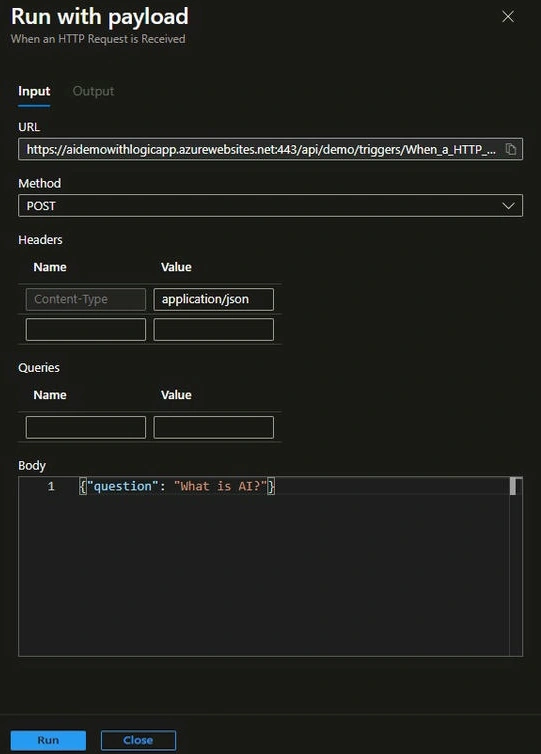
- Click "Save," click Run, and select Run with payload.
- Add {"question": "What is AI?"} in the body.
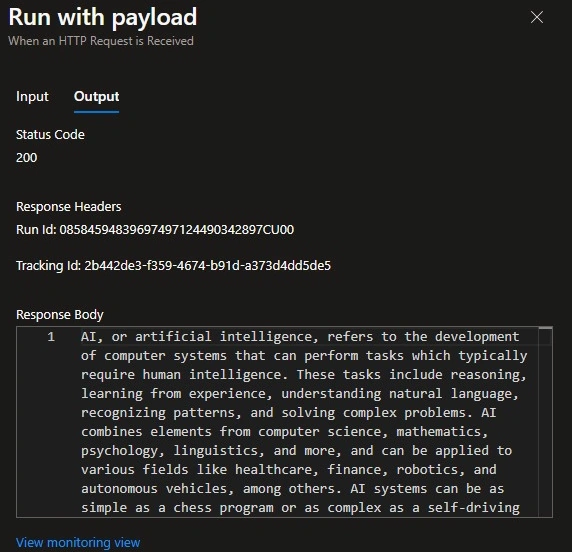
- The response will contain AI-generated text.
Use Cases
- Automated AI Chatbot for Teams, Slack, or web apps.
- Email Automation using AI-generated responses.
- Content Summarization for customer support and research.
- Sentiment Analysis for analyzing customer feedback.
Conclusion
By integrating Azure OpenAI with Logic Apps, we can build powerful AI-driven workflows without writing complex code. This approach allows automation of various business processes, enhancing productivity and efficiency.
Join the conversation! Your thoughts help the community grow.