

Introduction
In my previous article, I had explained about working water flow sensor using Arduino Uno. In this article, I'll show you how to work with DC Motors in the Arduino Uno.
Requirements
- Arduino
- 6v DC Motor
- PN2222 Transistor
- Diode
- 270-ohm Resistor
- led
- Bread Board
Connection
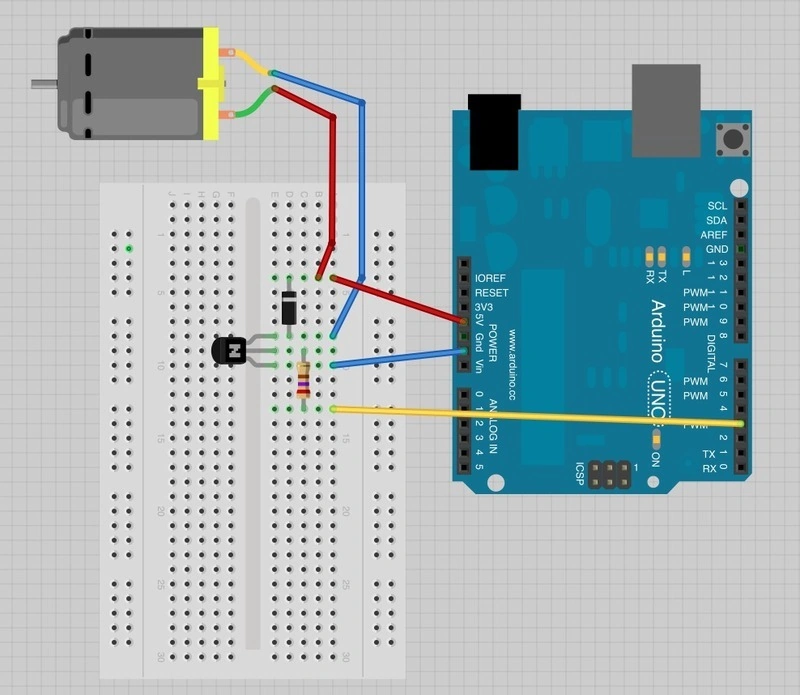
Led Connection
- Anode pin to the digital pin 13
- Cathode pin to the Gnd
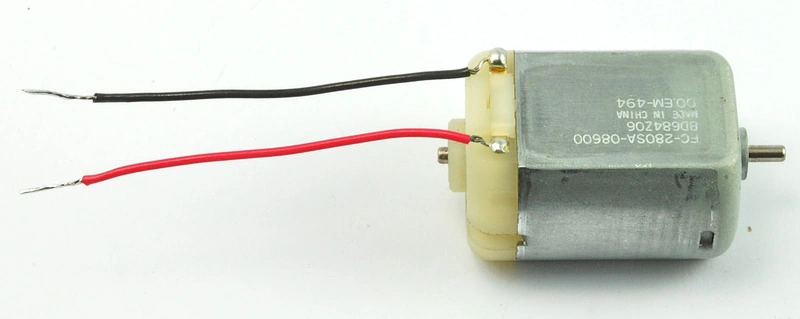
DC Motor
DC Motor that converts the direct current electrical power to the mechanical power
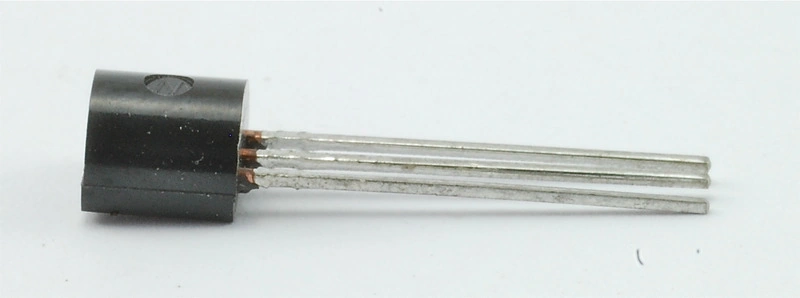
PN2222 Transistor
It is used for low power amplifying and switching application
Programming
- int motor=3;
- int led=13;
- void setup()
- {
- pinMode(led,OUTPUT);
- pinMode(motor,OUTPUT);
- Serial.begin(9600);
- if(! Serial);
- Serial.println("Speed up to 0 to 255");
- }
- void loop()
- {
- if(Serial.available())
- {
- int speed=Serial.parseInt();
- if(speed >=0 && speed <=255)
- {
- digitalWrite(led,HIGH);
- }
- else {
- digitalWrite(led,LOW);
- }
- analogWrite(motor,speed);
- }
- }
Explanation
Declare the variable as motor and led in int data type then move to the setup() function. In the setup, function set the pinMode to the led and the motor led and motor as OUTPUT and set the BaudRate (9600); if (! Serial), then print the value in the serial monitor.
After that move to loop() function. Firstly, we want to check the Serial is available are not if it is means declare the speed variable and initialize Serial.parseInt(). The Serial.parseInt() is used to read the numbers entered as text in the serial monitor and convert it to int data type and set the conditions.
- if(speed >=0 && speed <=255)
- {
- digitalWrite(led,HIGH); //led ON
- }
- else
- {
- digitalWrite(led,LOW); //led OFF
- }
Ream more articles on Arduino:
Santhakumar MunuswamyPosted Feb 9, 2016, 11:41 AM
Thanks for your sharing
Jaco ZwartsPosted Feb 9, 2016, 10:37 AM
Thank you for sharing
Kumaresh RajalingamPosted Feb 9, 2016, 9:09 AM
Thank you Raja Sir
Raja TPosted Feb 9, 2016, 8:47 AM
Nice, Thanks for sharing
Kumaresh RajalingamPosted Feb 9, 2016, 7:54 AM
Thank you shubham kumar sir
Kumaresh RajalingamPosted Feb 9, 2016, 7:54 AM
Thank you sibeesh sir
Kumaresh RajalingamPosted Feb 9, 2016, 7:53 AM
Thank you SR
Shubham KumarPosted Feb 9, 2016, 7:17 AM
nice one
Sibeesh VenuPosted Feb 9, 2016, 7:14 AM
Nice Share
Sr KarthigaPosted Feb 9, 2016, 6:07 AM
Nice share simple and legible