

In this article, we are going to learn how to use elastic search with ASP.NET MVC in step by step way.
Link to download Solution.

We are already in the fifth part of this article. Till now, we have covered a lot in elastic search starting from how to configure elastic search to how to insert data into elastic search, further using Kibana for visualizing data, and at last, we have learned about Logstash and how to insert a bulk of data from MSSQL and MYSQL into elastic search. Now, it’s time to learn how we can query elastic search documents from ASP.NET MVC because at last, we need to show data to end-users in a fast way as possible.
What we are going to search
In this demo, we are going to create a search on “humanresource” index which we have inserted in your last article.
If you are a beginner and you do not have an idea what is elastic search but you want to know it, then the below links will help you to kick start with elastic search.
Links to Kickstart Learning Elastic Search
- How to Configure Elasticsearch On Windows
- Reading and Writing Documents with Single Document APIs In Elastic Search
- How to Configure Kibana
Prerequisites
- Running Elastic Search instance
- Visual Studio 2015
- NuGet packages
Create ASP.NET MVC Application
Let’s create a simple ASP.NET MVC application with the name “WebElasticSearch”.
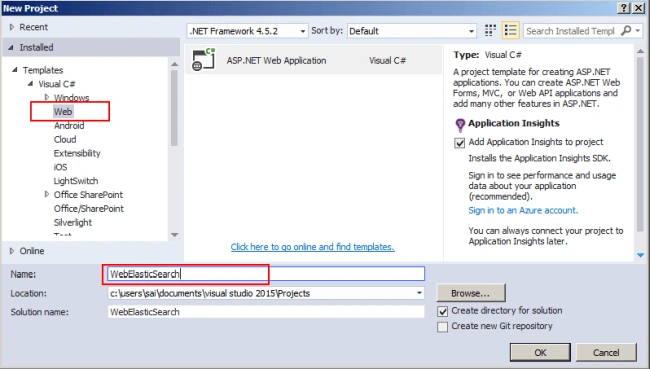
After entering the name, it will show another window for project selection. There, just choose “MVC” Template and change Authentication to “No Authentication” and click OK to create the project.
Project Structure

Next, we are going to install NuGet packages.
Installing NuGet Packages
We are going to install 2 NuGet packages.
- Net
- Nest

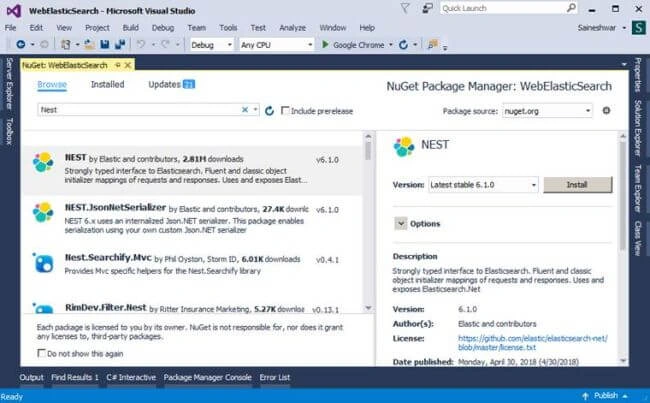
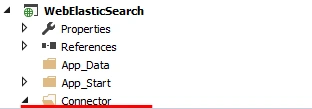
After installing the NuGet package, next, we are going to add a new connection folder.
Creating Connector folder and adding ConnectionToEs class
After creating the folder, next, we are going to add ConnectionToEs class.
In this class, we are going to create a connection to elastic search instance. As you can see in the below code, we have provided elastic search URI http://localhost:9200/".
Code Snippet
- using Elasticsearch.Net;
- using Nest;
- using System;
- using System.Collections.Generic;
- using System.Linq;
- using System.Web;
- namespace WebElasticSearch.Connector
- {
- public class ConnectionToEs
- {
- #region Connection string to connect with Elasticsearch
- public ElasticClient EsClient()
- {
- var nodes = new Uri[]
- {
- new Uri("http://localhost:9200/"),
- };
- var connectionPool = new StaticConnectionPool(nodes);
- var connectionSettings = new ConnectionSettings(connectionPool).DisableDirectStreaming();
- var elasticClient = new ElasticClient(connectionSettings);
- return elasticClient;
- }
- #endregion Connection string to connect with Elasticsearch
- }
- }
After creating the connection class, next, we are going to add a Controller and create View for search.
Add Controller “AllSearch”
Adding a controller with name “AllSearch”.
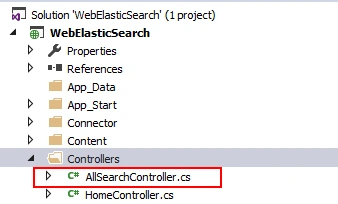
After adding the Controller, next, we are going to add an action method and in the constructor, we are going to instantiate the connection object.
Adding Action Method
In this part, we are going to add Action method “Search” and create an instance of the ConnectionToEs class.
Code Snippet
- using System.Web.Mvc;
- using WebElasticSearch.Connector;
- namespace WebElasticSearch.Controllers
- {
- public class AllSearchController : Controller
- {
- private readonly ConnectionToEs _connectionToEs;
- public AllSearchController()
- {
- _connectionToEs = new ConnectionToEs();
- }
- [HttpGet]
- public ActionResult Search()
- {
- return View("Search");
- }
- }
- }
After adding “Search” Action Method, we are going to add a View for that action method.
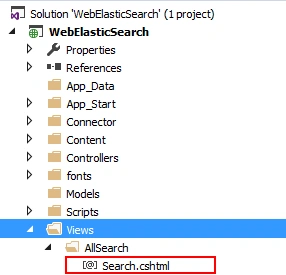
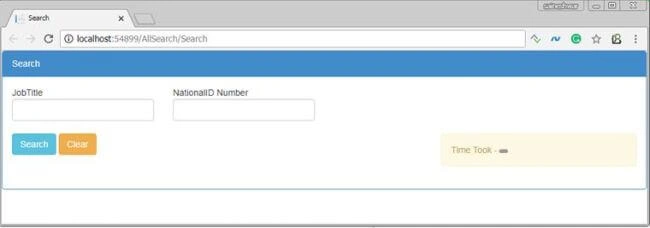
Designing View
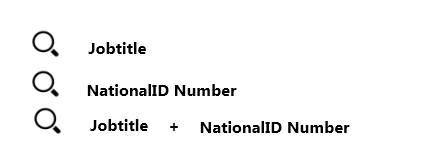
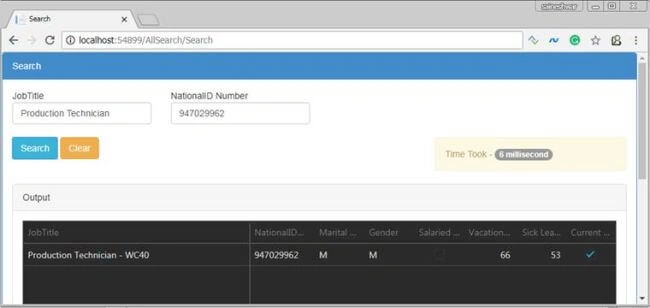
In this part, we are going to design the View with 2 textboxes.
- jobtitle
- nationalidnumber
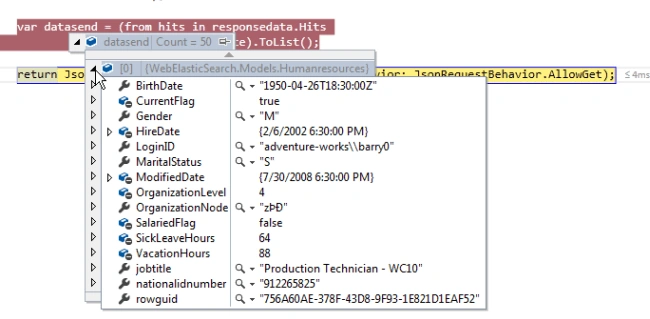
Below is document of “humanresource” index in which, first we are going to create a search on both these parameters.

After designing the search View, next, we are going to add a class “humanresource” and properties similar to “humanresource” index and type “doc”.
Adding Class similar to “Humanresource” Index and type “Doc”
- public class Humanresources
- {
- public string nationalidnumber { get; set; }
- public string LoginID { get; set; }
- public string OrganizationNode { get; set; }
- public int? OrganizationLevel { get; set; }
- public string jobtitle { get; set; }
- public string BirthDate { get; set; }
- public string MaritalStatus { get; set; }
- public string Gender { get; set; }
- public DateTime? HireDate { get; set; }
- public bool? SalariedFlag { get; set; }
- public int? VacationHours { get; set; }
- public int? SickLeaveHours { get; set; }
- public bool? CurrentFlag { get; set; }
- public string rowguid { get; set; }
- public DateTime? ModifiedDate { get; set; } }
After adding humanresource class next we are going to add “DataSearch” Action Method which will take both this parameter as input and provide response in json.
Adding DataSearch Action Method
The request to elastic search we are going to send using “Nest” Client.
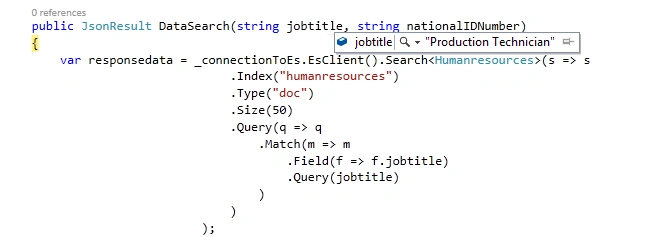
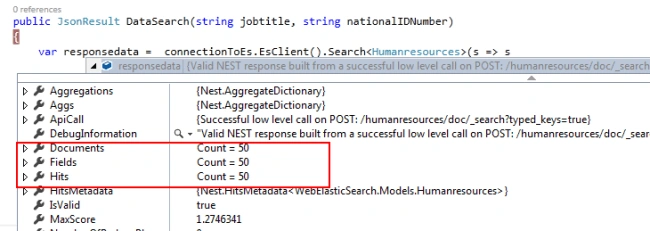
In this action Method the first thing we have done is to connect to elastic search using connectionEs class, then we have provided index “humanresources” and type “doc”, next we can provide size of document as output I have provided as 50, at last comes query in this we are using “match” query for that we are passing field jobtitle and in query we are going to pass value which we have searched.
Code Snippet
- public JsonResult DataSearch(string jobtitle, string nationalIDNumber)
- {
- var responsedata = _connectionToEs.EsClient().Search<Humanresources>(s => s
- .Index("humanresources")
- .Type("doc")
- .Size(50)
- .Query(q => q
- .Match(m => m
- .Field(f => f.jobtitle)
- .Query(jobtitle)
- )
- )
- );
- var datasend = (from hits in responsedata.Hits
- select hits.Source).ToList();
- return Json(new { datasend, responsedata.Took }, behavior: JsonRequestBehavior.AllowGet);
- }

Dinesh RanaPosted Mar 2, 2022, 10:24 AM
Sir kindly add server side pagination in Using Elastic Search With ASP.NET MVC program
Ritesh SharmaPosted Feb 24, 2021, 11:56 AM
Your .RAR file is not opening. showing corrupted.
vikas sharmaPosted Feb 19, 2020, 6:23 AM
I got error in .Type("doc")
Iron ManopPosted Jun 13, 2019, 9:43 AM
I got error no data found!
Abhishek SurPosted Mar 12, 2019, 7:26 AM
Great post, looking for it and just found it here. Thanks for sharing the post on Elastic Search.
nugaoz chavarezPosted Dec 21, 2018, 6:06 AM
Thanks !! it's amazing. Is this support similarity ?? e.g i have a person name in database called William but if i search Wiliam instead of William, does elastic search detect ?
Aro AlPosted Nov 12, 2018, 4:26 PM
How to do relationships in mongo, like sql server, finding joins and foreign key values
Sandeep ChPosted Oct 2, 2018, 9:58 AM
Thank you for sharing this info, is there any security concerns when we expose the data elastic database using Cloudwatch?
Kapil BhatiPosted Sep 3, 2018, 4:32 AM
Very Useful article. But If someone face any difficulty to search data using Match(M=>m. .....). Please read below link "https://stackoverflow.com/questions/36747999/elastic-search-not-returning-documents-using-nest"
Tridip BhattacharjeePosted Jun 14, 2018, 8:08 AM
Can't we push the data into elastic-search using their .net client library. when we can query then i should they allow to do CRUD. share your opinion. thanks
Tridip BhattacharjeePosted Jun 13, 2018, 6:56 AM
I believe logstash has no relation with .net. i am looking for .net code which pull data from db and insert & index the same data to elastic-search.
Tridip BhattacharjeePosted Jun 13, 2018, 4:59 AM
You said "how a look link above in Article" which article. basically i like to see how we can fetch data from db using c# and insert into elastic-search. if it is addressed already then please share the links or area of your article. thanks
Vidyadharran GPosted Jun 12, 2018, 4:06 AM
Thanks for sharing bro
Vignesh ManiPosted Jun 12, 2018, 2:28 AM
Good One one bro...
Tridip BhattacharjeePosted Jun 12, 2018, 1:23 AM
Thanks for this articles.
Tridip BhattacharjeePosted Jun 12, 2018, 1:23 AM
How to insert sql server data into elastic search using asp.net mvc? please write an article on this if possible.