

Introduction
In Part 1 of this "Using Entity Framework in Web API " series of articles we explained how to create a application and add the Model class. Now in this article we will explain how to add the Web API Controller with the Entity Framework.
Step 1
Use the following procedure to create the Controller:
- In the Solution Explorer.
- Right-click on the Controller Folder.
- Select "Add" -> "Controller".
- Select Template "API Controller with read/write actions, using Entity Framework".
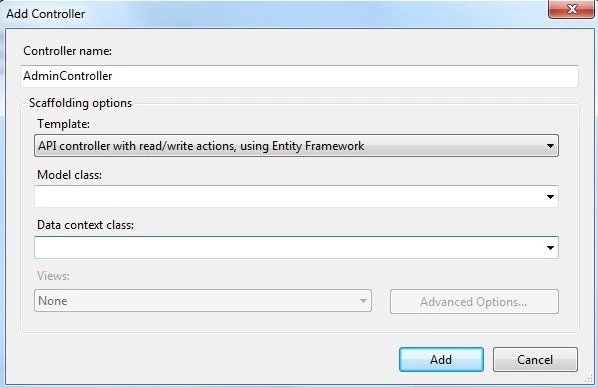
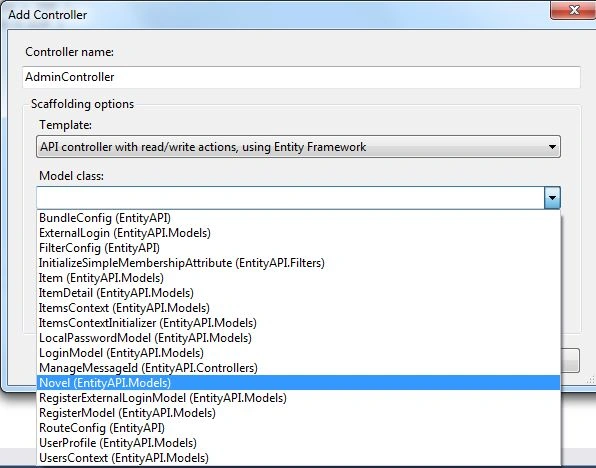
- Select "Model class" from the drop down list:
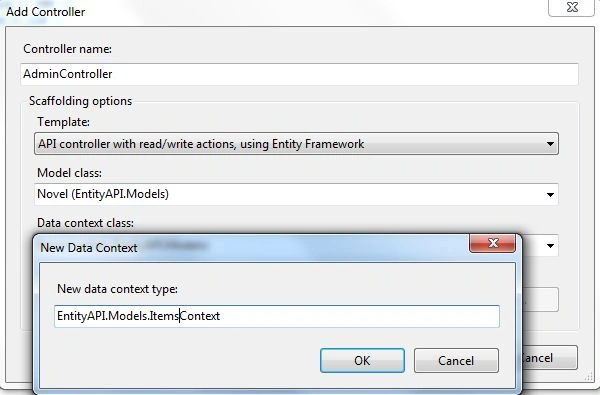
- Now select "DataContext" by clicking on the new data context.
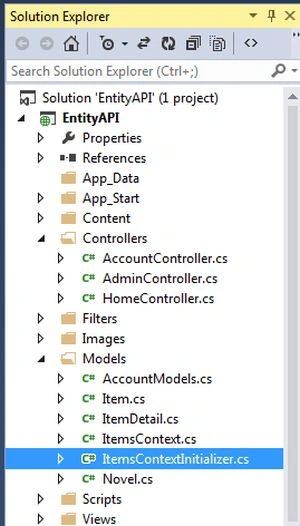
- Now see the Solution Explorer.
Step 2
Now perform some changes in the Context file "ItemsContext".
- using System.Data.Entity;
- namespace EntityAPI.Models
- {
- public class ItemsContext : DbContext
- {
- // You can add custom code to this file. Changes will not be overwritten.
- //
- // If you want Entity Framework to drop and regenerate your database
- // automatically whenever you change your model schema, add the following
- // code to the Application_Start method in your Global.asax file.
- // Note: this will destroy and re-create your database with every model change.
- //
- // System.Data.Entity.Database.SetInitializer(new System.Data.Entity.DropCreateDatabaseIfModelChanges<EntityAPI.Models.ItemsContext>());
- public ItemsContext() : base("name=ItemsContext")
- {
- }
- public DbSet<Novel> Novels { get; set; }
- public DbSet<Item> Items { get; set; }
- public DbSet<ItemDetail> ItemDetails { get; set; }
- }
- }
Join the conversation! Your thoughts help the community grow.