Download the jQuery-1
.11.0
.js file
form http://jquery.com/download/Add the jQuery-1
.11.0
.js to the Solution Explorer and drag and drop the
jquery-1.11.0
.js file from the Solution Explorer
onto your default.aspx page as shown below.

To display an alert on a Button click using
jQuery, add a Button element to the page as shown below:
<asp:Button ID="Button1" runat="server" Text="Button" />
Now add a
script tag to add some
jQuery function as in the following block:
<script type="text/javascript">
$(document).ready(function() {
// add code here
});
</script>
Add your code to the function block:
<script type="text/javascript">
$(document).ready(function() {
$("#Button1").click(function() {
alert("Hello world!");
});
});
</script>
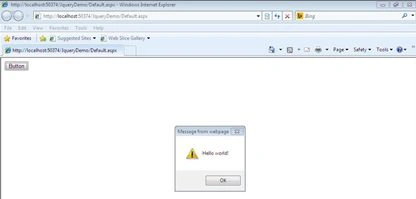
On clicking the button, you get an alert code similar to the following:
To do some animation on button click using
jQuery, add
a HTML button and
a <asp
:Panel> to the page as shown below:
<form id="form1" runat="server">
<input id="btnAnimate" type="button" value="Animate" />
<asp:Panel ID="Panel1" runat="server">
Some sample text in this panel
</asp:Panel>
</form>
Also add some
CSS to design the
div. The <style> tag has been kept
in the <head> of the default.aspx page.
<style type="text/css">
div {
background-color:#D5EDEF;
color:#4f6b72;
width:50px;
border: 1px solid #C1DAD7;
}
</style>
Finally add the
jQuery code to animate the panel on button click as in the following:
<script type="text/javascript">
$(document).ready(function() {
$("#btnAnimate").click(function() {
$("#Panel1").animate(
{
width: "350px",
opacity: 0.5,
fontSize: "16px"
}, 1800);
});
});
</script>
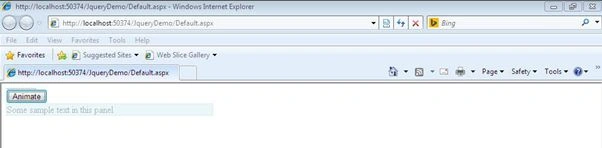
Run the sample and see the Panel being animated as shown below.


Join the conversation! Your thoughts help the community grow.