

Introduction
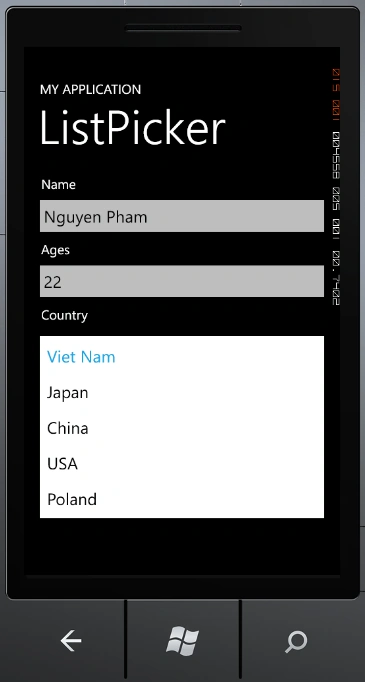
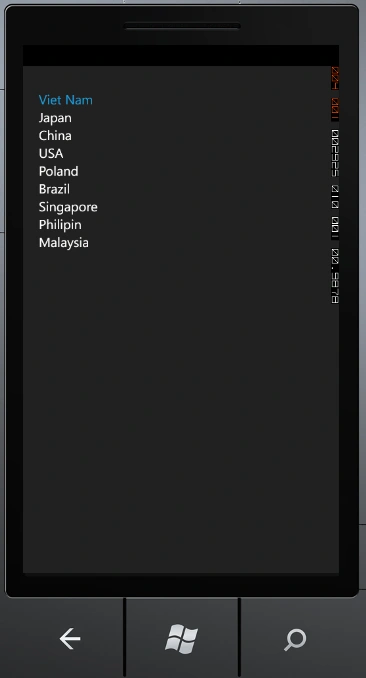
ListPicker is a new control in the Silverlight Toolkit for Windows Phone. It is for
user's to choose another item like Combobox but ListPicker has more features than a Combobox. When you have little item about 1->4 it'll show data as a Combobox and
if more item Listpicker will show data as a ListBox.
In this article I will talk about Listpicker in Windows Phone.
Fundamental
First, you must install Silverlight tool for Windows Phone . you can
download it here
http://silverlight.codeplex.com/releases/view/71550
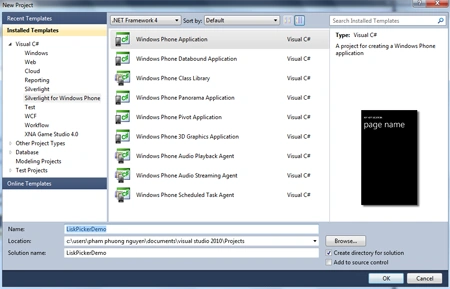
Now we're creating Windows Phone Application Project.
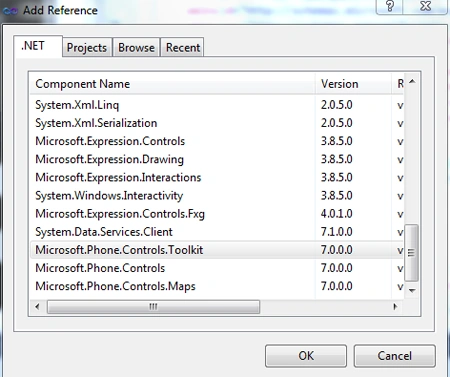
Next, we right click on References -> choose Add Refrences -> choose
Microsoft.Phone.Controls.Toolkit :
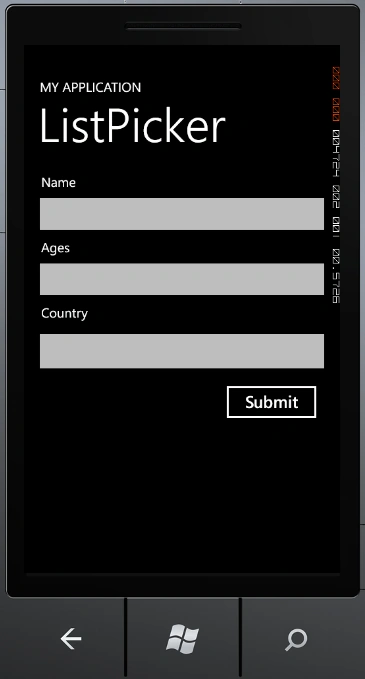
Then we go to MainPage.xaml and built a sample User Interface but after that we
declare
xmlns:toolkit="clr-namespace:Microsoft.Phone.Controls;assembly=Microsoft.Phone.Controls.Toolkit"
To use Control.
- Now we add some Control to MainPage,
they're TextBlock,TextBox and ListPicker:
- To Use ListPicker we must Define
ItemTemplate and FullModeItemTemplate :
<phone:PhoneApplicationPage.Resources>
<DataTemplate x:Name="lpkItemTemplate">
<TextBlock Text="{Binding Country}" />
</DataTemplate>
<DataTemplate x:Name="lpkFullItemTemplate">
<TextBlock Text="{Binding Country}" />
</DataTemplate>
</phone:PhoneApplicationPage.Resources>
Full XAML Code :
<phone:PhoneApplicationPage
x:Class="ListPickerDemo.MainPage"
xmlns="http://schemas.microsoft.com/winfx/2006/xaml/presentation"
xmlns:x="http://schemas.microsoft.com/winfx/2006/xaml"
xmlns:phone="clr-namespace:Microsoft.Phone.Controls;assembly=Microsoft.Phone"
xmlns:shell="clr-namespace:Microsoft.Phone.Shell;assembly=Microsoft.Phone"
xmlns:d="http://schemas.microsoft.com/expression/blend/2008"
xmlns:mc="http://schemas.openxmlformats.org/markup-compatibility/2006"
mc:Ignorable="d" d:DesignWidth="480" d:DesignHeight="768"
xmlns:toolkit="clr-namespace:Microsoft.Phone.Controls;assembly=Microsoft.Phone.Controls.Toolkit"
FontFamily="{StaticResource PhoneFontFamilyNormal}"
FontSize="{StaticResource PhoneFontSizeNormal}"
Foreground="{StaticResource PhoneForegroundBrush}"
SupportedOrientations="Portrait" Orientation="Portrait"
shell:SystemTray.IsVisible="True">
<phone:PhoneApplicationPage.Resources>
<DataTemplate x:Name="lpkItemTemplate">
<TextBlock Text="{Binding Country}" />
</DataTemplate>
<DataTemplate x:Name="lpkFullItemTemplate">
<TextBlock Text="{Binding Country}" />
</DataTemplate>
</phone:PhoneApplicationPage.Resources>
<!--LayoutRoot is the root grid where all page content is placed-->
<Grid x:Name="LayoutRoot" Background="Transparent">
<Grid.RowDefinitions>
<RowDefinition Height="Auto"/>
<RowDefinition Height="*"/>
</Grid.RowDefinitions>
Dimas AritonaPosted May 9, 2013, 10:12 AM
do you have code in vb.net?
LiamPosted Mar 9, 2013, 7:10 PM
I was really stuck with ListPicker until I came across this page. Thanks!
Nguyen PhamPosted Sep 19, 2011, 1:23 AM
Nice to See you ! Dinesh and Dhannajay ^^ I will try my best
Former memberPosted Sep 18, 2011, 11:41 PM
Nice work done by MSP :)
Dinesh BeniwalPosted Sep 15, 2011, 11:51 PM
Good work, Welcome to the Mindcracker Community.