

Introduction
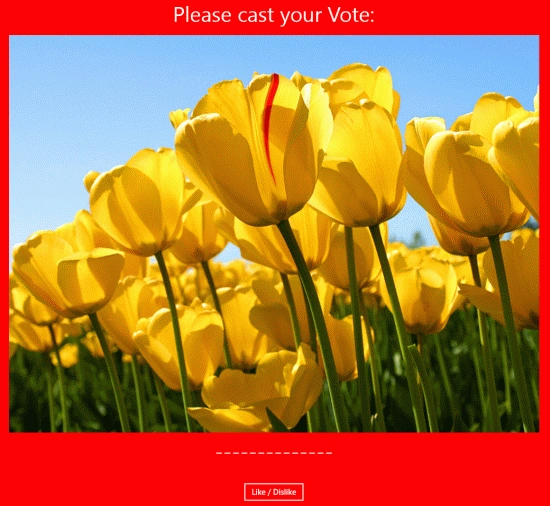
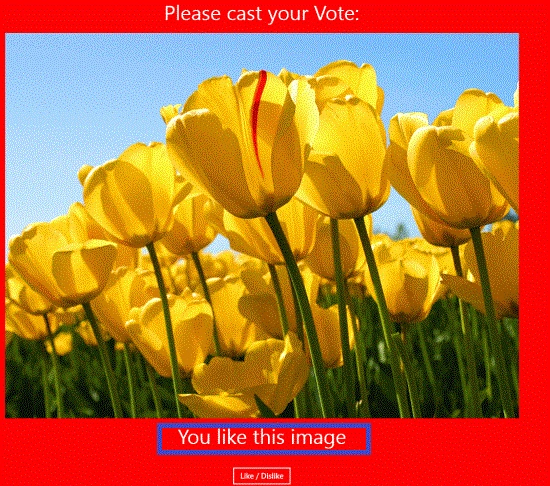
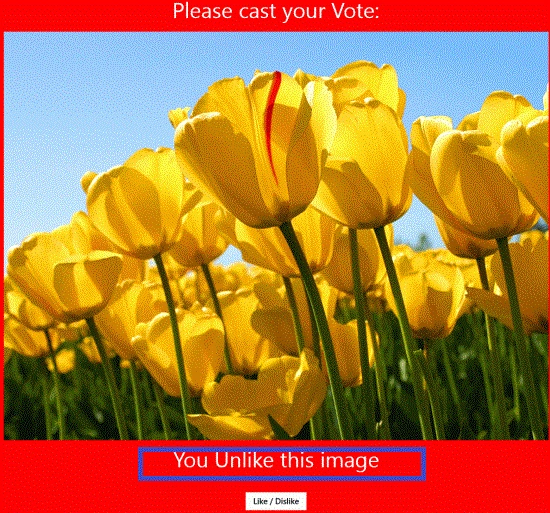
In this article we will use a Toggle button control. This is an advanced control introduced in XAML controls with some new properties. As the name implies, it provides the ability to toggle between two operations upon clicking the same button. In this application we are using that same feature in a social networking site to Like and Unlike images posted by the user in their profile. On the first click of the button, it is liked. Suppose there is an image and when a button is clicked it will indicate that you like this image and when you click again on the like button then this would make it unliked.
In the following we are providing the entire code of the XAML file and the code behind file to create this mini application.
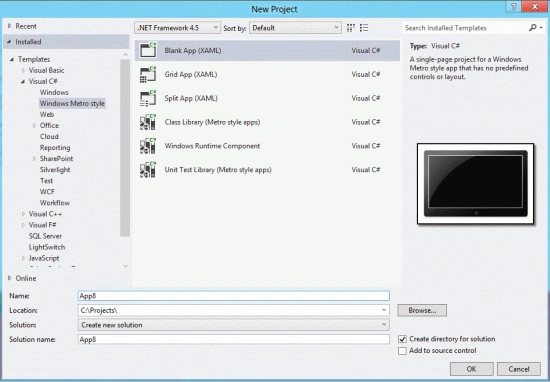
Step 1 : First, you will create a new Metro Style Application. Let us see the description with images of how you will create it.
- Open Visual Studio 2012
- File -> New -> Project
- Choose Template -> Visual C# -> Metro Style Application
- Rename the application
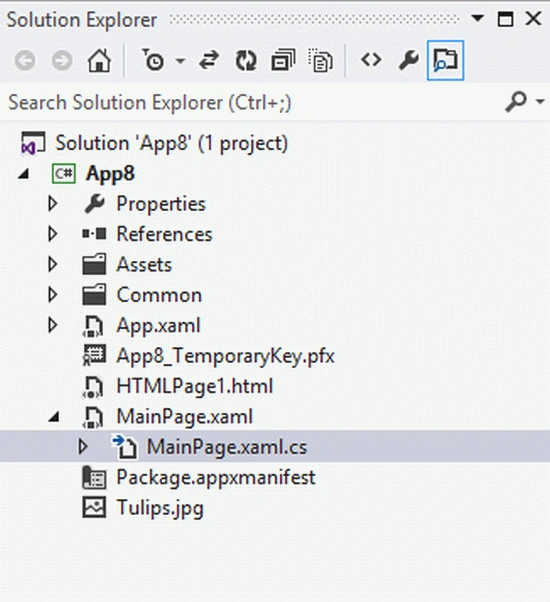
Step 2 : In the Solution Explorer there are two files that we will primarily work with; the MainPage.xaml and MainPage.xaml.cs files.
Step 3 : The MainPage.xaml file is as in the following code:
Code :
<Page
x:Class="App8.MainPage"
IsTabStop="false"
xmlns="http://schemas.microsoft.com/winfx/2006/xaml/presentation"
xmlns:x="http://schemas.microsoft.com/winfx/2006/xaml"
xmlns:local="using:App8"
xmlns:d="http://schemas.microsoft.com/expression/blend/2008"
xmlns:mc="http://schemas.openxmlformats.org/markup-compatibility/2006"
mc:Ignorable="d">
<Grid x:Name="LayoutRoot" Background="Red">
<Grid.ColumnDefinitions>
<ColumnDefinition Width=".333*"></ColumnDefinition>
<ColumnDefinition Width=".333*"></ColumnDefinition>
</Grid.ColumnDefinitions>
<Grid.RowDefinitions>
<RowDefinition Height=".033*"></RowDefinition>
<RowDefinition Height=".333*"></RowDefinition>
<RowDefinition Height=".033*"></RowDefinition>
<RowDefinition Height=".033*"></RowDefinition>
</Grid.RowDefinitions>
<TextBlock x:Name="tblVote" Text="Please cast your Vote:" FontSize="40"
Join the conversation! Your thoughts help the community grow.