

A XAML Label element represents a Label control. Code sample of how to use a XAML Label.
This article has moved here: Working with WPF Label Control using XAML and C#
The code example in Listing 1 creates a Label control in XAML and sets the name, height, width and content of a Label control. The code also sets the font format for the text.
- <Label Name="Label1"
- Content="Hello! I am Label Control"
- Width="200" Height="40"
- Canvas.Left="10" Canvas.Top="10"
- FontSize="14" FontFamily="Georgia"
- FontWeight="Bold"/>
The output looks as in Figure 1.
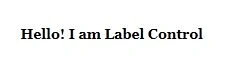
Figure 1
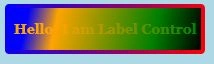
The Background and Foreground properties set the background and foreground colors of the Label control. The code snippet in Listing 2 sets the background, foreground and alignment of a Label control.
- <Label Name="Label1"
- Content="Hello! I am Label Control"
- Width="200" Height="30"
- Canvas.Left="10" Canvas.Top="10"
- FontSize="14" FontFamily="Georgia"
- FontWeight="Bold"
- Background="Black"
- Foreground="Orange"
- VerticalAlignment="Center"
- HorizontalAlignment="Center"/>
The new output looks as in Figure 2.

Figure 2
Formatting a Label
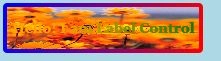
The BorderBrush property of the Label sets a brush to draw the border of a Label. You may use any brush to fill the border. The following code snippet uses a linear gradient brush to draw the border with a combination of Red and Blue colors.
- <Label.BorderBrush>
- <LinearGradientBrush StartPoint="0,0" EndPoint="1,1" >
- <GradientStop Color="Blue" Offset="0" />
- <GradientStop Color="Red" Offset="1.0" />
- </LinearGradientBrush>
- </Label.BorderBrush>
Rushi MehtaPosted Dec 8, 2018, 2:15 AM
Nice explanation ,thanks for sharing
Mahesh ChandPosted Dec 22, 2014, 8:05 PM
Thanks guys. Glad you're enjoying XAML.
Vithal WadjePosted Dec 22, 2014, 12:54 PM
nice explanation ,thanks for sharing
K P Singh ChundawatPosted Dec 22, 2014, 3:35 AM
very good explanation Mahesh Chand Sir....