
In this article we will read about how to validate and check data of a JSON list of objects in ASP.Net Core using Fluent Validation. Let’s start.
First, create a new ASP.Net Core project,
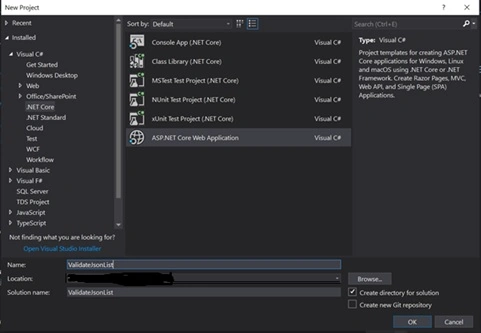
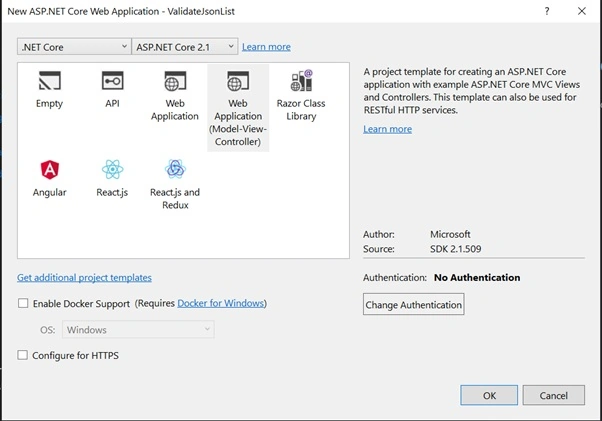
Choose a template
Install the required Fluent Validation libraries.
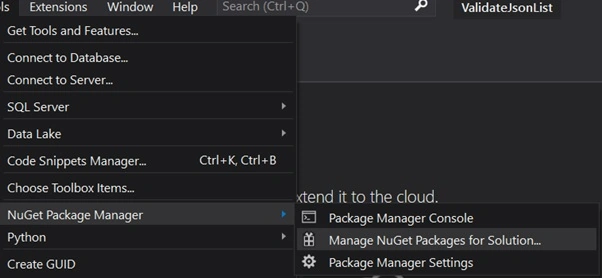
For this, go to menu bar select Tools => NuGet Package Manager => Manage NuGet Packages for Solution
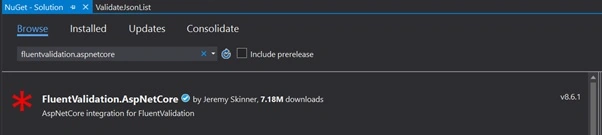
Browse for ‘fluentvalidation.aspnetcore’ and install the latest stable package.
Modify 'startup.cs' file
Go to ‘startup.cs’ and add the below lines of code in the ConfigureServices method.
- services.AddMvc().SetCompatibilityVersion(CompatibilityVersion.Version_2_1).AddFluentValidation(c => c.RegisterValidatorsFromAssemblyContaining<Startup>());
- services.AddTransient<IValidatorFactory, ServiceProviderValidatorFactory>();
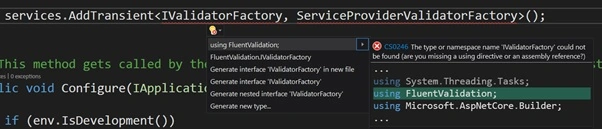
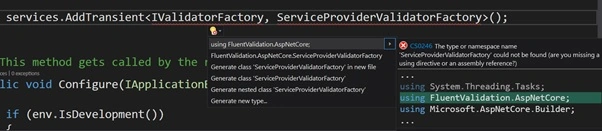
Include references for FluentValidation and FluentValidation.AspNetCore in startup.cs
- using FluentValidation;
- using FluentValidation.AspNetCore;
Create Model Classes
Create a class called ‘Employee.cs’ ( this class object will be validated ) in the ‘Models’ folder.
Code for Employee.cs class
- namespace ValidateJsonList.Models
- {
- public class Employee
- {
- public string Name;
- public string EmailId;
- }
- }
Create another class called ‘Employees.cs’ in ‘Models’ folder.
Code for Employees.cs class
- namespace ValidateJsonList.Models
- {
- using System.Collections.Generic;
- public class Employees
- {
- public List<Employee> Employee;
- }
- }
This class contains Employee property of type List<Employee> to hold collection of Employee objects.
Create AbstractValidator classes for validation rules
Now, create AbstractValidator classes for both Employee.cs and Employees.cs. I have created a ‘Validators’ folder for having all the AbstractValidator classes at one place.
Code for EmployeeValidator.cs
- namespace ValidateJsonList.Validators
- {
- using FluentValidation;
- using ValidateJsonList.Models;
- public class EmployeeValidator : AbstractValidator<Employee>
- {
- public EmployeeValidator()
- {
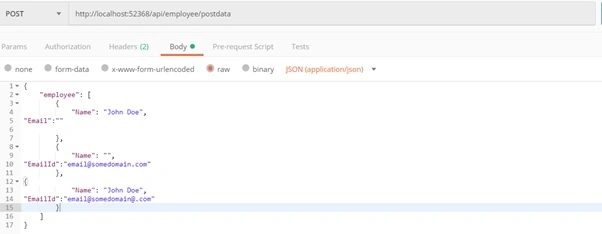
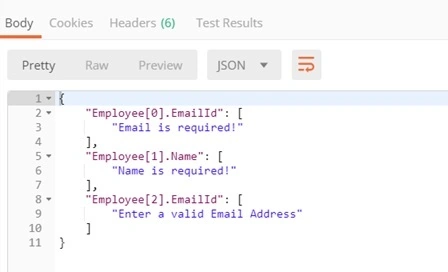
- RuleFor(x => x.Name).NotEmpty().WithMessage("Name is required!");
- RuleFor(x => x.EmailId).NotEmpty().WithMessage("Email is required!");
- RuleFor(x => x.EmailId).EmailAddress().WithMessage("Enter a valid Email Address");
- }
- }
- }
Pawan GuptaPosted Jan 12, 2020, 5:06 PM
Nice one Bhupesh
Dipa MehtaPosted Jan 10, 2020, 4:26 AM
Good one. Bhupesh..
chitransh rajawatPosted Jan 9, 2020, 11:26 PM
Nice article Bhupesh ji.
Sourav Kumar DasPosted Jan 9, 2020, 11:06 PM
Nice and useful article.