
Introduction
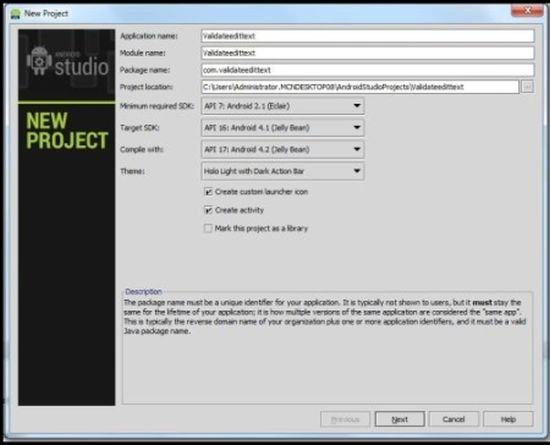
Step 2
Now open the XML file:
Step 3
Step 4
- <RelativeLayout xmlns:android="http://schemas.android.com/apk/res/android"
- xmlns:tools="http://schemas.android.com/tools"
- android:layout_width="match_parent"
- android:layout_height="match_parent"
- android:paddingLeft="@dimen/activity_horizontal_margin"
- android:paddingRight="@dimen/activity_horizontal_margin"
- android:paddingTop="@dimen/activity_vertical_margin"
- android:paddingBottom="@dimen/activity_vertical_margin"
- tools:context=".MainActivity">
- <LinearLayout
- android:layout_width="wrap_content"
- android:layout_height="wrap_content"
- android:layout_alignParentTop="true"
- android:orientation="horizontal" android:id="@+id/linearLayout2">
- <TextView
- android:layout_width="wrap_content"
- android:layout_height="wrap_content"
- android:textAppearance="?android:attr/textAppearanceLarge"
- android:text="Person_Name"
- android:id="@+id/textView1"
- android:layout_gravity="center_horizontal|top"
- android:layout_alignParentTop="true"
- android:layout_toRightOf="@+id/linearLayout2"/>
- <EditText
- android:layout_width="200dp"
- android:layout_height="wrap_content"
- android:inputType="textPersonName"
- android:text=""
- android:id="@+id/editText1"
- android:layout_gravity="center_horizontal|top"
- android:layout_alignTop="@+id/linearLayout2"
- android:layout_alignParentRight="true"/>
- </LinearLayout>
- <LinearLayout
- android:layout_width="wrap_content"
- android:layout_height="wrap_content"
- android:layout_marginTop="80dp"
- android:orientation="horizontal" android:id="@+id/linearLayout">
- <TextView
- android:layout_width="wrap_content"
- android:layout_height="wrap_content"
- android:textAppearance="?android:attr/textAppearanceLarge"
- android:text="word"
- android:id="@+id/textView"
- android:layout_gravity="center_horizontal|top"
- android:layout_alignParentTop="true"
- android:layout_toRightOf="@+id/linearLayout2"/>
- <EditText
- android:layout_width="200dp"
- android:layout_height="wrap_content"
- android:inputType=""
- android:text=""
- android:id="@+id/editText2"
- android:layout_marginLeft="40dp" android:layout_gravity="center_horizontal|top"
- android:layout_alignTop="@+id/linearLayout2"
- android:layout_alignParentRight="true"/>
- </LinearLayout>
- <Button
- android:layout_width="wrap_content"
- android:layout_height="wrap_content"
- android:text="Register"
- android:id="@+id/button"
- android:layout_below="@+id/linearLayout"
- android:layout_centerHorizontal="true"
- android:layout_marginTop="31dp"/>
- >
- </RelativeLayout>
- package com.edittextvalidation;
- import android.os.Bundle;
- import android.app.Activity;
- import android.view.Menu;
- import android.view.View;
- import android.widget.Button;
- import android.widget.EditText;
- import android.widget.TextView;
- import android.widget.Toast;
- public class MainActivity extends Activity {
- EditText NameEditText,editTextPhoneNumber,wordEditText;
- TextView textViewName,textViewAge,textViewword;
- Button RegistrationButton;
- @Override
- protected void onCreate(Bundle savedInstanceState) {
- super.onCreate(savedInstanceState);
- setContentView(R.layout.activity_main);
- RegistrationButton=(Button)findViewById(R.id.button);
- NameEditText=(EditText)findViewById(R.id.editText1);
- wordEditText=(EditText)findViewById(R.id.editText2);
- RegistrationButton.setOnClickListener(new View.OnClickListener() {
- @Override
- public void onClick(View view) {
- final String Name=NameEditText.getText().toString();
- final String word=wordEditText.getText().toString();
- if(Name.length()==0)
- {
- NameEditText.requestFocus();
- NameEditText.setError("FIELD CANNOT BE EMPTY");
- }
- else if(!Name.matches("[a-zA-Z ]+"))
- {
- NameEditText.requestFocus();
- NameEditText.setError("ENTER ONLY ALPHABETICAL CHARACTER");
- }
- else if(word.length()==0)
- {
- wordEditText.requestFocus();
- wordEditText.setError("FIELD CANNOT BE EMPTY");
- }
- else
- {
- Toast.makeText(MainActivity.this,"Validation Successful",Toast.LENGTH_LONG).show();
- }
- }
- });
- }
- }
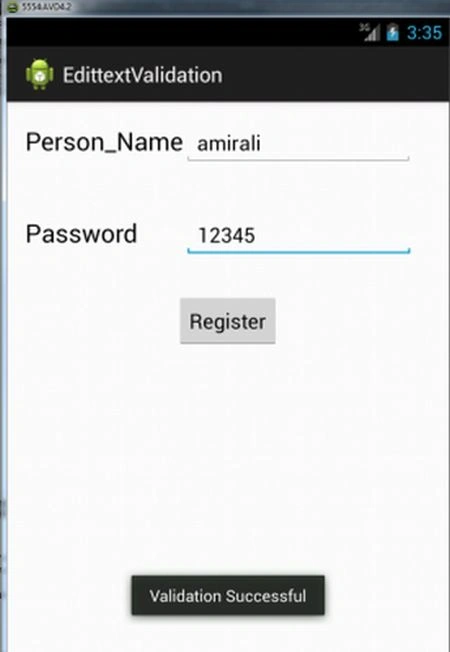
When we entered no value for the person's name:
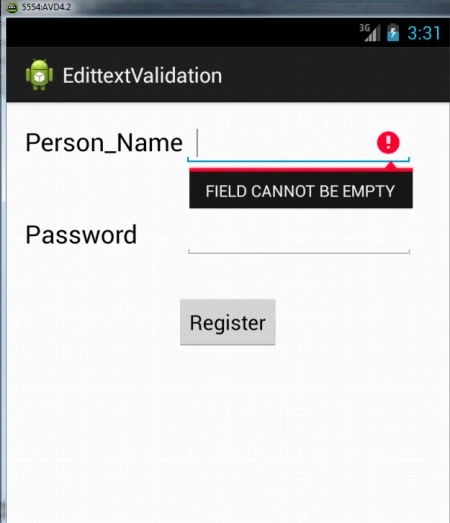
Step 5
When we entered no value for the word:
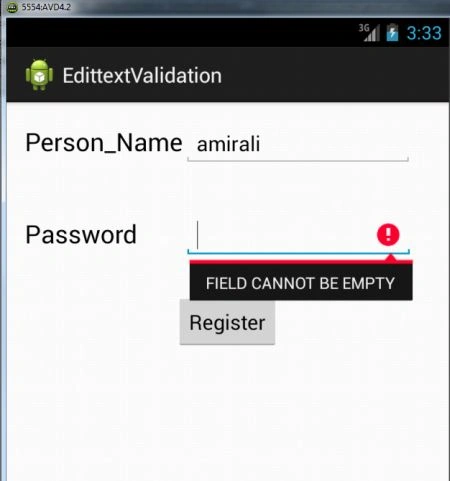
Step 6
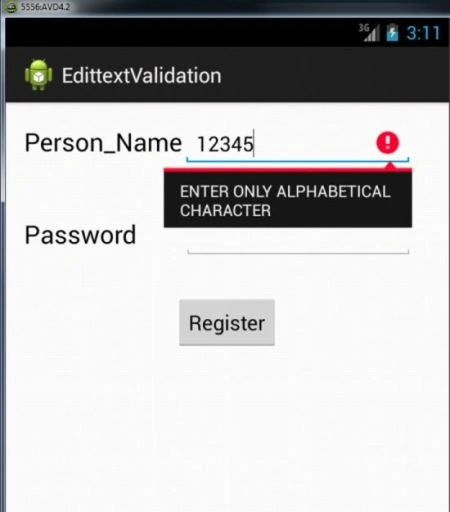
יעל כהןPosted Dec 18, 2017, 3:01 AM
Hi, I and my friend do a project and we have a question. If we want to create a text but the text nedd to be i n length 5 /7 (its not important) and we want that all letter will be another place to write the letter. for example the letter "apple" : _ _ _ _ _ . how we do it in android studio?