

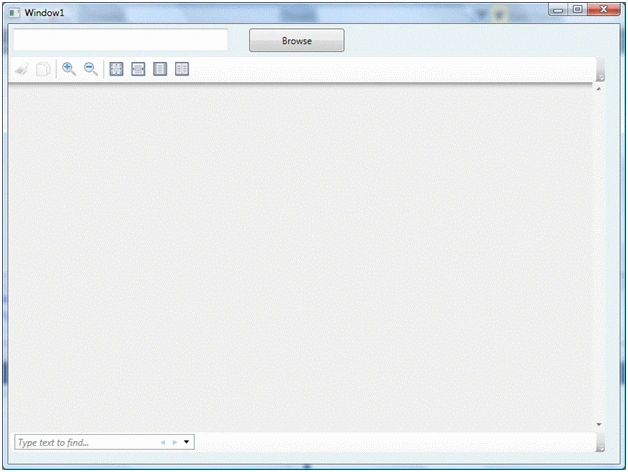
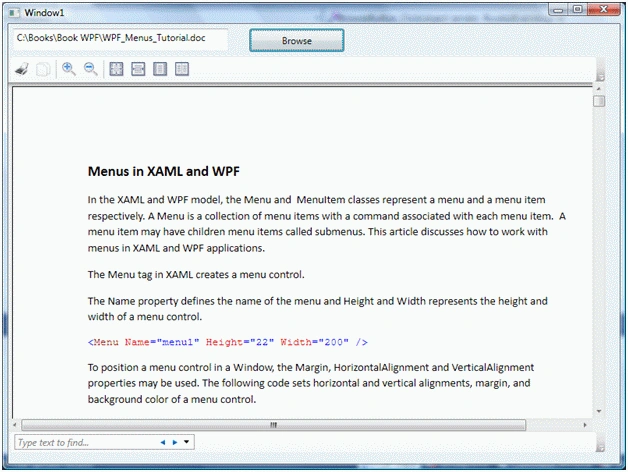
WPF does not support the functionality to view Microsoft Word documents but there is a work-around for this problem. The WPF DocumentViewer control is used to display fixed documents such as an XML Paper Specification (XPS) document. We can open a Word document if we can convert a Word document to an XPS document. This conversion is possible by using Office Interop and Office Tools frameworks for working with Office documents.
Add Reference to XPS and Office Interop Assemblies
Before we do any actual work, we must add reference for the following assemblies:
- ReachFramework.dll
- Microsoft.Office.Tools.v9.0.dll
- Microsoft.Office.Tools.Word.v9.0dll
- Microsoft.VisualStudio.Tools.Office.Runtime.v9.0.dll
- Microsoft.Office.Interop.Word.dll
The first assembly, ReachFramework.dll hosts the functionality for XPS documents and the other assemblies host the functionality of Office Interop and provide Office Tools support.
Note: You must also install 2007 Microsoft Office Add-in: Microsoft Save as PDF or XPS that you can download using the following link. http://www.microsoft.com/downloads/details.aspx?FamilyID=4d951911-3e7e-4ae6-b059-a2e79ed87041&displaylang=en
To add a reference to these assemblies, right-click on the project name and select "Add Reference" in the Solution Explorer. On the .NET Framework, select ReachFramework and select the other assemblies from the list and click the OK button. Figure 1 shows ReachFramework in the Add Reference dialog.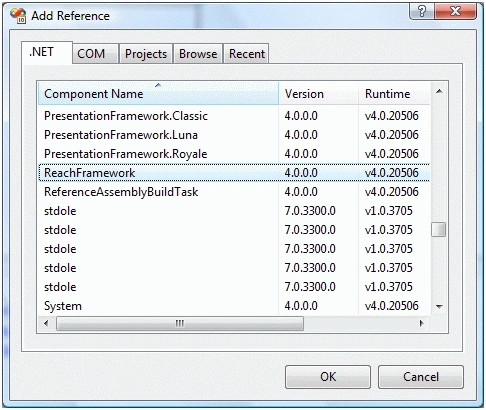
Figure 1
You may have multiple assemblies installed on your machine. Make sure you select Version 12 for Microsoft.Office.Interop.Word assemblies as you see in Figure 2, otherwise your conversion will fail.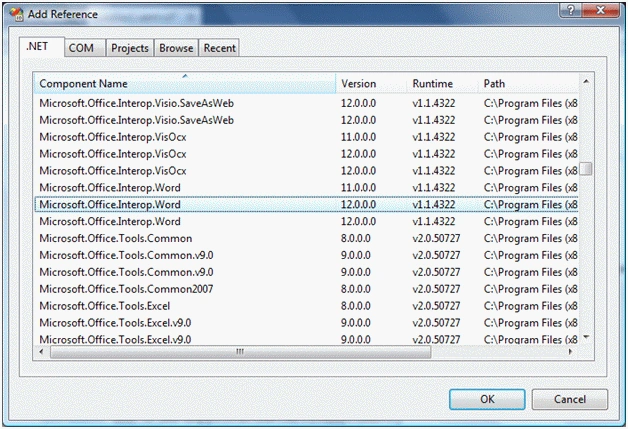
Figure 2
Once you have added the reference to assemblies, you must import the following namespaces to your code behind.
using System.IO;
using Microsoft.Office.Interop.Word;
using Microsoft.Win32;
using System.Windows.Xps.Packaging;
Convert Doc to XPS
The SaveAs method of the Document class available in OfficeInterop allows us to save a Word document as an XPS document. However, you must ensure you have version 12 of the assembly added to your project as I mentioned before.
The ConvertWordDocToXPSDoc method takes a full path of a Word document file and a new full path of a XPS document and convert the doc file to an xps file.
/// <summary>
/// This method takes a Word document full path and new XPS document full path and name
/// and returns the new XpsDocument
/// </summary>
/// <param name="wordDocName"></param>
/// <param name="xpsDocName"></param>
/// <returns></returns>
private XpsDocument ConvertWordDocToXPSDoc(string wordDocName, string xpsDocName)
{
// Create a WordApplication and add Document to it
Microsoft.Office.Interop.Word.Application
wordApplication = new Microsoft.Office.Interop.Word.Application();
wordApplication.Documents.Add(wordDocName);
Document doc = wordApplication.ActiveDocument;
// You must ensure you have Microsoft.Office.Interop.Word.Dll version 12.
// Version 11 or previous versions do not have WdSaveFormat.wdFormatXPS option
try
{
doc.SaveAs(xpsDocName, WdSaveFormat.wdFormatXPS);
wordApplication.Quit();
XpsDocument xpsDoc = new XpsDocument(xpsDocName, System.IO.FileAccess.Read);
return xpsDoc;
}
Ananth mPosted Jul 6, 2010, 3:30 AM
I used your sample code for check the process i got error in doc.SaveAs(xpsDocName, Microsoft.Office.Interop.Word.WdSaveFormat.wdFormatXPS); The error is Command Failed : Kidly please help to slove this problem... Asap
Keith PoseyPosted Feb 2, 2010, 1:40 PM
Hey Dinesh... thanks for the how-to. I am getting a compile-time error with the following lines of code, basically indicating that there is no overload available for the methods as they are written... wordApplication.Documents.Add(wordDocName);<?xml:namespace prefix = o /><o:p></o:p> doc.SaveAs(xpsDocName, WdSaveFormat.wdFormatXPS); I have checked and I am using v12 of the Microsoft.Office.Interop.Word.dll. It looks like these methods are from another namespace that is conflicting with the Interop namespace. I had to change the wordApplication.Documents.Add(wordDocName) line to the following in order to have that line compile without error... but I am still out of luck with the other line I already mentioned. object fileName = wordDocName; object newTemplate = System.Reflection.Missing.Value; object documentType = System.Reflection.Missing.Value; object visibility = System.Reflection.Missing.Value; // Create a WordApplication and add Document to it Microsoft.Office.Interop.Word.Application wordApplication = new Microsoft.Office.Interop.Word.Application(); wordApplication.Documents.Add(ref fileName, ref newTemplate, ref documentType, ref visibility); And the wordApplication.Quit() method gives a compile-time error message that mentions an ambiguity between Microsoft.Office.Interop.Word._Application.Quit(ref object, ref object, ref object) and non-method Microsoft.Office.Interop.Word.Application4_Event.Quit. Using method group. Any help you can give on this issue would be great. Thanks!