
I think every one of you have played Subway Surfer, so I came up with a
example that shows how states are changed in a game.
Start, Running => Game over and then Play again.
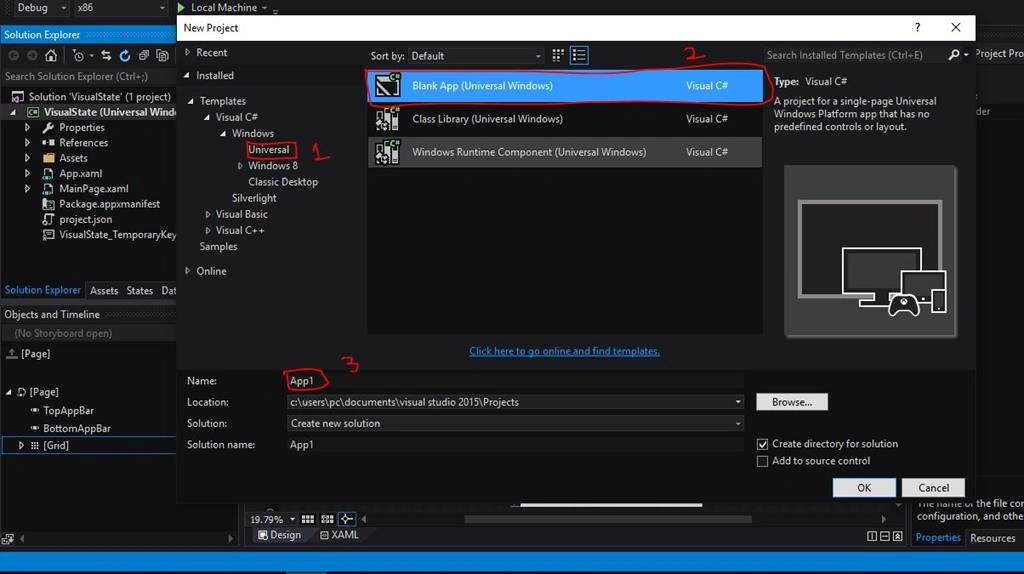
- Create a new UWP blank project.
- Go to states and add new states group and rename it as you like. I renamed it to State.
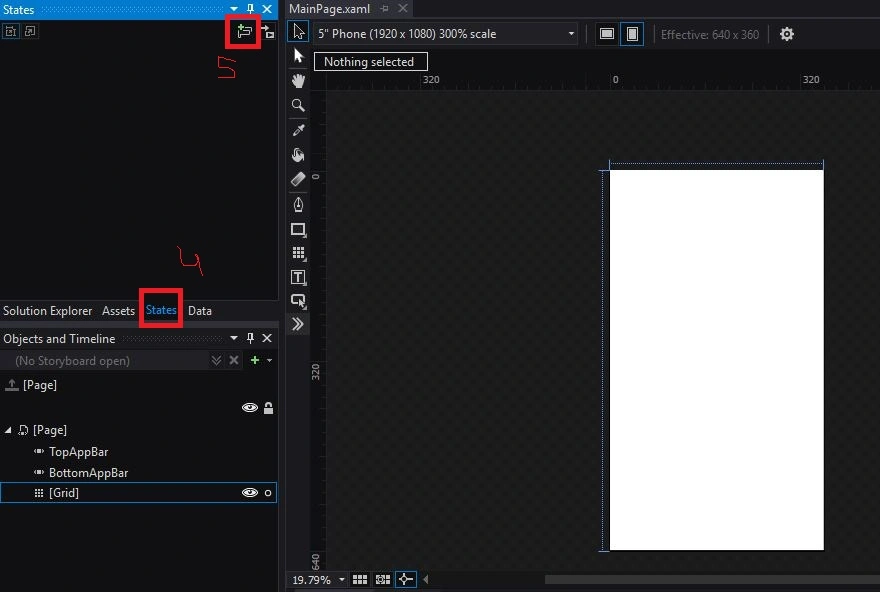
- Follow step 6 in the image below to add new state to state group. I named it as Start.

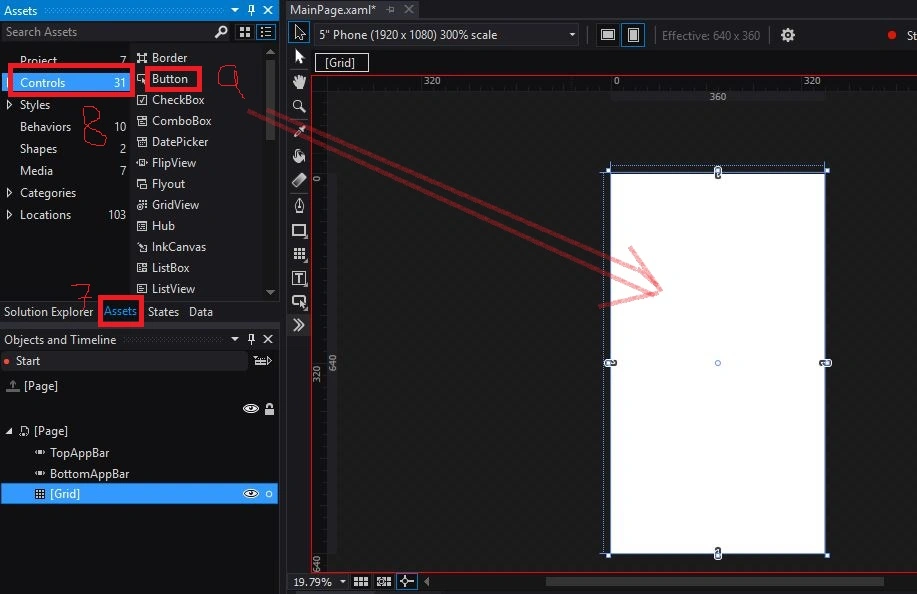
- Proceed step 7, 8, 9 and drop button control to grid.
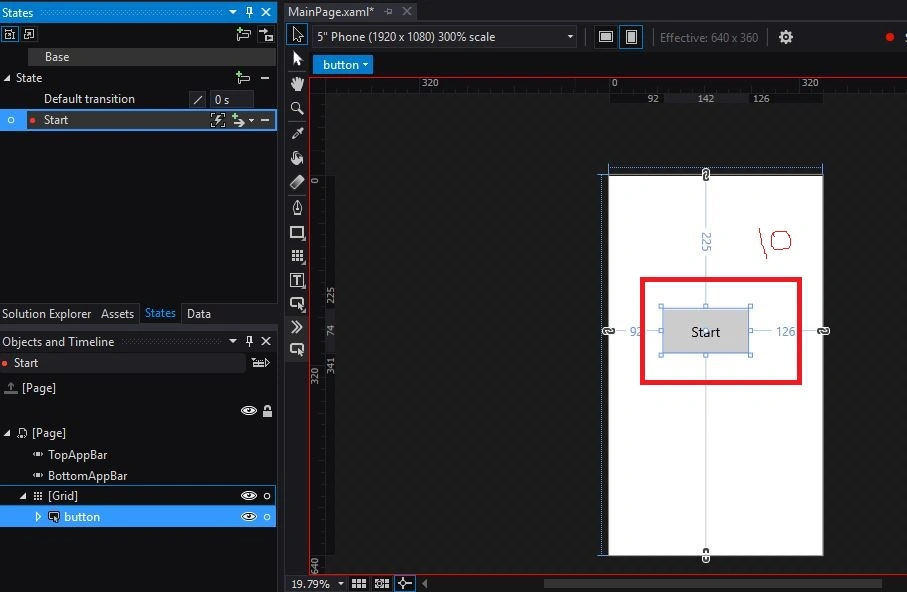
- Now you have a Start named button in a start state.
- Add Running state by following step 6 as we had done before and add a textblock, 2 buttons.
i renamed text block = game running
Button = game over
Button= Fire
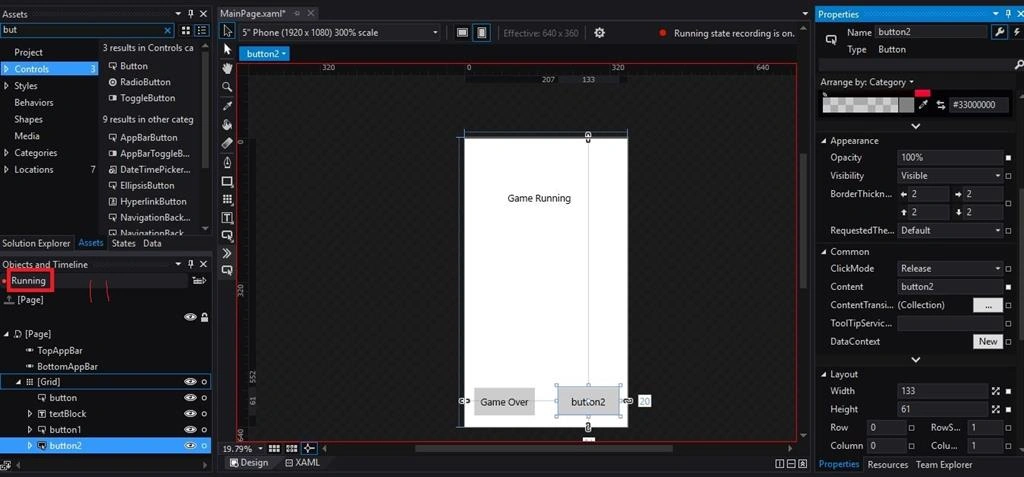
- Add another state named Gameover and add two controls.
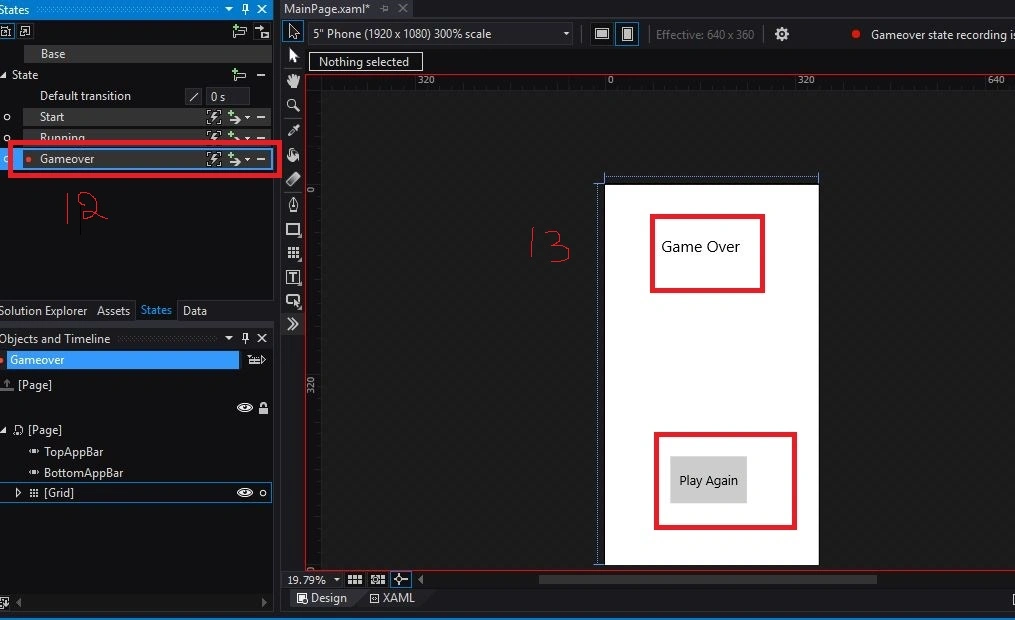
- Now go to states and click base (That is your state which comes on start of your app) and then go to Assets
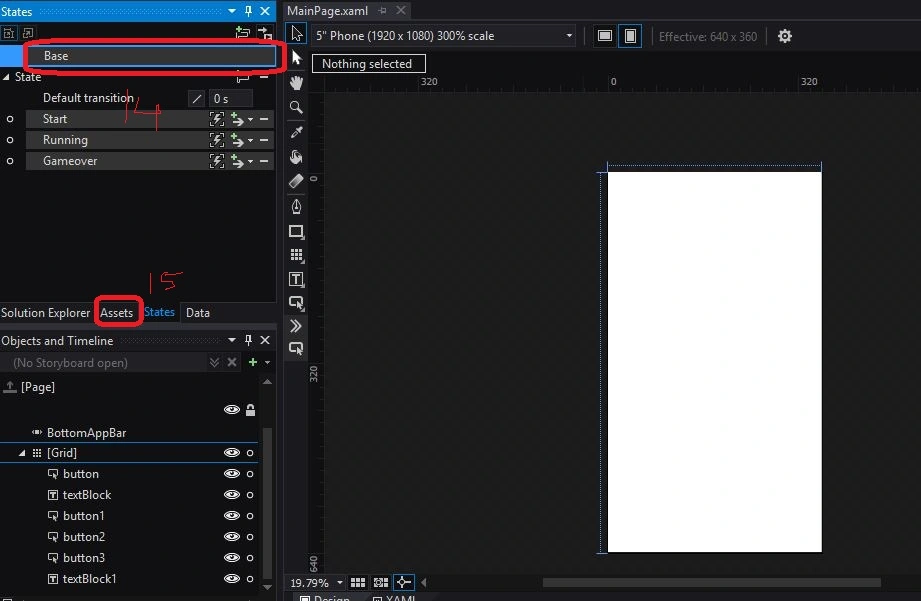
- Behavior and then click GoToStateAction and drop it to your grid as shown below.

- Follow step 18 to 22 to make your app run the start state at default.
Note: The event triggerbehaviour only change to loaded on grid. Don't do this process on coming steps:

- Change state name to Start.
- Select Start state, assets, then behaviour and then GoToStateAction and drop it in start button and change state name to Running.

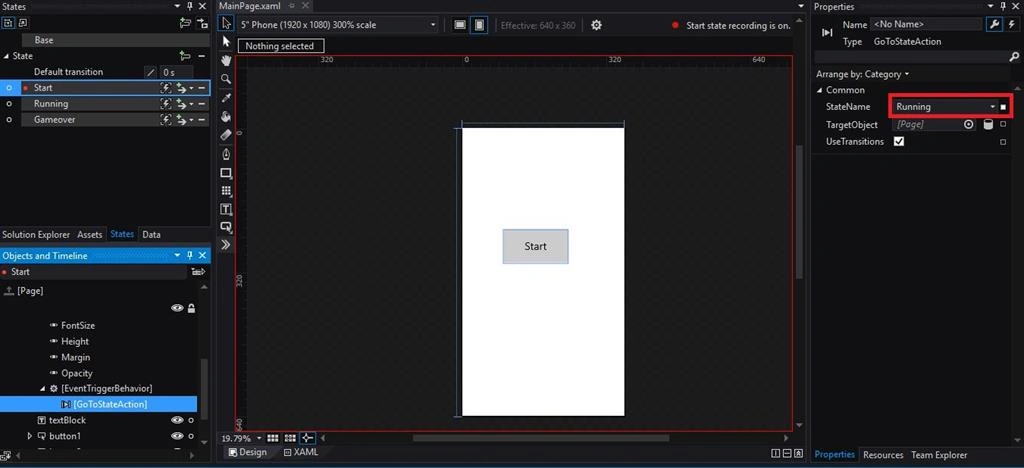
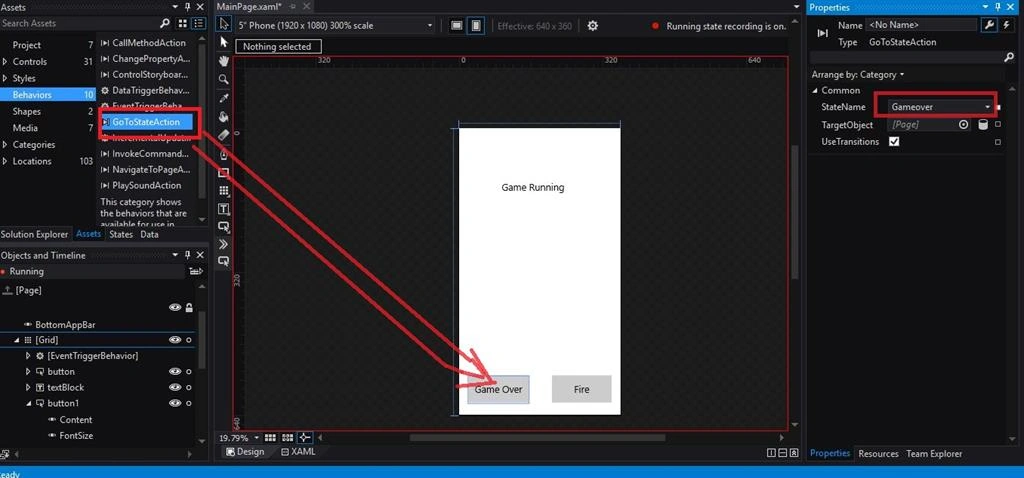
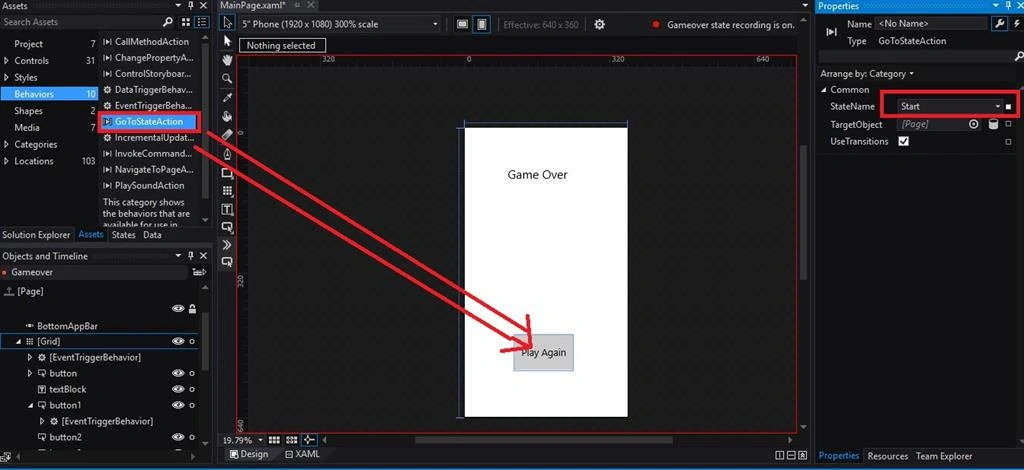
- At the end run the application and enjoy moving within the States.
Mohammed IbrahimPosted Feb 2, 2016, 2:13 PM
nice