

You might have seen multiple references about the Live Share feature of Visual Studio 2019. If not go here - Live Share.
To get the benefits of Live Share, you need a team of member/s and then you can explore all features with your team members. The use case here is that before introducing it to your team, you want to individually learn how it works. You can do this by running 2 instances of Visual Studio. I used VS 2019 for this article.
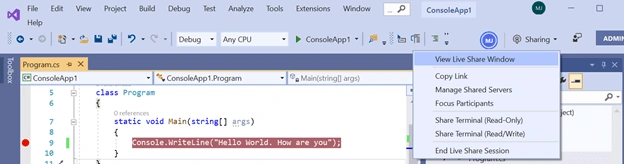
I have a console application for testing this Live Share feature. In the below image, you can see the Live Share button on the top right corner of the screen.
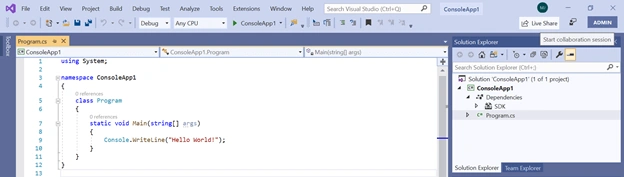
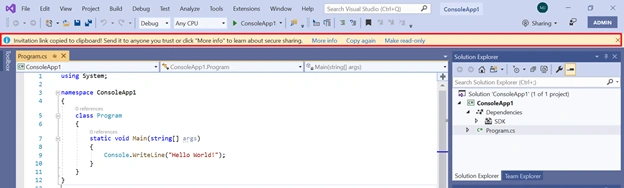
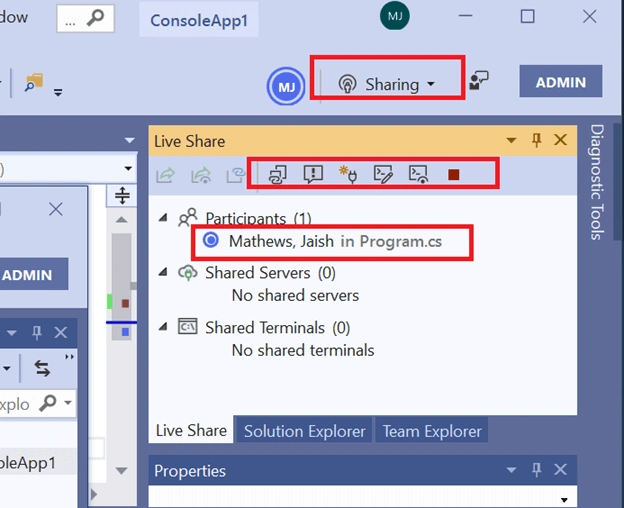
Once you've clicked the above-mentioned button, you will start sharing in Live Share. See the below picture for reference. Also, notice that once you started sharing, a unique link is created which you would share to the people you want to collaborate with, for this console application development.
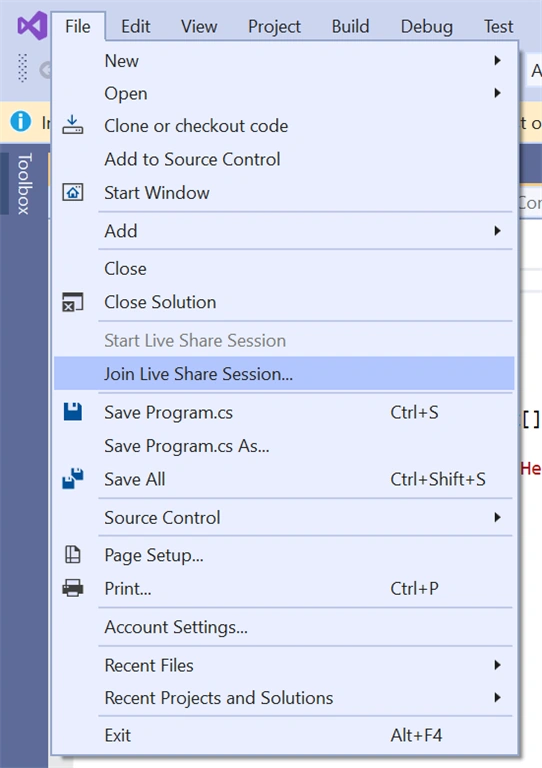
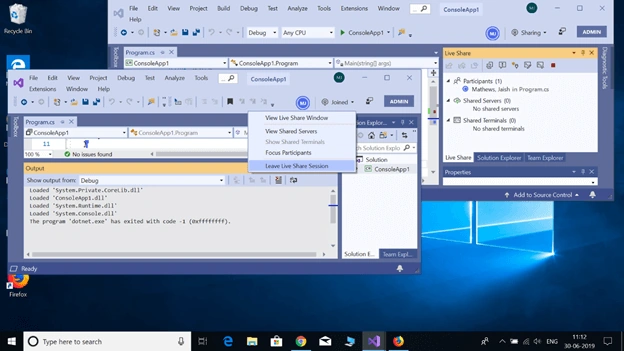
Now, I am trying this Live Share feature alone and I can only share it to myself. So, open a second Visual Studio instance and click the below-shown menu to join yourself to your own LIve Share session. In real time, this second instance is not needed, because the below operations would be done inside Live Share Joining person's machine and Joining person's VS instance would be running inside that machine.
Now, a dialog window will open automatically. Copy your Live Share URL which is running in your first VS instance, on it. Another point to notice is that the Solution Explorer of this new VS instance is blank.
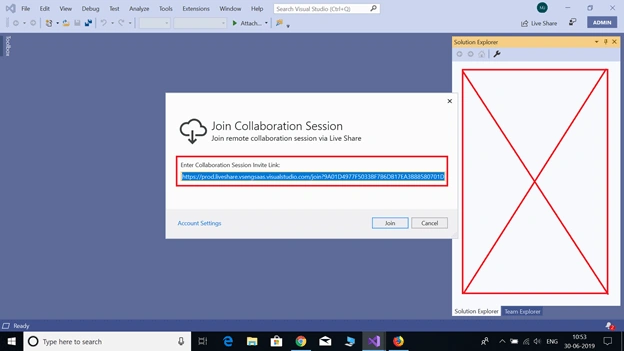
On click of the "join" button, you see the magic of attaching the console application to this new instance of VS too.
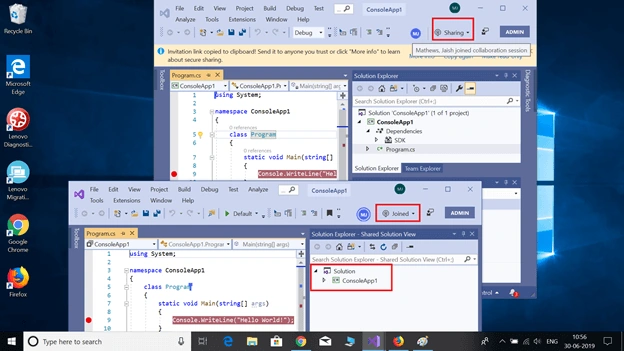
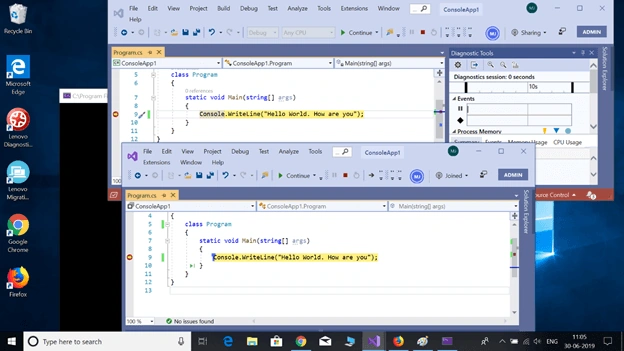
Now, two instances of VS are running in parallel. Again, in real time, this second instance is not needed, because Joining operations
would be done inside Live Share Joining person's machine and Joining
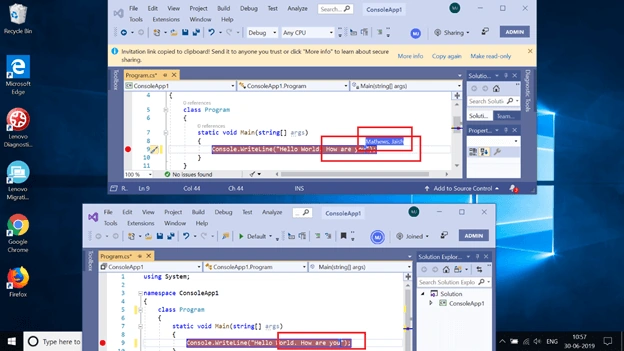
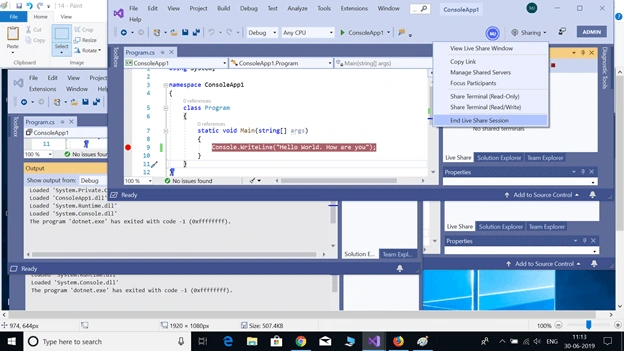
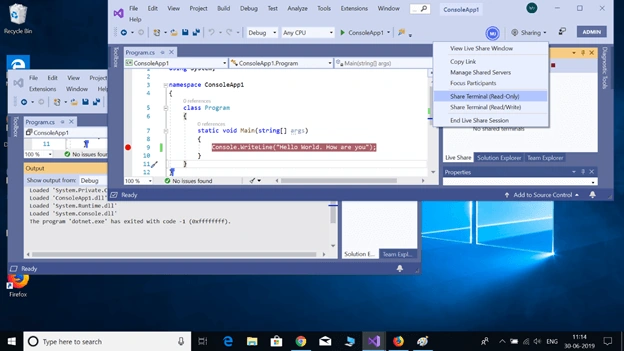
person's VS instance would be running inside that machine. You can differentiate for who is sharing and who has joined by the status displaying on top right side of each VS instances, which I marked with the red box. Now, you are collaborating with yourself!!! Let's test some collaborative flows.
Amit MohantyPosted Jul 1, 2019, 11:30 PM
Useful article