

Introduction
[WCF RIA Services is compatible with either .NET framework 4 or .NET Framework 4.5, and with either Silverlight 4 or Silverlight 5.]
Domain services are Windows Communication Foundation (WCF) services that encapsulate the business logic of a WCF RIA Services application. A domain service exposes a set of related operations in the form of a service layer. When you define a domain service, you specify the data operations that are permitted through the domain service. --- Microsoft
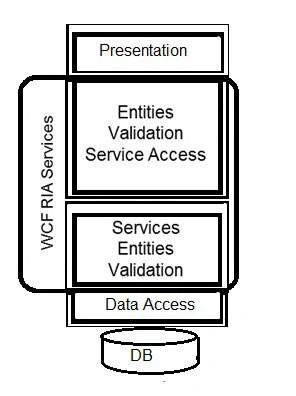
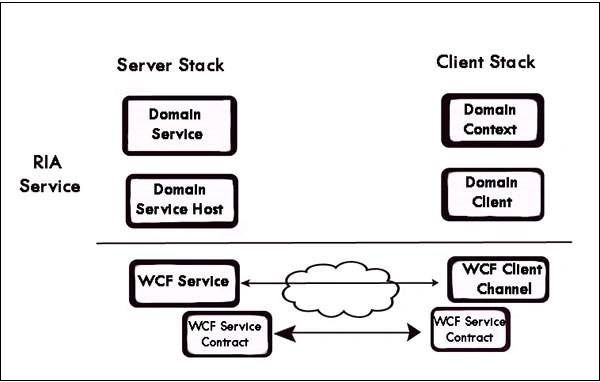
The following figure illustrates a part of the WCF architecture, where WCF RIA services has its focus in general. --- from
A: Build a WPF app with Entity Framework
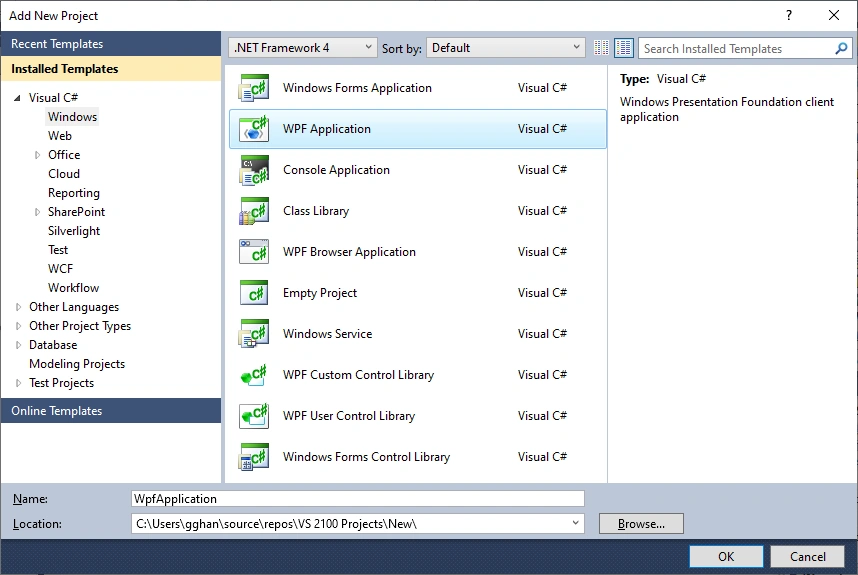
Step 1 - Create an WPF app
- Start Visual Studio and select Create a new project.
- In the Create a new project dialog,
- on the left side panel select Windows,
- on the right Select WPF Application (.NET Framework)
- Named as WpfApplication > OK.
Step 2, Reverse Engineer Model
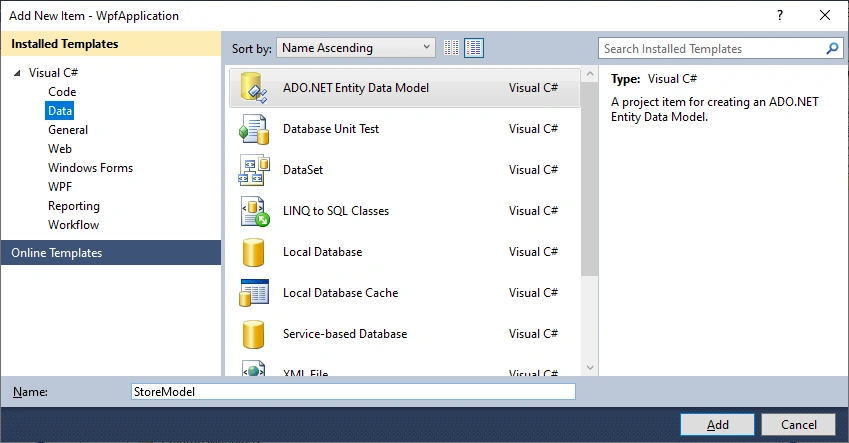
- Project -> Add New Item…
- Select Data from the left menu and then ADO.NET Entity Data Model
- Enter StoreModel as the name and click Add
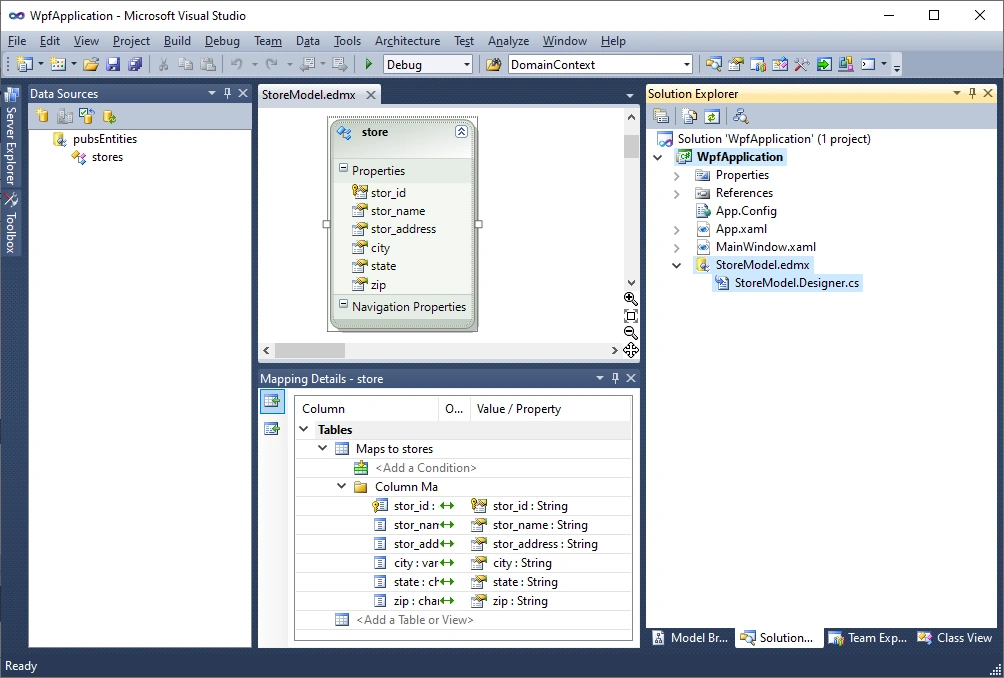
- The created entity only includes two files, one is .edmx file, showing the design mode of the entity; another is the designer code file: StoreModel.Designer.cs,
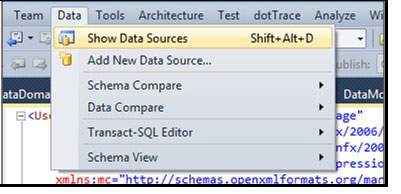
- There is DataSource window showing the entity you choose (you may Click Data => Show Data Source to open it):
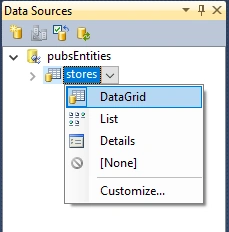
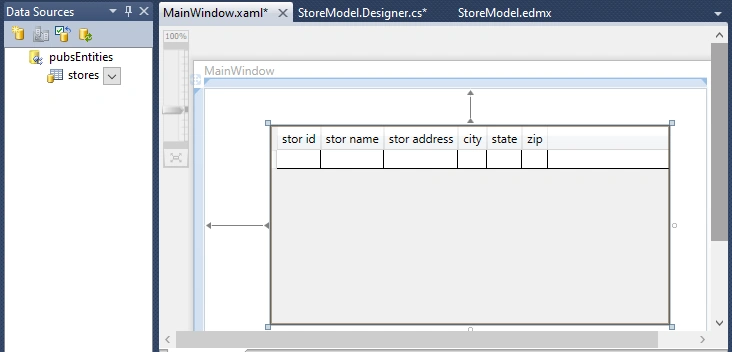
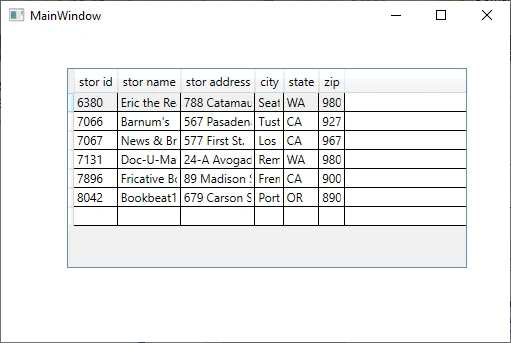
Step 3, Build the Grid, and Run the app
B: Build a Silverlight app with WCF RIA Service
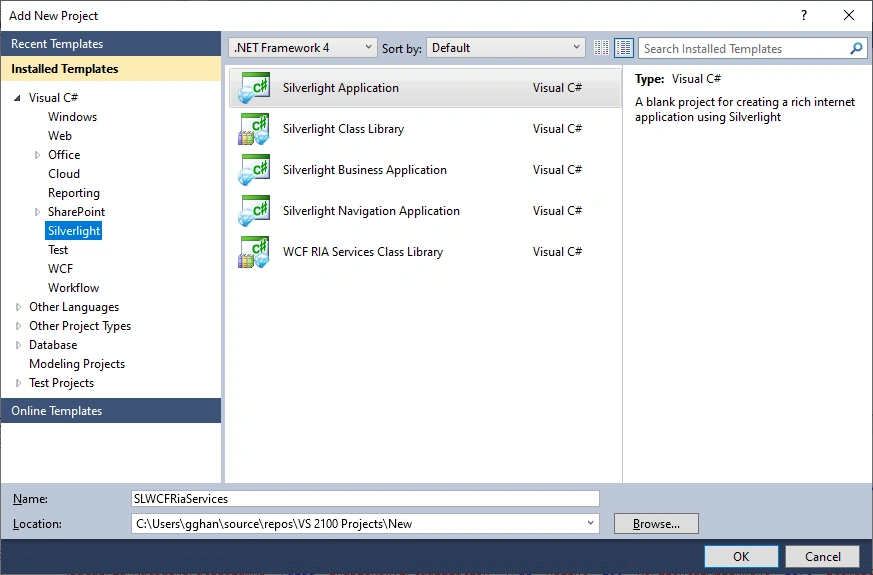
- Start Visual Studio and select Create a new project.
- In the Create a new project dialog,
- on the left side panel select Silverlight,
- on the right Select Silverlight Application (.NET Framework)
- Named as SLWCFRiaServices > OK.
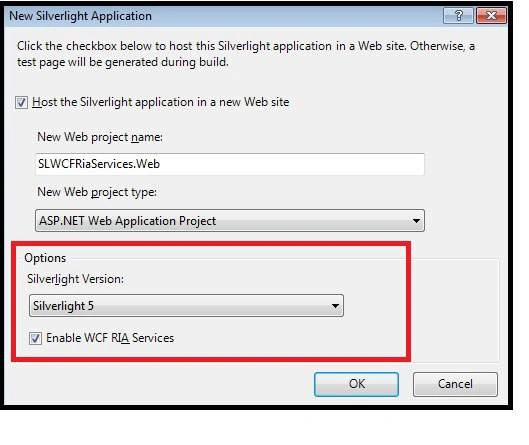
- Choose Silverlight 5 and Check Enable WCF RIA Services => OK
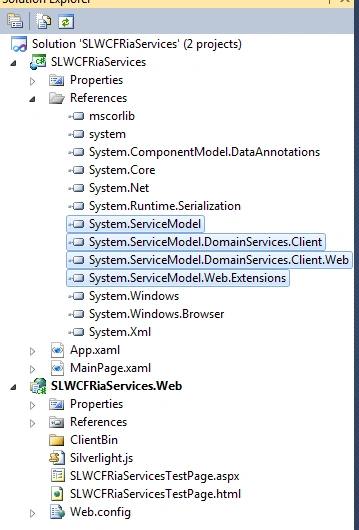
Step 2, Reverse Engineer Model
- Project -> Add New Item…
- Select Data from the left menu and then ADO.NET Entity Data Model
- Enter DataModel as the name and click Add
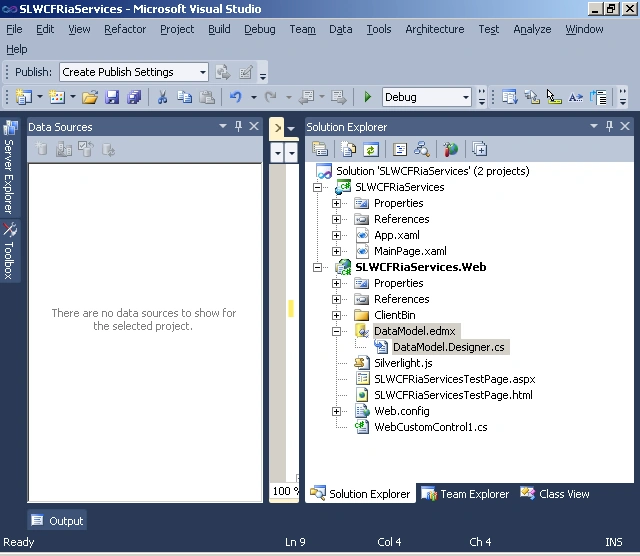
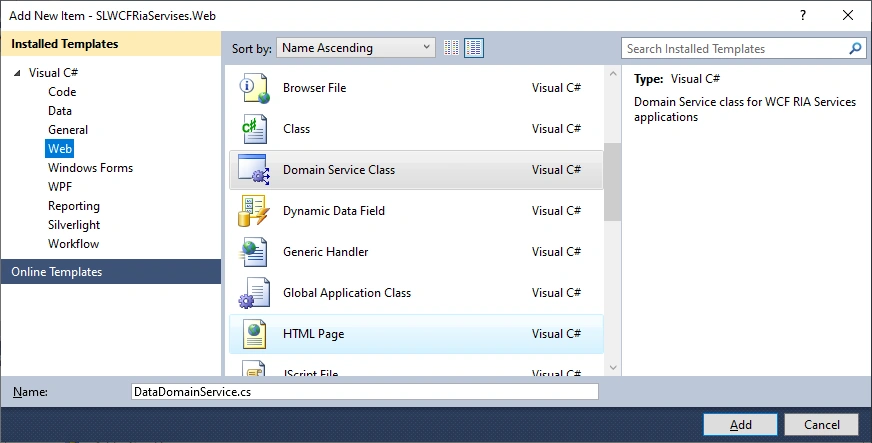
Step 3, Add Domain Service Class
- Project -> Add New Item…
- Select Web from the left menu and then DomainService Class
- Enter DataDomainService as the name and click Add
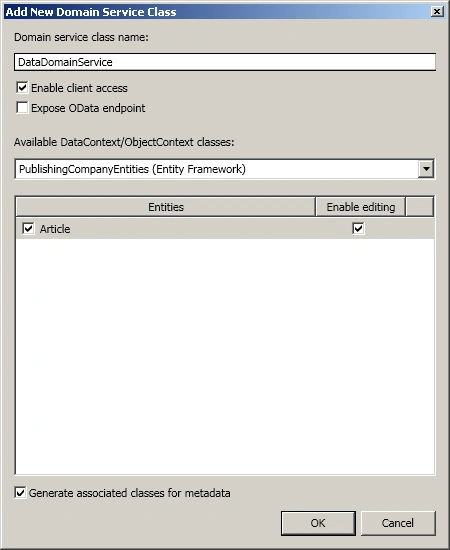
- Choose the data, enable editing => OK
- namespace SLWCFRiaServices.Web
- {
- using System;
- using System.Collections.Generic;
- using System.ComponentModel;
- using System.ComponentModel.DataAnnotations;
- using System.Data;
- using System.Linq;
- using System.ServiceModel.DomainServices.EntityFramework;
- using System.ServiceModel.DomainServices.Hosting;
- using System.ServiceModel.DomainServices.Server;
-
- // Implements application logic using the PublishingCompanyEntities context.
- // TODO: Add your application logic to these methods or in additional methods.
- // TODO: Wire up authentication (Windows/ASP.NET Forms) and uncomment the following to disable anonymous access
- // Also consider adding roles to restrict access as appropriate.
- // [RequiresAuthentication]
- [EnableClientAccess()]
- public class DataDomainService : LinqToEntitiesDomainService<PublishingCompanyEntities>
- {
- // TODO:
- // Consider constraining the results of your query method. If you need additional input you can
- // add parameters to this method or create additional query methods with different names.
- // To support paging you will need to add ordering to the 'Articles' query.
- public IQueryable<Article> GetArticles()
- {
- return this.ObjectContext.Articles;
- }
- }
- }
- namespace SLWCFRiaServices.Web
- {
- using System;
- using System.Collections.Generic;
- using System.ComponentModel;
- using System.ComponentModel.DataAnnotations;
- using System.Linq;
- using System.ServiceModel.DomainServices.Hosting;
- using System.ServiceModel.DomainServices.Server;
- // The MetadataTypeAttribute identifies ArticleMetadata as the class
- // that carries additional metadata for the Article class.
- [MetadataTypeAttribute(typeof(Article.ArticleMetadata))]
- public partial class Article
- {
- // This class allows you to attach custom attributes to properties
- // of the Article class.
- //
- // For example, the following marks the Xyz property as a
- // required property and specifies the format for valid values:
- // [Required]
- // [RegularExpression("[A-Z][A-Za-z0-9]*")]
- // [StringLength(32)]
- // public string Xyz { get; set; }
- internal sealed class ArticleMetadata
- {
- // Metadata classes are not meant to be instantiated.
- private ArticleMetadata()
- {
- }
- public int ArticleID { get; set; }
- public Nullable<int> AuthorID { get; set; }
- public string Body { get; set; }
- public string Title { get; set; }
- }
- }
- }
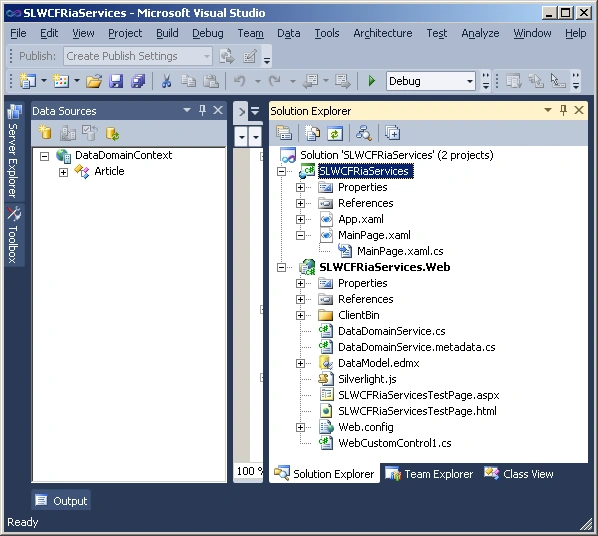
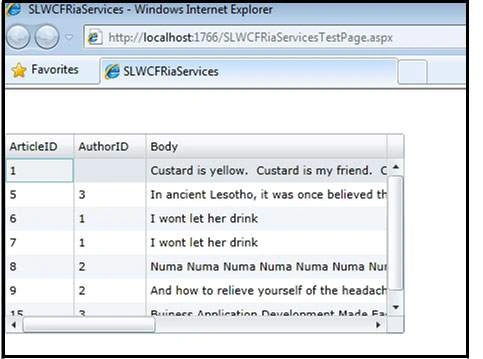
Step 4, Build the Grid, and Run the app
C: Understanding of WCF RIA Service
- It works on Silverlight
- It brings middle tier entity classes to client side without duplicating the classes.
- Middle tier Entity classes are built up by Entity Framework, or say, ADO.NET Entity Data Model.
- The Bridge to link middle tier and client side is the Domain Service Class that supplys a WCF services.
WCF RIA Domain Service
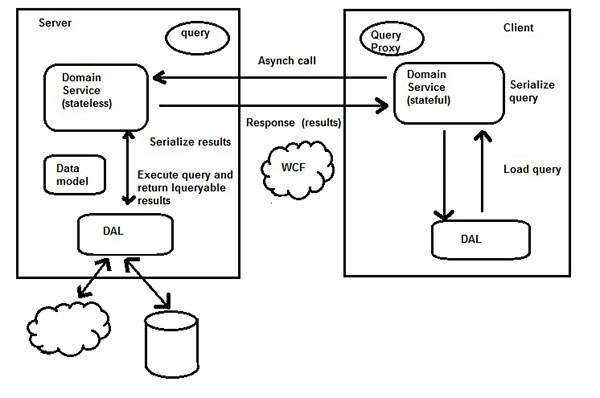
The following figure shows how a query is created on the client side
and executed on the server side to return queryable results. DAL stands
for Data Access Layer. from
Summary
- It works on Silverlight
- It brings middle tier entity classes to client side without duplicating the classes.
- Middle tier Entity classes are built up by Entity Framework, or say, ADO.NET Entity Data Model.
- The Bridge to link middle tier and client side is the Domain Service Class that supplys a WCF services.
- Domain Services --- MS
- WCF RIA Services --- c-sharpcorner
- WCF - Ria Services --- tutorialspoints
- Silverlight 5 WCF RIA Services --- c-sharpcorner
Join the conversation! Your thoughts help the community grow.