
Creating a web service is very easy. Here I will explain creation of a Web Service and their consumption in a client application. Just have a look at the procedure.
Step 1 : Open Visual Studio 2008 then "File" -> "New" -> "Website".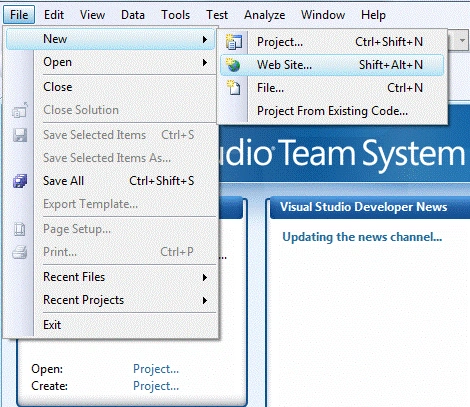
Step 2 : Set a location and give a name to your Web Service. In my case I have named it ArithmeticOperation, and press "Ok".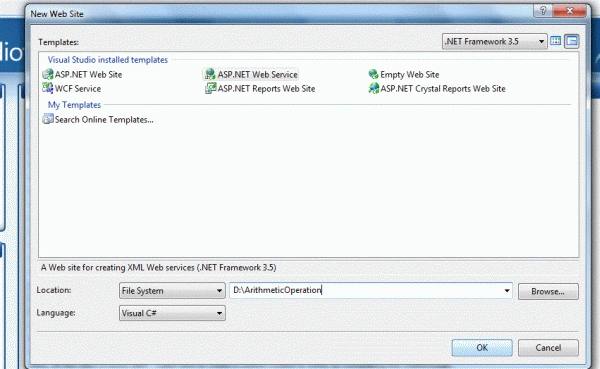
Now explore using the Solution Explorer and see the structure.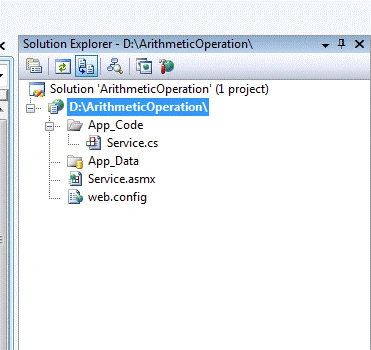
In the above figure it is clear that we will get one Service.cs page in the App_Code folder.
We will also get one Service.asmx file.
Let me make it clear that ASP.NET supports Web Services using a .asmx file.
A .asmx file is a text file just like your .aspx page.
A .asmx file starts with an ASP.NET directive Web Service, and sets the language to C#, Visual Basic, or Jscript.
Step 3 : Now go to your Service.cs page.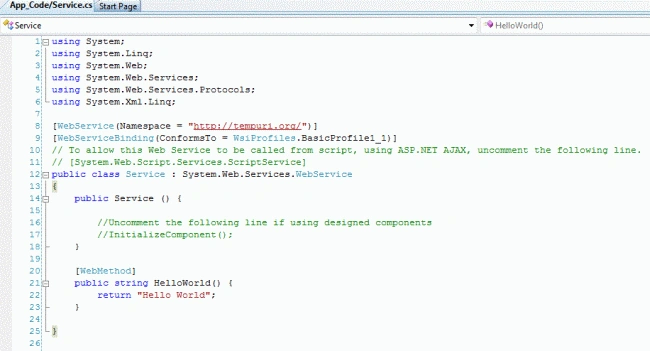
In this page you will see one method helloworld() returning a string.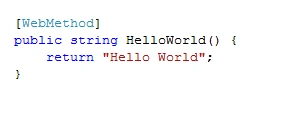
Step 4 : Now just debug your service by pressing F5. Then you will be shown a window like this:
Now your service is ready that has only one method i.e, HelloWorld().
To call this method just click on HelloWorld.
Then click on invoke.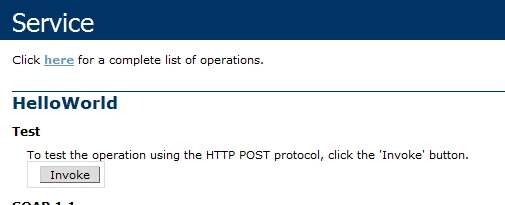
Now, see the output that is an XML formatted output.
Let us add some more methods.
Go to your Service.cs page and add the following methods:
[WebMethod]
public string HelloWorld() {
return "Hello World";
}
[WebMethod]
public int sum(int a, int b)
{
return a + b;
}
[WebMethod]
public int subtract(int a, int b)
{
return a - b;
}
[WebMethod]
public int multiply(int a, int b)
{
return a * b;
}
[WebMethod]
public int divide(int a, int b)
{
return a / b;
}
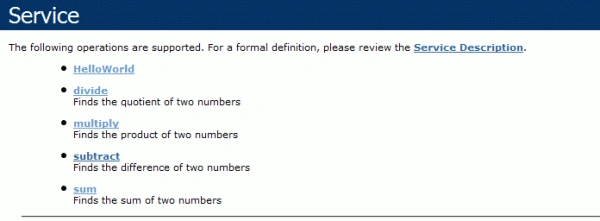
Now build your application and see the result.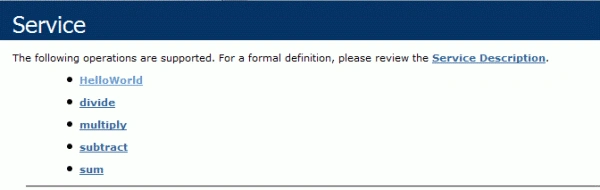
Now your service contains a total of five methods. Let us call one of them.
Click on the sum method.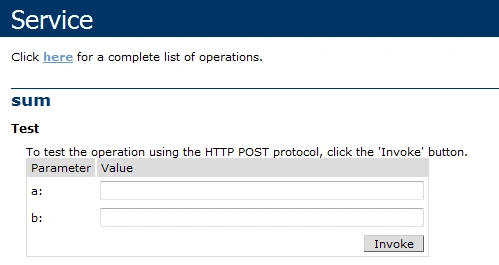
Now enter two numbers, because we have defined the sum() method in our service to take two arguments of integer type.
Let us enter 15 and 12.
Click on the invoke button.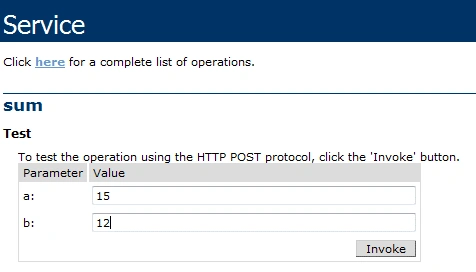
Now see the output. It is showing us 27 in XML format.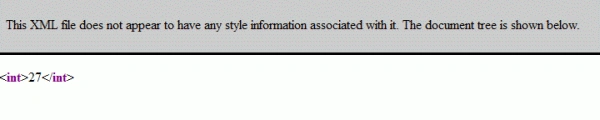

Join the conversation! Your thoughts help the community grow.