

Introduction
Businesses today are moving away from large, monolithic applications and embracing microservices, APIs, Kubernetes, and multi-cloud platforms. While this brings flexibility and agility, it also introduces new challenges — such as:
Managing hundreds or thousands of microservices
Securing APIs from cyber-attacks
Ensuring performance when traffic spikes
Maintaining observability across distributed systems
Kong Gateway solves these challenges. It is a high-performance, open-source API Gateway and microservices management layer built for modern cloud-native environments. Kong provides traffic control, authentication, load balancing, performance monitoring, and centralized API governance — without requiring changes to your backend code.
What is Kong?
Kong Gateway is a reverse proxy + API Gateway built on top of NGINX and OpenResty.
Its main job is to sit between your clients and microservices and control everything that flows into your backend.
In simple words:
Clients → Kong Gateway → Microservices
Kong acts as a front-door for your APIs — handling:
Authentication (Who can access it?)
Rate limiting (How many requests are allowed?)
Logging & analytics (Who accessed it?)
Load balancing (Which server gets the request?)
Why Kong Is Required in Today’s Landscape (Current Situation)
Modern architectures face key challenges:
Current Challenge How Kong Helps
Too many microservices to manage manually Centralized routing, dynamic discovery, and organized traffic control
Security & compliance becoming mandatory OAuth2, JWT, MTLS, IP allow/deny, throttling, DDoS protection
Multi-cloud & hybrid adoption (AWS + Azure + On-prem) Kong runs anywhere — container, VM, Kubernetes, multi-cloud
Spikes in API traffic NGINX-based architecture ensures ultra-fast performance & scaling
No centralized monitoring Prometheus, Grafana, ELK, Datadog, OpenTelemetry integrations
Developers waste time writing security logic Kong handles it — developers focus on business features
Because organizations are moving toward git-ops, Kubernetes, edge services, and zero-trust security, an API gateway like Kong is no longer optional — it is a core part of scalable digital systems
Core Building Blocks of Kong
Concept Purpose
Services Represent backend APIs Kong proxies traffic to
Routes Match client requests (path, method, headers) and map them to services
Upstreams A group of backend targets used for load-balancing & fault-tolerance
Consumers Applications or users accessing the APIs
Plugins Extend functionality (auth, caching, analytics, traffic limiting, etc.)
Kong Application Architecture
Kong is composed of the following components:
NGINX – High-performance proxy handling routing, SSL, security & load balancer
OpenResty (Lua framework) – Enables custom plugins & scripting logic
Kong Clustering & Postgres Datastore – Stores API definitions & config
Plugins – Extend Kong using Lua, JS, Python, Go
RESTful Admin API – Configure gateway programmatically (DevOps-friendly)
Benefits of Using Kong
API Gateway Capabilities: Reverse proxy, load balancing, dynamic routing, transformation, caching
Microservices Traffic Management: Manages inter-service communication across distributed systems
Security Suite: JWT, OAuth2, MTLS, encryption, bot-detection, ACL, IP filtering
Observability & Monitoring: Logging, metrics, tracing — integrates with Prometheus, Grafana, ELK, Datadog
High Availability & Scalability: Horizontal scaling through clustering, supports 10,000+ RPS with low latency
Extensibility: Official and community plugins; custom plugins using Lua, JS, Go, Python
Multi-Cloud Support: Works across AWS, Azure, GCP, Kubernetes, On-Prem — perfect for hybrid models
Developer Productivity: Developers skip auth/caching/logging code — focus on business logic only
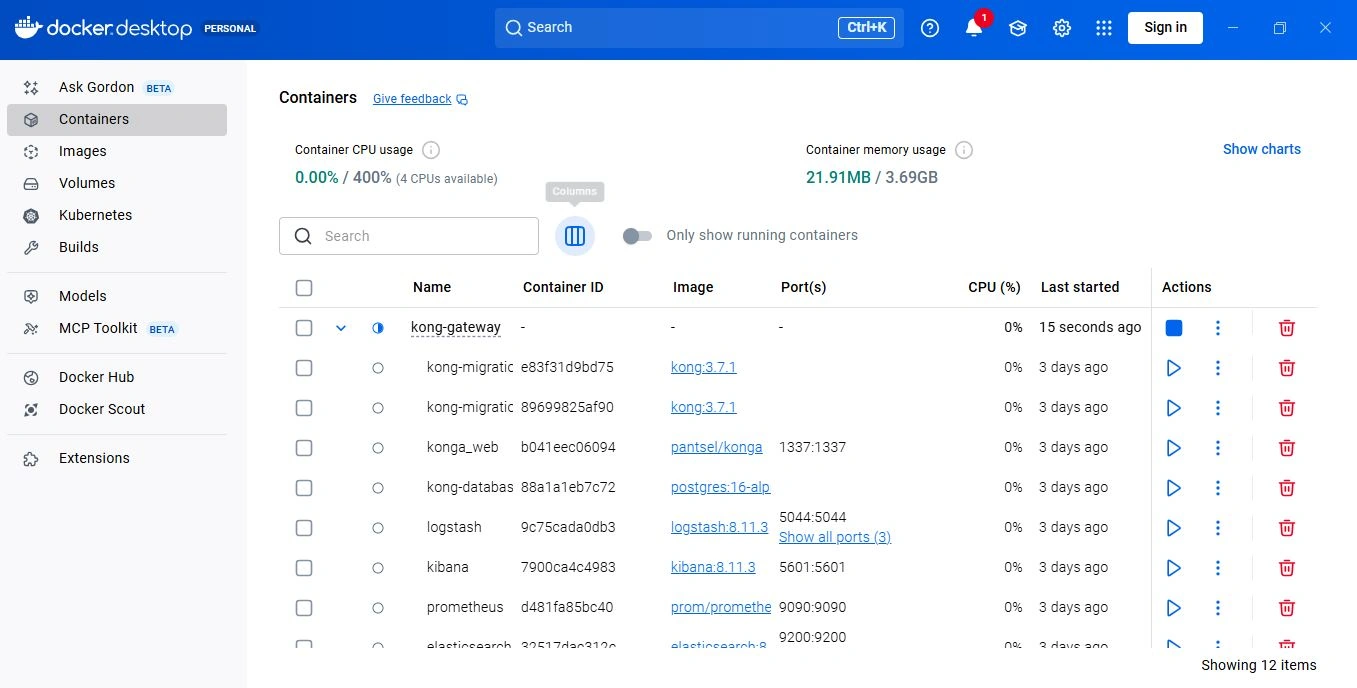
Installation Example (Docker)
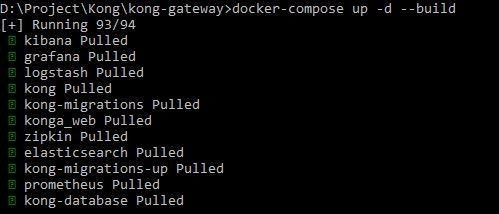
After adding in docker then view like :
Securing Kong – Best Practices
Always run proxy & admin port on HTTPS
Enable auth on Admin API
Use IP whitelisting + ACLs
Update gateway to latest patch versions
Summary
Kong Gateway is a critical component in modern microservices and multi-cloud systems. It:
Centralizes API security
Improves performance
Enables observability
Connects services across clouds
Reduces development workload
Kong helps organizations build scalable, secure, and cloud-native digital platforms — with confidence.
Join the conversation! Your thoughts help the community grow.