

Introduction
Power BI Desktop is a Business Intelligence tool provided by Microsoft. It is a Windows application that can be downloaded for free from the internet and easily installed in your personal computer. It will help you to connect with your data, and then load and transform it into meaningful information. Power BI desktop supports multiple data sources, so you can import data from these multiple sources and combine them into a data model. This data model allows you to use different types of visuals and create very attractive reports. You can share your report with other members of your organization.
People who uses Power BI Desktop
- IT Teams, IT Professionals – People who work in IT industries or learning IT skills.
- Business & Data Analysts – People who work as Data analysts in an organization.
- Developers & Database Administrators–Developers and DBAs of a company.
- PMOs - Project and Portfolio Managers – People who handle the IT projects in an organization.
- Consumer for End User Report – Those without IT or analytic background.
- Data Scientists – An employee who is a data scientist in an organization.
Most Common Uses of Power BI Desktop
- Load Data
To do anything in Power BI you have to first import data. You can get data from various sources in Power Bi Desktop.
- Transform Data
Power Bi Desktop allows you to edit data, add calculated columns and measures.
- Create Visuals
You can also create visuals in power bi desktop.
- Create Reports
Combining different visuals, you can also create meaningful reports.
- Share Report
Power BI desktop allows you to publish reports to share with others.
Key Terms Used in Power BI Desktop
Below is the list of the main key terms or you can say building blocks of Power BI Desktop
Visualizations
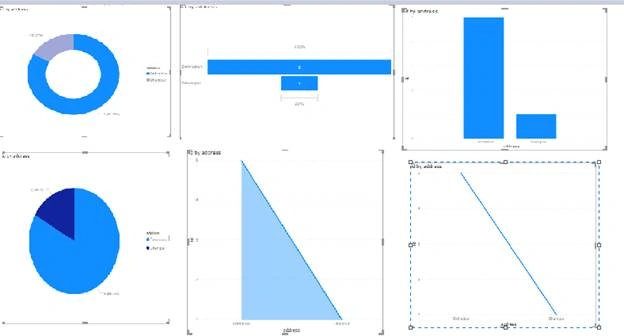
Visualization means the visual representation of data. Live dashboards, interactive reports, maps, graphs and other visual representations allow you to easily and efficiently access the main business insight. Power BI gives you different visualization types, which keep getting updated with time. Some commonly used visualizations methods are as follows,
- Pie chart
- Donut Chart
- Funnel
- Line chart
- Area chart
- Stacked column chart
Datasets
Dataset is a collection of data. Dataset is required to transform data into information. Through datasets you can create interactive reports and dashboards.
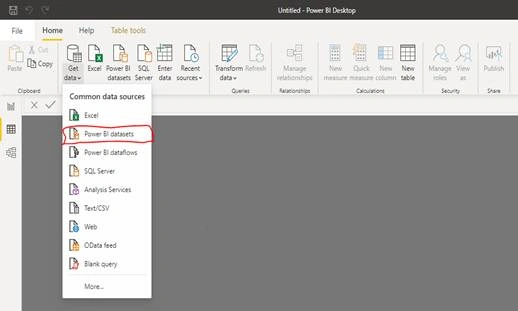
Datasets can also be a combination of different kinds of data sources like CSV, EXCEL, SQL Server, web or many more. Dataset contains the data source and its credentials.
Once you have Datasets, you can start creating visualizations that can display different parts of datasets in different ways
Reports
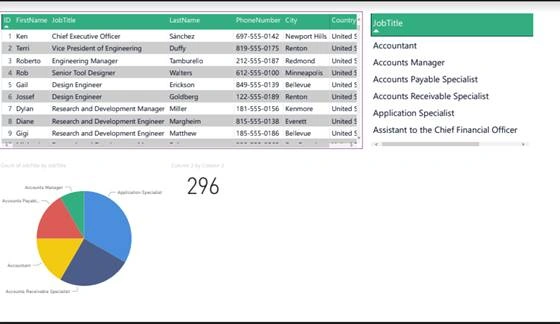
A Power BI report is a visual representation of a dataset, used for multi-perspective views with images from the dataset reflecting various observations and insights. A report may have a single visual, or multiple visual pages. You could be someone who designs reports, depending on your job role.
The functionality of Power BI Desktop
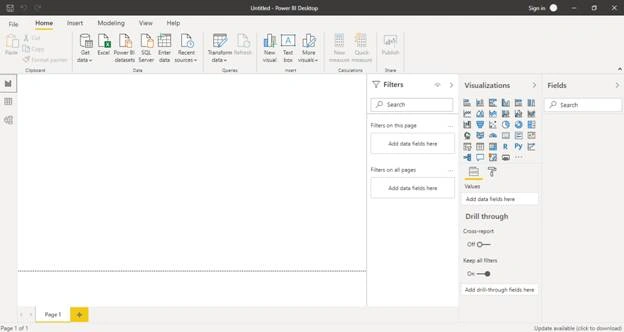
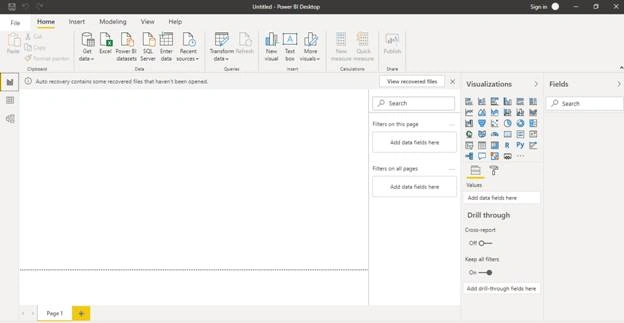
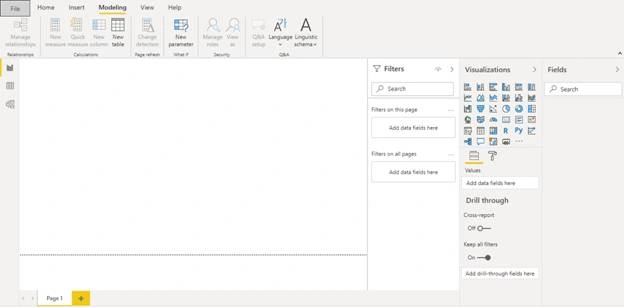
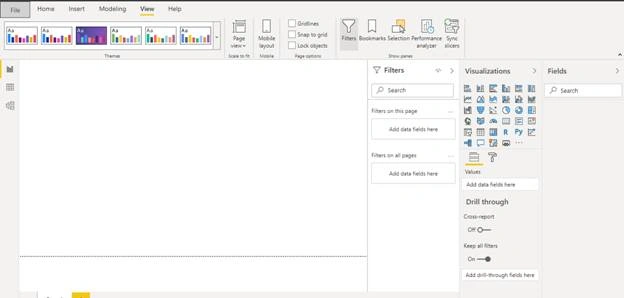
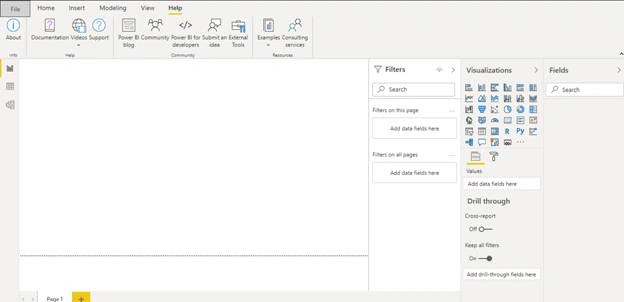
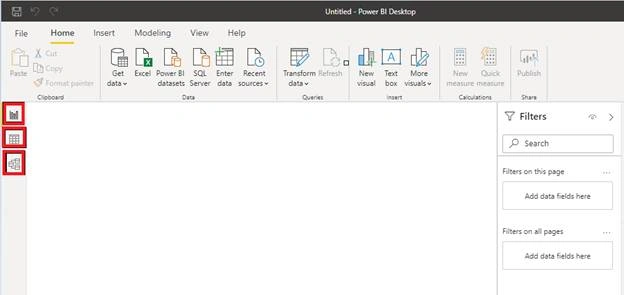
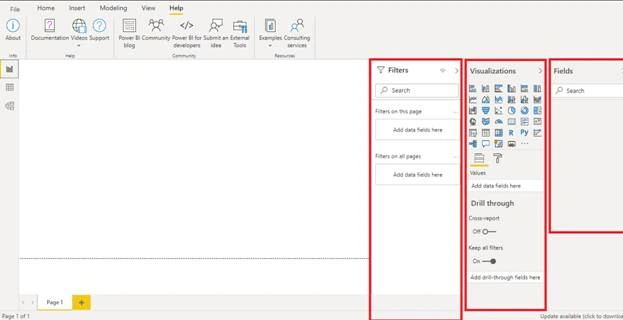
The above image is showing the home page in Power BI. Once you open the power BI without loggng in you will find the same window. Here I am describing each functionality in detail.
Menu Bar

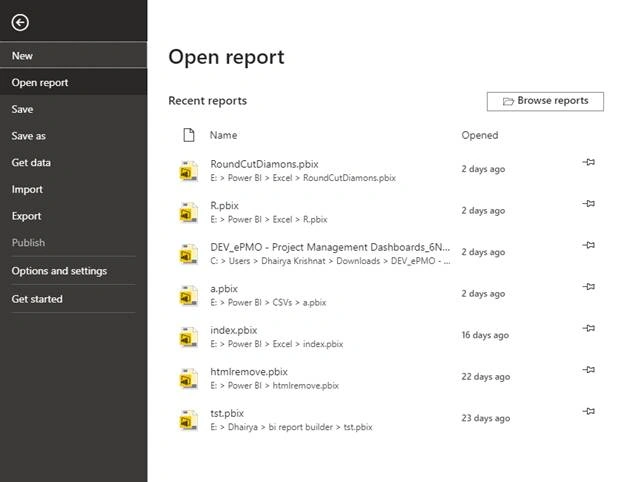
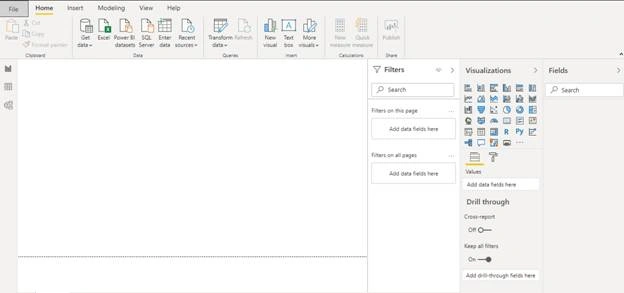
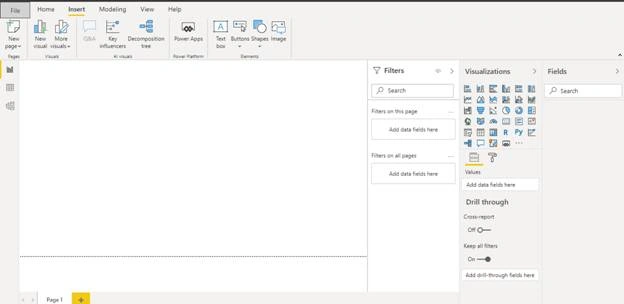
Join the conversation! Your thoughts help the community grow.