

A markup language is used to annotate text or add additional information.
It is a case sensitive. These are used everywhere in commerce to collaborate, coordinate and exchange data with other commerce. XML-coded data can go directly from a web page to a database without the need for middleware. It uses tag to define data present in a web page.
Tags are useful in providing specific meaning of the data. It stores the data and specifies it. it will never change HTML in the future, but it can produce new possibilities by creating modern features of HTML.
Syntax:
- <root>
- <child>
- <subchild>
- </subchild>
- </child>
- </root>
Example:
- <?xml version="1.0"?>
- <Message>
- <to>Akhilesh</to>
- <from>Bhushan sir</from>
- <heading>Reminder</heading>
- <body>Please call me on urgent basis!</body>
- </ Message >
Characteristics of XML are as given below:
- XML has structured format.
- XML is strongly-typed format.
- XML is validated.
- XML is the relationship between data and it can simply describe hierarchical data.
Uses of XML
- XML is used to settle the data and store.
- It can simply be merged with style sheets to create required output.
- It minifies the creation of a HTML document.
- Use it for reloading and unloading a database.
- XML can manifest any type of XML document.
How we can use XML in PHP
Step 1: create form and save file name xml.php save it.
- <form action="" method="POST" >
- First name:<br>
- <input type="text" name="firstname" value=""><br>
- EMail Id:<br>
- <input type="text" name="EMail" value=""><br><br>
- Phone:<br>
- <input type="text" name="Phone" value=""><br><br>
- <input type="submit" value="Submit" name="submit_btn">
- </form>
Step 2: write a php code on top of xml file save it,
- <?php
- $xmldoc = new DomDocument( '1.0' );
- $xmldoc->preserveWhiteSpace = false;
- $xmldoc->formatOutput = true;
- if(isset($_POST["submit_btn"]) && $_POST["submit_btn"]=='Submit'){
- extract($_POST);
- $productNum = $firstname;
- $name = $EMail;
- $category = $Phone;
- if(!file_exists('Contact.xml')){
- $xml="<Contact>\n\t\t";
- $xml .="<User>\n\t\t";
- $xml .= "<Name>$productNum</Name>\n\t\t";
- $xml .= "<EMail>$name</EMail>\n\t\t";
- $xml .= "<Phone>$category</Phone>\n\t\t";
- $xml.="</User>\n\t";
- $xml.="</Contact>\n\r";
- $xmlobj=new SimpleXMLElement($xml);
- $xmlobj->asXML("Contact.xml");
- }else{
- if( $xml = file_get_contents( 'Contact.xml') ) {
- $xmldoc->loadXML( $xml, LIBXML_NOBLANKS );
- // find the headercontent tag
- $root = $xmldoc->getElementsByTagName('Contact')->item(0);
- // create the <Contact> tag
- $product = $xmldoc->createElement('User');
- // add the product tag before the first element in the <headercontent> tag
- $root->insertBefore( $product, $root->firstChild );
- // create other elements and add it to the <product> tag.
- $nameElement = $xmldoc->createElement('Name');
- $product->appendChild($nameElement);
- $nameText = $xmldoc->createTextNode($productNum);
- $nameElement->appendChild($nameText);
- $categoryElement = $xmldoc->createElement('EMail');
- $product->appendChild($categoryElement);
- $categoryText = $xmldoc->createTextNode($name);
- $categoryElement->appendChild($categoryText);
- $categoryElement = $xmldoc->createElement('Phone');
- $product->appendChild($categoryElement);
- $categoryText = $xmldoc->createTextNode($category);
- $categoryElement->appendChild($categoryText);
- $xmldoc->save('Contact.xml');
- }
- }
- }
- ?>
Step 3: Execute xml.php file into xampp server like,

step 4: When you execute xml.php file then Contract.xml automatic generate into your project root folder
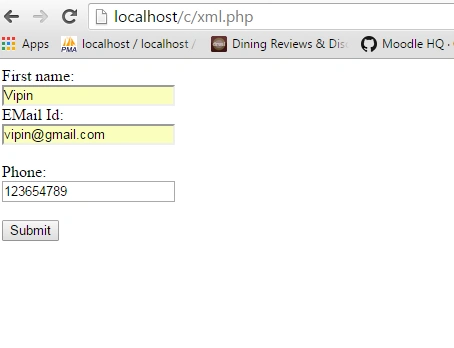
first screen execute file
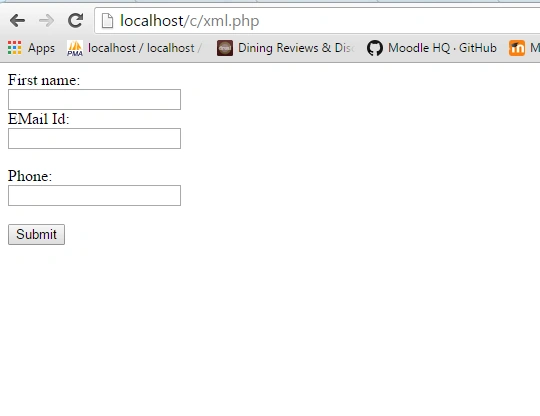
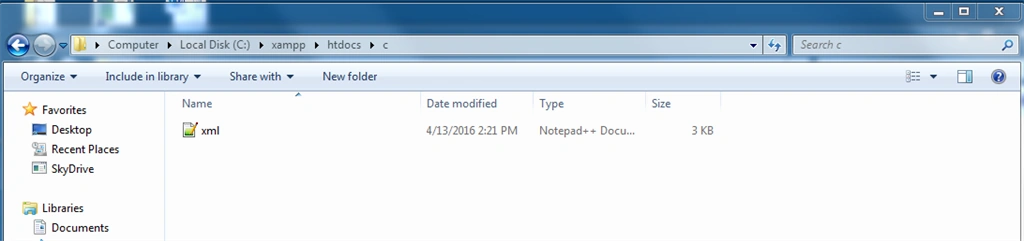
After fill information into form,
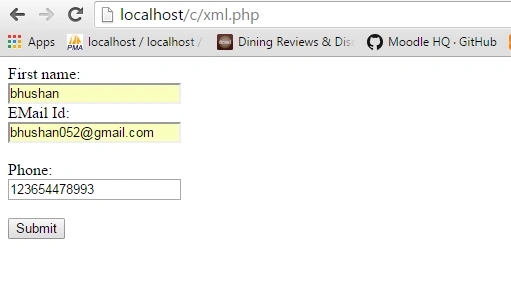
And click submit button .
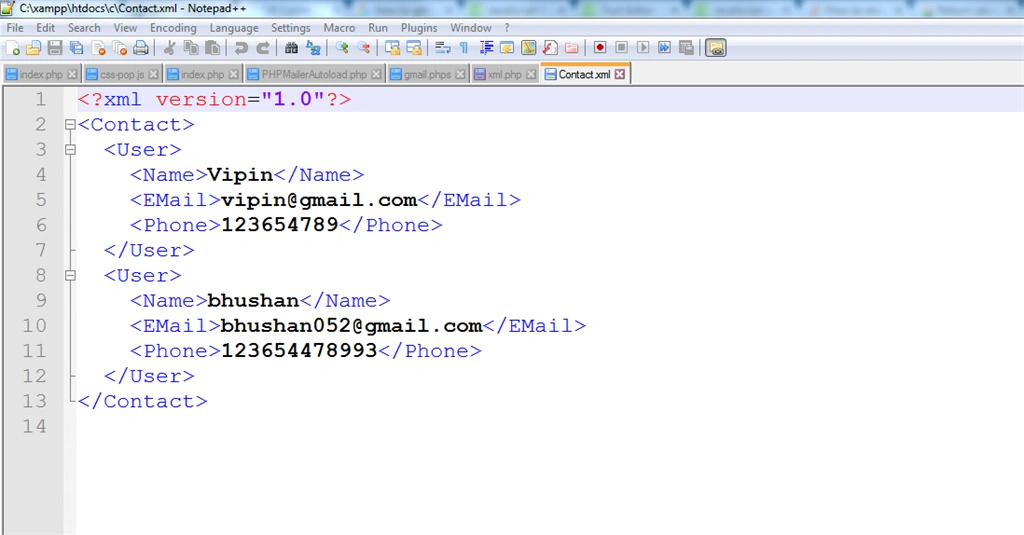
output: To generate Contact.xml file into your root folder,

and open file into notpat++ show my information into xml file,
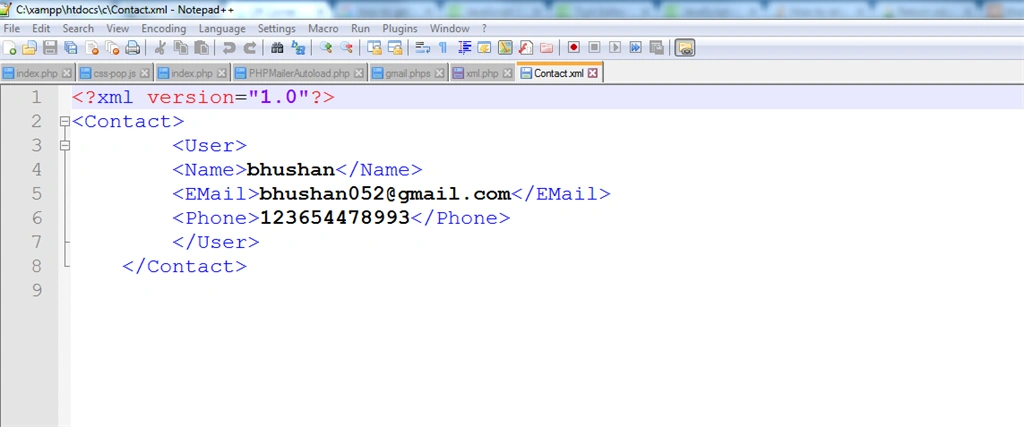
if you have fill another information at form then your information append on Contact.xml file,
Output: append another information
Read more articles on XML:
Debasis SahaPosted Apr 15, 2016, 12:28 AM
Nice article..
Vignesh ManiPosted Apr 14, 2016, 3:41 PM
Nice
Rahul Kumar SaxenaPosted Apr 14, 2016, 2:48 PM
Good show