

Introduction
In this article, we are going to explain how to Dual Boot Windows 8 and Linux Mint on the same PC. In Windows 8, if we might want to test out both Windows 8 and Linux Mint then there is a couple of things that are needed.
- Our drive space - 10GB
- The Linux Mint DVD, from here (x86) or here (x64), burnt to a DVD.
- About 30 minutes of free time
How to Dual Boot Windows 8 and Linux Mint on the PC?
Step 1
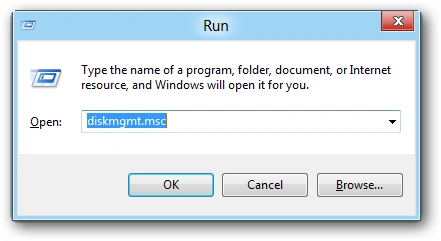
In Windows 8 Desktop, first, we press Win + R key. The Run window opens. Then type "diskmgmt.msc" into the Run box and click "OK".
Step 2
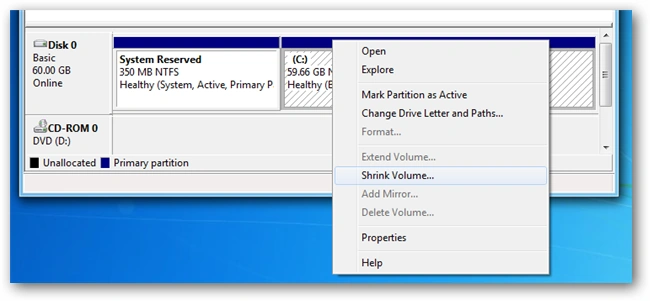
The Disk Management window opens. Right-click on our drive containing Windows 8 and select Shrink Volume from the context menu.
Step 3
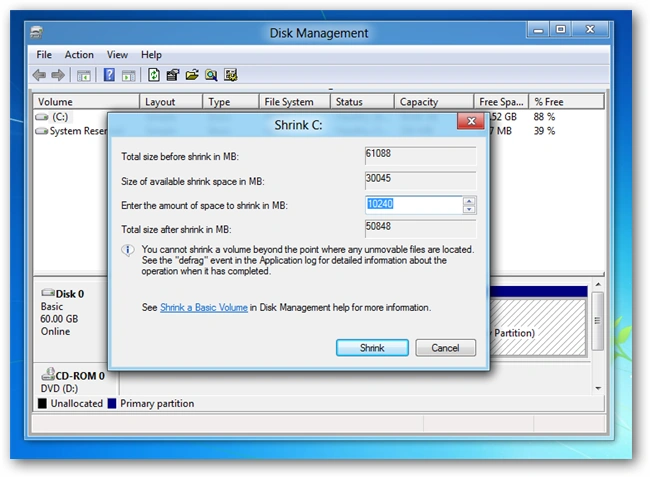
Now enter the size of the hard disk in megabytes to shrink the partition. We recommend a minimum of 10GB.
Step 4
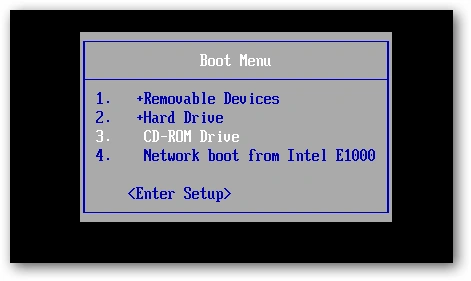
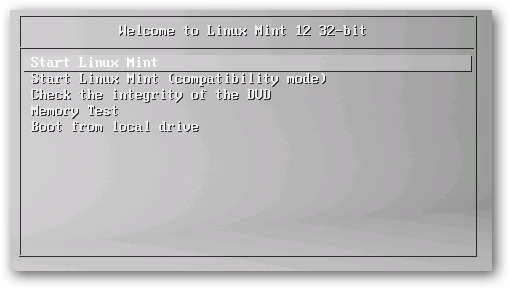
Inset our Mint DVD and boot our PC from the DVD drive, press the F11 or F12 key.
Step 5
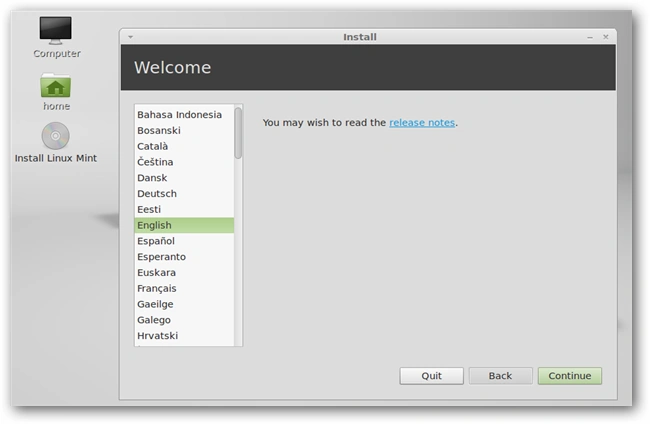
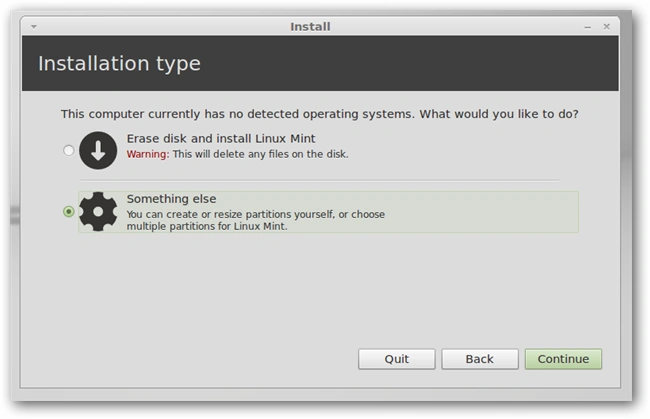
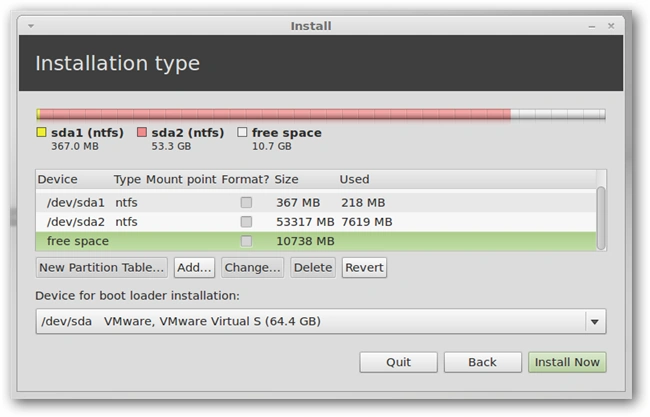
The DVD should automatically boot into its Live mode, however, if you bump a key and are prompted simply choose to start it.
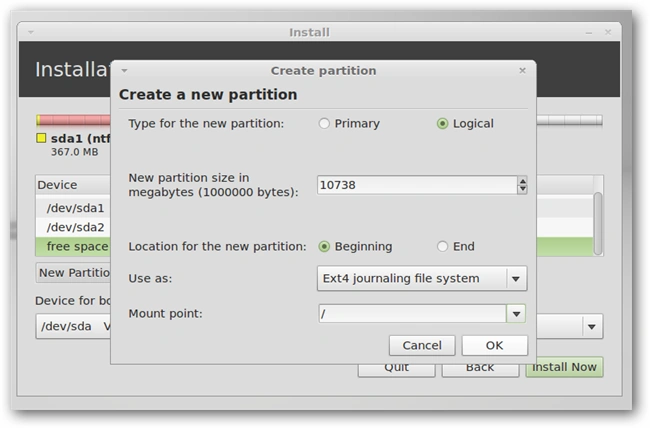
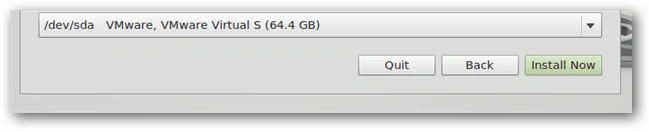
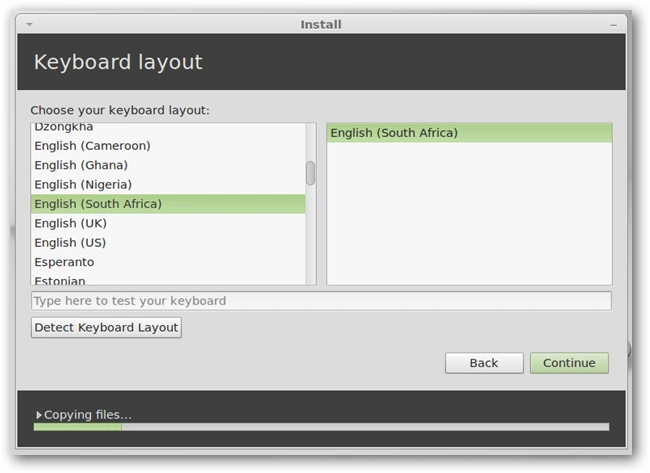
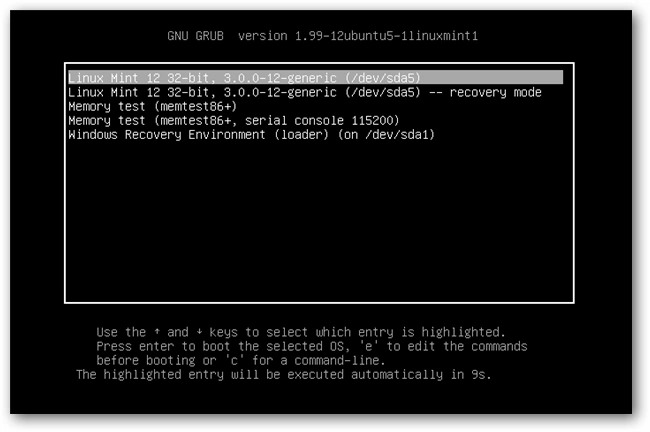
Aman SinghalPosted Dec 27, 2012, 7:33 AM
I think, No It is not possible, we have at least two drive for dual-boot. and we will make this article with the help of this site. (http://www.linuxmint.com/edition.php?id=95)
Sam HobbseditedPosted Dec 25, 2012, 1:04 PMEdited Dec 25, 2012, 1:05 PM
Thank you for telling us about Linux Mint and splitting a partition. Something else I am interested in knowing about is how to use Microsoft software to do the dual booting. I have never, ever seen a way to do that. Also, I wonder if it is possible to do this except using a drive or partition that does not have an OS; is it possible to install Linux Mint into an existing drive or partition and dual-bbot with that.