

In this article we can explore the table creation in storage account.
As a refresh, I would like to repeat that there are 3 types in Azure Storage.
- Blob
- Table
- Queue
The Blob creation was explored in the previous article. Table creation will be explored here.
Concepts in Table
Following are the key concepts in table.
- Tables allow structure data storage
- There can be 0..n tables in a storage account
- Table store data as a collection of entities
- Entity have a primary key and properties as key value pair
Note: The table we discuss here is not entirely same as our database table. The database table will be discussed in SQL Azure. In Blob Service, the data is stored in containers. But in Table Service, data is stored in tables.
The steps involved in creating a table are following:
Step 1: Create new project
As always create a new azure project and add a web role into it. Now add reference to the StorageClient dll file.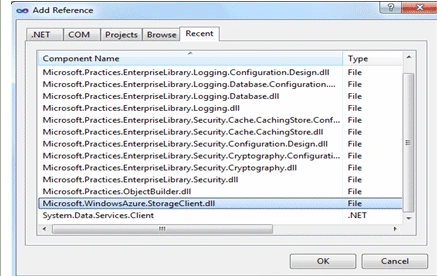
Step 2: Define the Entity
Now we need to define the entity with the required properties, create a new class, derive it from TableServiceEntity and define the following properties in it.
Our entity class is derived from TableServiceEntity because this class takes care of the key properties like PartitionKey, RowKey and necessary attributes.
The class definition is given below:
public class Contact : TableServiceEntity
{
public string
Name
{
get;
set;
}
public string Address
{
get;
set;
}
}
Step 3: Code Part
Now we can write the code to do the following activities:
- Do account authentication
- Create Table client
- Create table in account
- Add the new entity to tabl
The following code performs the following:

Gowtham RajamanickamPosted Apr 27, 2016, 4:49 AM
good article..
Manoj Singh PanwarPosted Oct 22, 2011, 2:59 PM
Thank you Jean, Its really helpful and provides sufficient help to create table in storage amount.