

The ActiveDocumentHost control provides the ability to host OLE Documents within your application. This enables you to create applications that allow in-place editing of documents such as Microsoft Word and Excel.
To add an ActiveDocumentHost control to your form, just drag the ActiveHostDocument control from Toolbox to the Form and it will launch Insert Object dialog, where you can specify which OLE Document you want to use. See Figure 1.
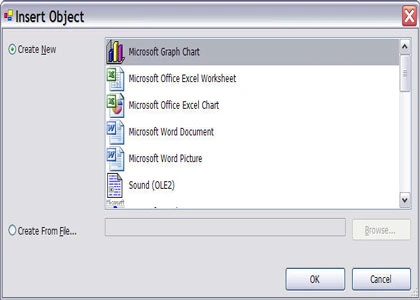
Figure 1. Insert Object dialog.
For instance I select Microsoft Office Excel Worksheet. See Figure 2.
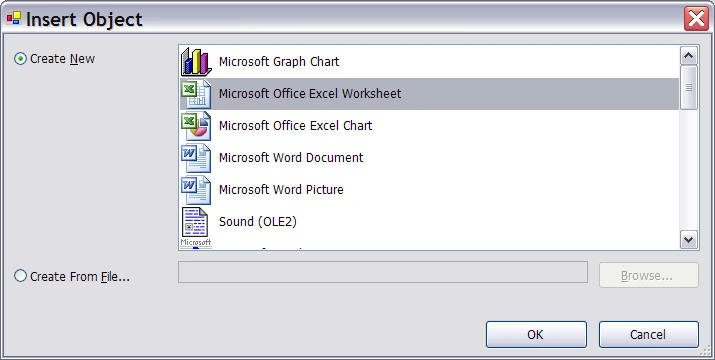
Figure 2. Selecting Microsoft Office Excel Worksheet
Now I resize the form and control and run the application. When I click on the control, it launches Excel spreadsheet where I can type whatever I want. All menu options of Excel are also available so you can save the contents as well.
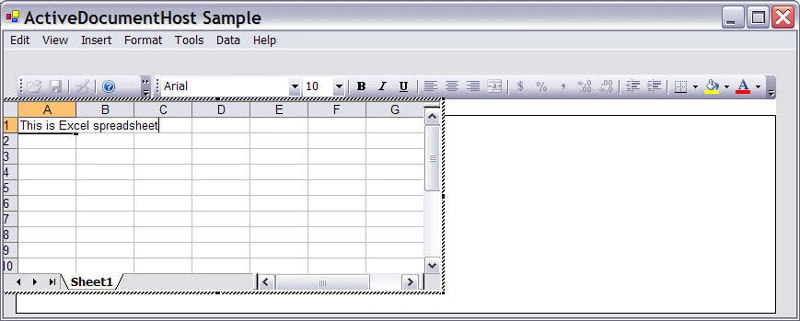
Figure 3. ActiveDocumentHost in action.
I think this is a pretty useful control to have.
Prabhakar ChintaPosted Feb 23, 2006, 6:13 PM
Hi Mahesh, Your site seems to be very helpful to me and thankyou so much for helping us by your samples and forseeing fundamentals. Mahesh my name is prabhakar and I am currently working as Developer I am stuck in a situation where i feel that you might help and suggest me. Aim: To build smart documents. We have 15 word templates which can be editable. We are creating a word template using VSTO word template project and the template consists of windows forms controls like text boxes and Address details. HOw I created :Word Template designed in using VSTO word template Project which looks like: __________________________Contents of the Word template__________ I/ we the undersigned agree to pay [TEXTBOX Control] the amount of [TEXTBOX control]. Witness: Name1 (these 3 names can be multiple not fixed ) Name2 Name 3 And I included an Action Pane with 2 TEXTBOX controls which on entering data on action pane controls will be changin on the word template. I could do this successfully with one template as i have 15 templates my problem is I am unable to include Template files to the same project If i incude normal word templates I could place the windows texbox controls and my idea is One word holder and on the right hand side thinking that I have action pane and list of template names when i click the templatename my actions pane changes depending on the name od the template what controls it has no problem for me to do that my problem is how do i include a termplate in to the same word template project and insert windows form controls on the form also i need to have the template data in XML form so that I can bring that from DB, the other option when I am trying to save the the word as XML it is saving as WordML and when I am trying load the XML it is not able to recognize the XML and i never used XSLT this is my first project in .NET and I am not getting help from anywhere can you please Help me mahesh. and let me know if you need more information. Thanks, Prabhakar Chinta [email protected]