

This is the "HttpHandler and HttpModule in real scenerios" article series. As the name suggests, in this series we will understand a few real scenarios where we can use HttpHandler and HttpModule. In our previous three articles we have learned how to implement various HttpHandlers in our ASP.NET application. You can read them here.
- HttpHandler and HttpModule in Real Scenario: Getting Started with HttpHandler
- HttpHandler and HttpModule in Real Scenario: Few examples of HttpHandler-1
- Working with Image in HttpHandler
In this article we will learn to work with a header in a HTTP request and response message. We know that, generally each HTTP message has two parts. One is the header part and the other is the body part. The header part contains certain information that helps both the web server and the client to process each HTTP request and response. In this article we will learn how to capture and set header information within HttpHandler.
Get Header value in HttpHandler
In this example we will read a specified header value of a HTTP request sent from the client part. If the header message is present in the HTTP request then we will return the specifeid message to the client. Have a look at the following example.
- using System;
- using System.Collections.Generic;
- using System.Drawing;
- using System.Drawing.Imaging;
- using System.IO;
- using System.Linq;
- using System.Web;
- namespace WebApp
- {
- public class HeaderHandler : IHttpHandler
- {
- public void ProcessRequest(HttpContext context)
- {
- string []header = context.Request.Headers.AllKeys;
- if (!header.Contains("name"))
- {
- context.Response.ContentType = "text/plain";
- context.Response.Write("Please send name in request header");
- }
- else
- {
- string name = context.Request.Headers.Get("name");
- context.Response.ContentType = "text/plain";
- context.Response.Write("Hi " + name + "! Thanks to send name in HTTP header");
- }
- }
- public bool IsReusable
- {
- get
- {
- return false;
- }
- }
- }
- }
The example is pretty simple to understand at a glance. Within HttpHandler we are fetching all key values of the Header set that was set to the HTTP request. Then we are checking whether the "name" header is present or not in the request. If present then we are returning our custom message to the client.
Now, we will register the HttpHandler to the HTTP popeline. Just add the following code to your web.config file.
- <system.webServer>
- <handlers>
- <add name="myImageHandler" verb="*" path="*.aspx" type="WebApp.HeaderHandler"/>
- </handlers>
- </system.webServer>
We will now use Fiddler to make a HTTP request to the application. Please don't forget to set the name header in the HTTP request (we are not seeing the header part in the following screen).
In this trial I have set Name:sourav in the current HTTP request, so that we are getting this welcome message.

Now, if we do not set the name header in the HTTP request then we will get the following output.
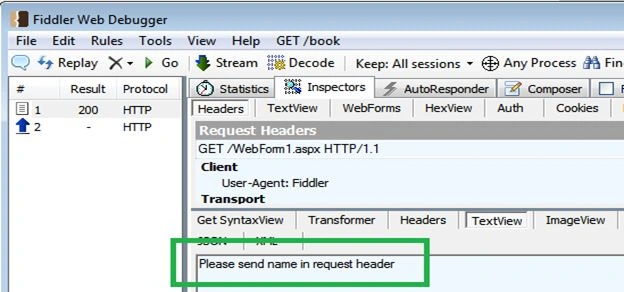
Get Data in Request format
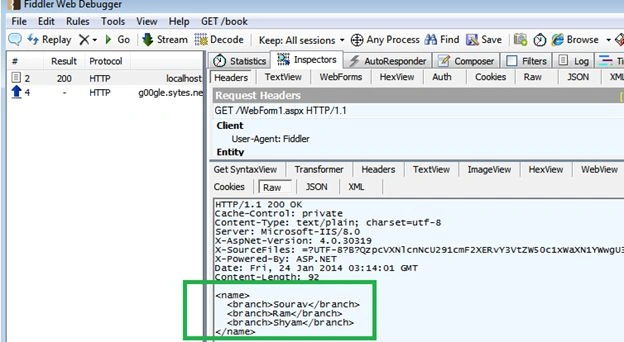
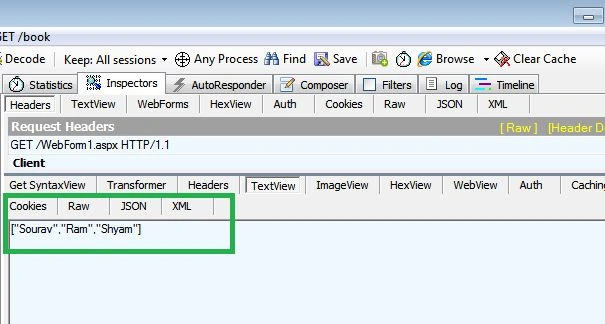
This is another possible scenario where we can use HttpHandler. Data formation at runtime is a very common task in modern software applications. In this example, our HttpHandler will generate data depending on the message type.
If the client request for data is in JSON format then it will produce a JSON format and if the client demands the data in XML format then it can do that.
This is the implementation of our HttpHandler.
Ash KumarPosted May 8, 2019, 2:24 PM
Hello Saurav, Is there a way to add custom header so that the browser echoes back automatically in subsequent requests (GET or POSTs)?