

Create .NET applications using C#/Visual Basic with connecting to the MYSql database.
MYSql connector is responsible for creating necessary ADO.Net interfaces and integrations to ADO.Net tools.
Requirements
- Visual Studio 2010.
- MySQL database – We have to install the MYSql community server, which is the freely available version of the MySQL server.
- MySQL admin tools – These tools enable you to work with MySQL through a GUI.
- MySQL Connector - Install MySQL connector for .NET, which is basically a .Net library to support MySQL.
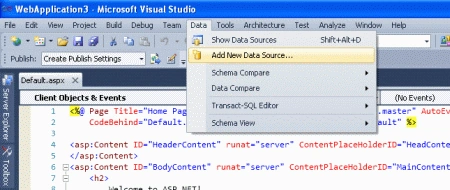
First, build Database applications.
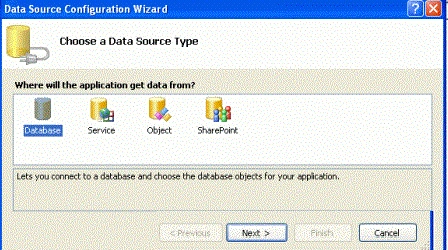
Choose a data source in the configuration wizard.
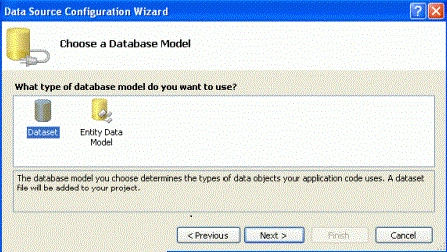
Choose a Database Model in the following step.
Then choose the Data connection.
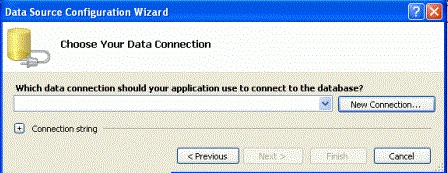
We have to look at different Data connections and choose one of them.
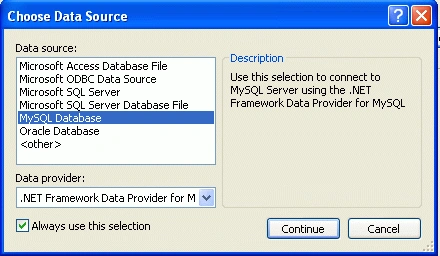
After choosing the connection, add the connection and test the connection.
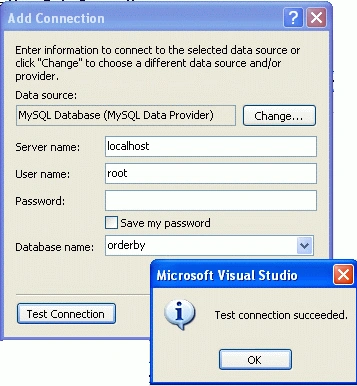
After the test connection succeeded, show my connection name, which we have to connect to it.

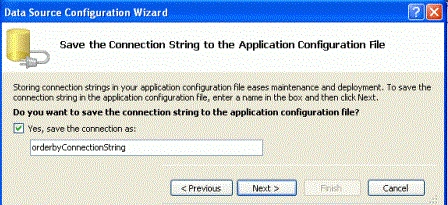
Click the next and save the connection string to the application.
Click next and choose the database tables.
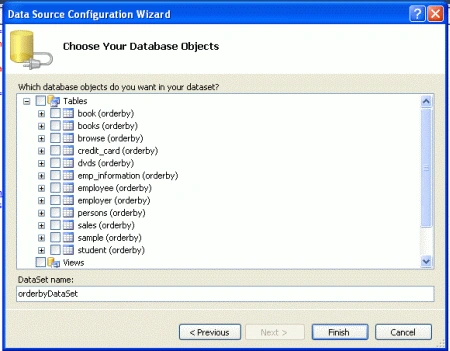
Those are the steps to connect a MySQL database to our .Net application. After creating the connection, we can use it to display, store and manipulate data in our application.
Resources
Here are some useful related resources.
Gowtham RajamanickamPosted Apr 25, 2015, 6:27 AM
good