Introduction
Xamarin Live Player is used to make live edits to your app and to have those changes reflected live on the device without needing an emulator or using a cable to deploy. This article demonstrates how to create a Xamarin Live Player using Visual Studio update 15.4 and Android.
Requirements
- Windows 10 any version (Download)
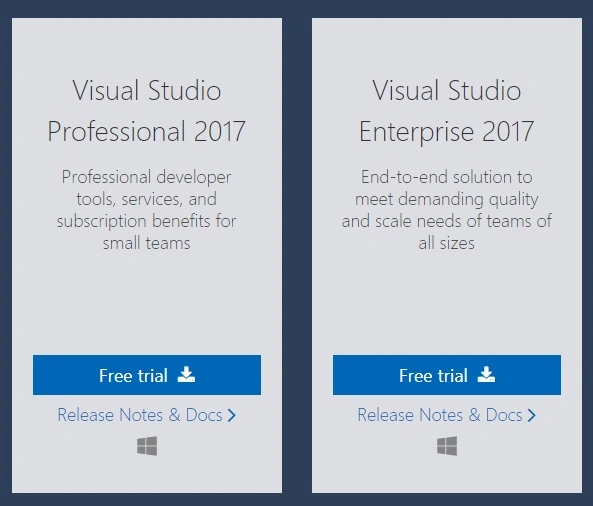
- Visual Studio 2017 version 15.4 (Download)
- Xamarin Live Player Android application (Download)
Xamarin Live Player
Xamarin Live Player uses the only wireless connection to deploy an application and is the fastest way to deploy as compared to the emulator or cable.
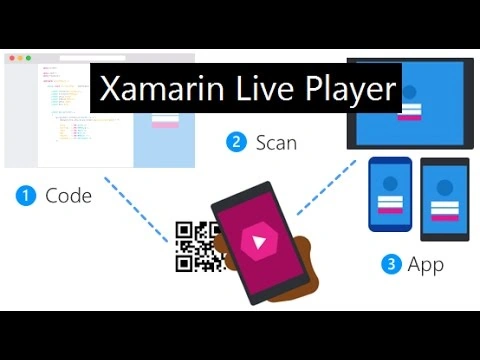
You must download or update your Visual Studio. It only supports VS 15.4 current update 4.
Let’s start.
Step 1
Open Visual studio 2017. Go to New Project >> Installed >> Visual C# >> Cross-Platform >> Cross-Platform (Xamarin).
Give the project a name and a location.
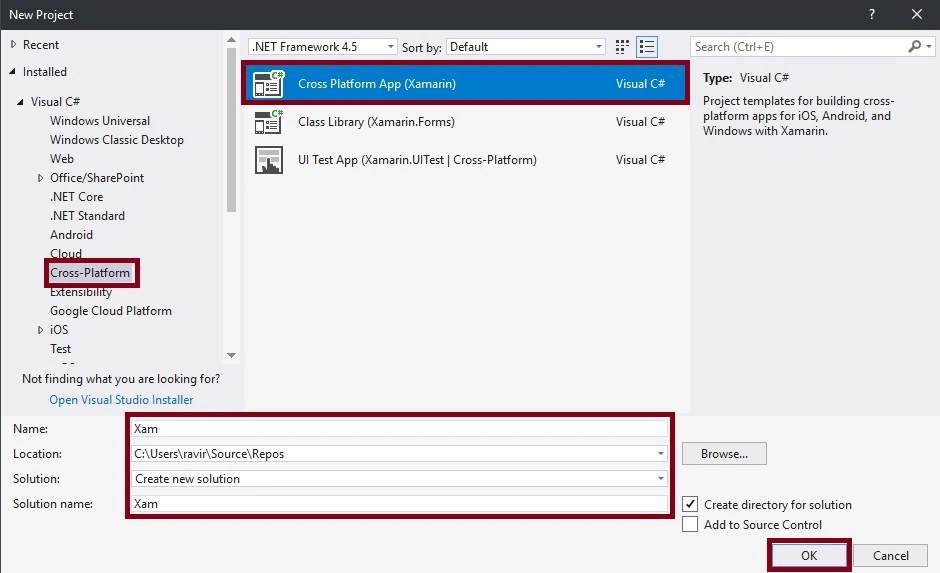 Step 2
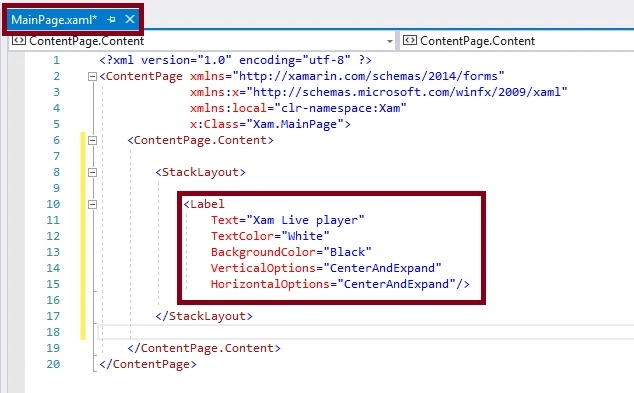
Next, go to Solution explorer >> Project Name >> MainPage. The XAML code will appear. Just replace that with the following code.
XAML Code
- <?xml version="1.0" encoding="utf-8" ?>
- <ContentPage xmlns="http://xamarin.com/schemas/2014/forms"
- xmlns:x="http://schemas.microsoft.com/winfx/2009/xaml"
- xmlns:local="clr-namespace:Xam"
- x:Class="Xam.MainPage">
- <ContentPage.Content>
-
- <StackLayout>
- <Label
- Text="Xam Live player"
- TextColor="White"
- BackgroundColor="Black"
- VerticalOptions="CenterAndExpand"
- HorizontalOptions="CenterAndExpand"/>
- </StackLayout>
-
- </ContentPage.Content>
- </ContentPage>
Step 3
Next, go to Tools >> Options.. It opens a new dialog box.
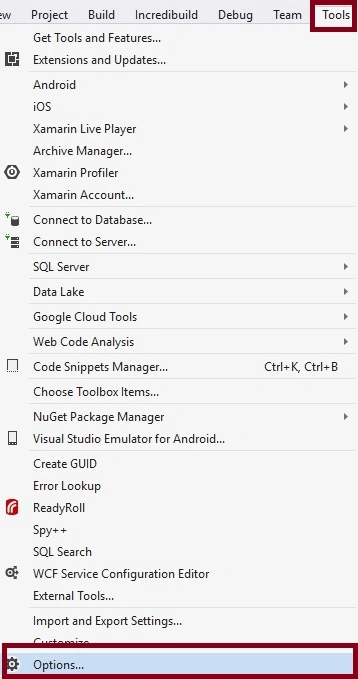
Click Options >> Xamarin >> Other. There appears Xamarin Live Player (Preview). Check the Xamarin Live Player box to enable it.
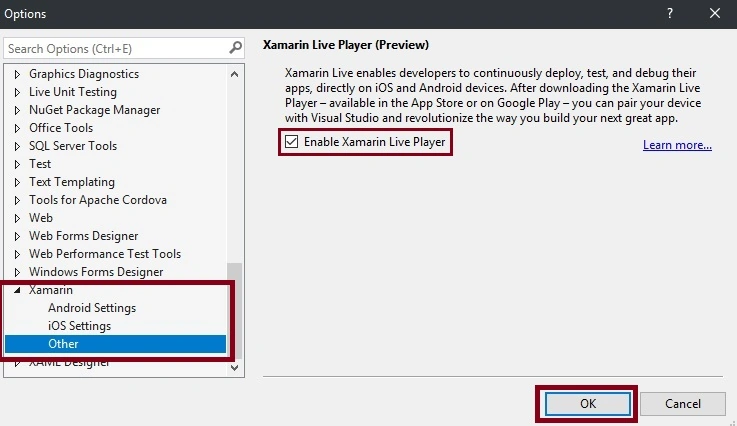
Step 4
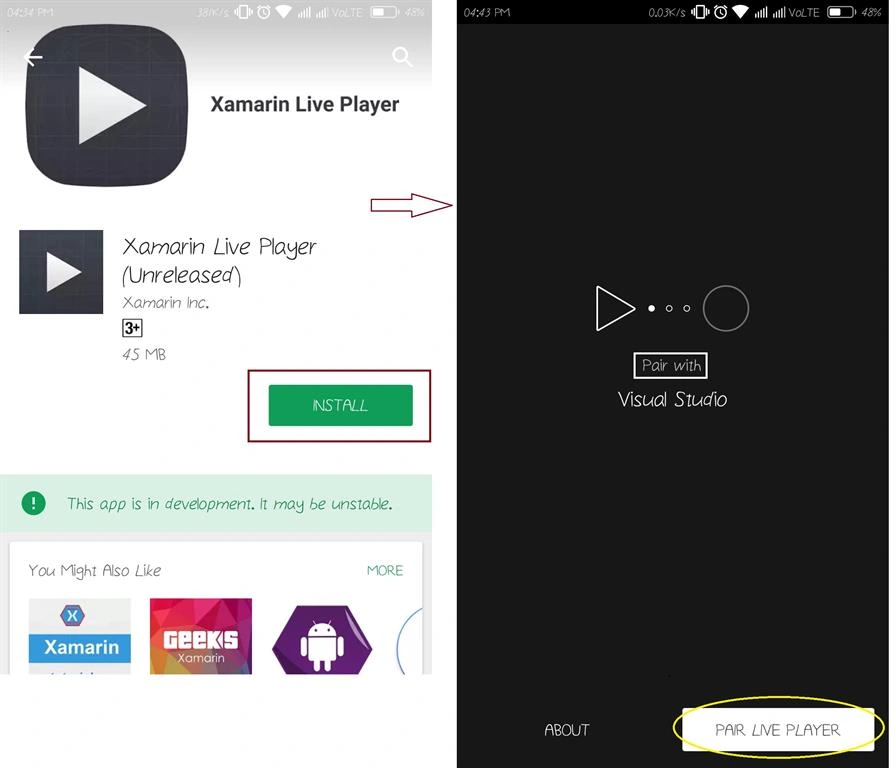
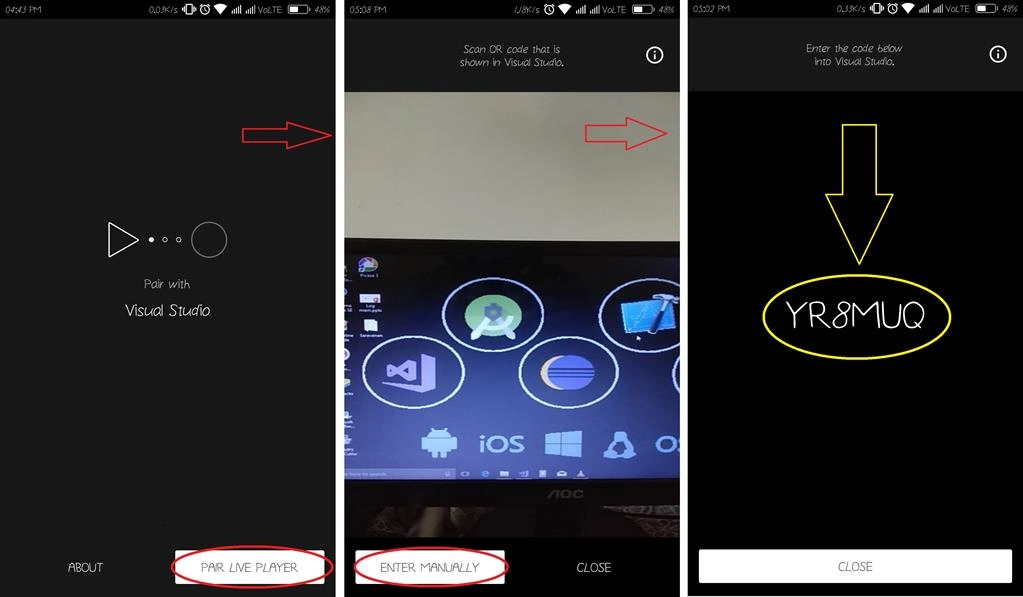
Go to your mobile phone and install (Xamarin Live Player) application. Next, open the application and click "Pair Live Player".
Step 5
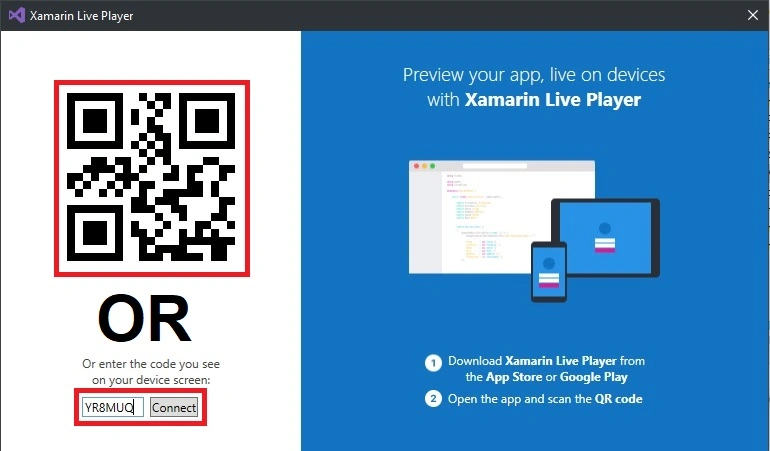
Next, scan the Visual Studio Xamarin Live Player QR code or manually enter the code in VS. I have selected the Manual code.
Step 6
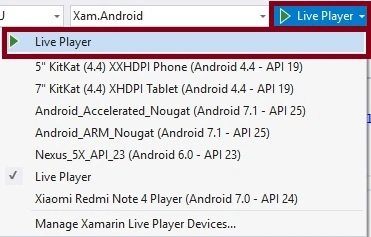
Next, go to Visual Studio and deploy the application using the medium of Live Player.
Select Live Player, then click (F5 or Live Player).
 Step 7
Next, scan your QR code or enter the code. Since I have chosen the manual code so let us enter the pairing code from VS Live Player (YR8MUQ) Connect.
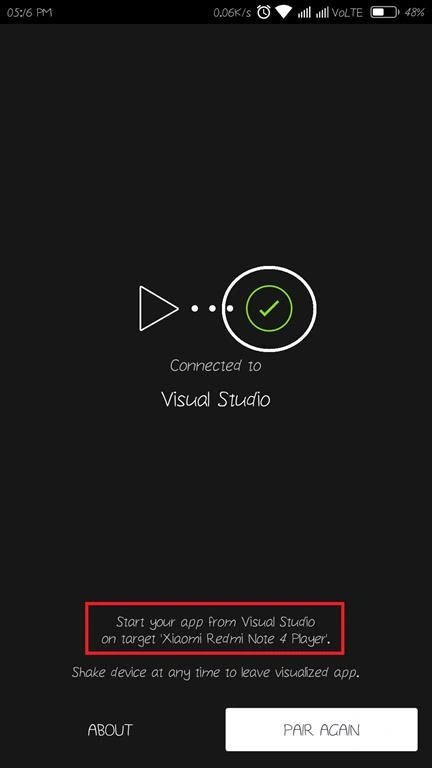
I have successfully connected my device.
OUTPUT
Finally, run the app to see a working Xamarin Live Player.
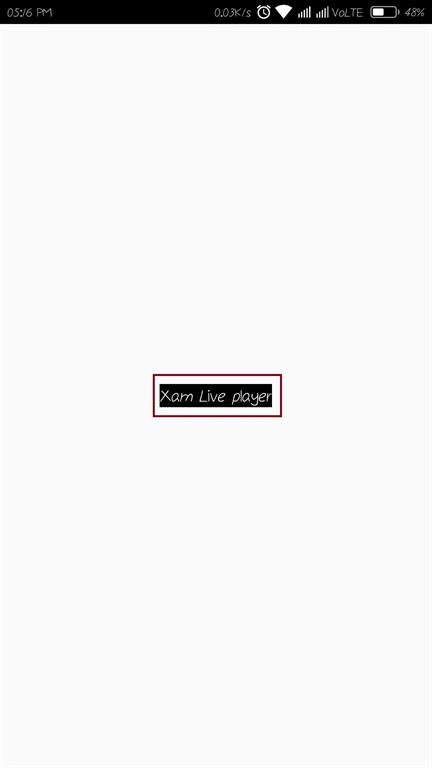
Finally, we have successfully created Xamarin.Forms Live Player.


Niño JosolPosted May 29, 2018, 1:46 AM
How about IOS?. Please help thanks.
Anwar BashaPosted Nov 28, 2017, 12:04 AM
Nice information shared..keep it up...