

Introduction
Xamarin.Forms code runs on multiple platforms - each of which has its own filesystem. This means that reading and writing files are most easily done using the native file APIs on each platform. Alternatively, embedded resources are a simpler solution to distribute data files with an app.
Xamarin.Essentials
Xamarin.Essentials

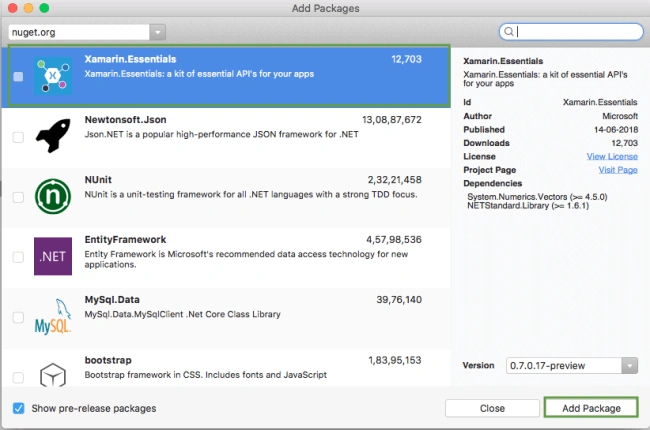
Xamarin.Essentials plugin provides 20+ cross-platform APIs for mobile application development. Xamarin.Essentials API works with all Xamarin.Forms, Xamarin.Android, Xamarin.iOS, or UWP applications that can be accessed from shared code. Thanks to Xamarin.Essentials, developers can access every native platform API using C#. This plugin provides many APIs so initially, there is no need for more plugins for Xamarin. Xamarin.Essentials plugin impacts your app's minimum size.
Platform Support
Xamarin.Essentials supports platforms and operating systems,
| Platform | Version |
| Android | 4.4 (API 19) or earlier |
| iOS | 10.0 or higher |
| UWP | 10.0.16299.0 or earlier |
Prerequisites
- Visual Studio 2017(Windows or Mac)
Setting up a Xamarin.Forms Project
Start by creating a new Xamarin.Forms project. You’ll learn more by going through the steps yourself.
Choose the Xamarin.Forms App Project type under Cross-platform/App in the new project dialog.
Start by creating a new Xamarin.Forms project. You’ll learn more by going through the steps yourself.
Choose the Xamarin.Forms App Project type under Cross-platform/App in the new project dialog.
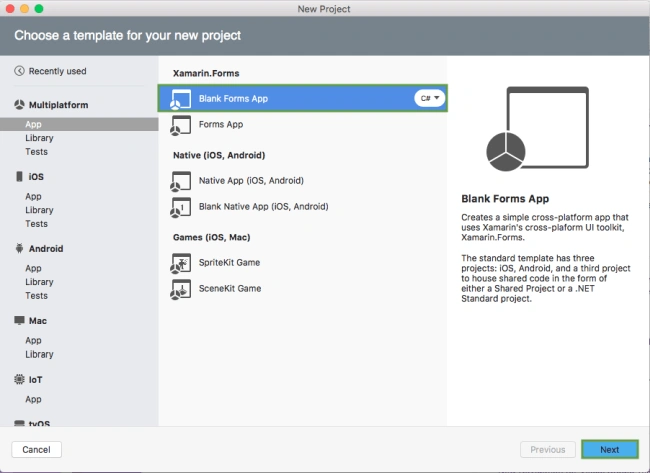
Name your app, select “Use Portable Class Library” for shared code, and target both Android and iOS.
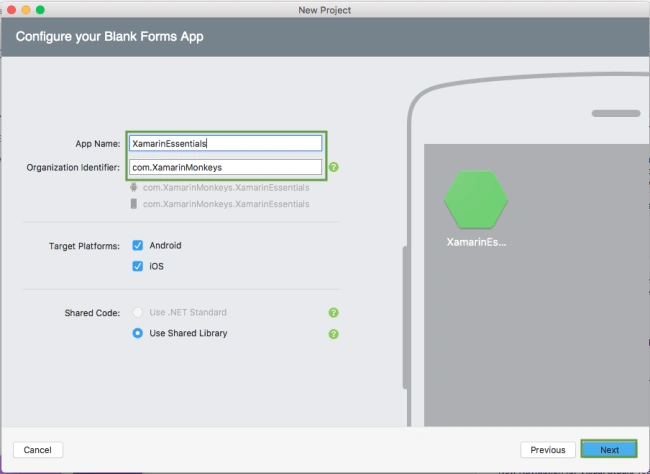
You probably want your project and solution to use the same name as your app. Put it in your preferred folder for projects and click create.
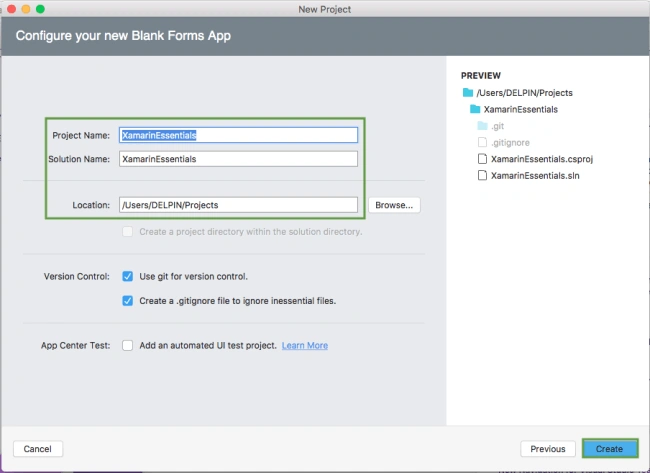
You now have a basic Xamarin.Forms app. Click the play button to try it out.
Setting up the User Interface
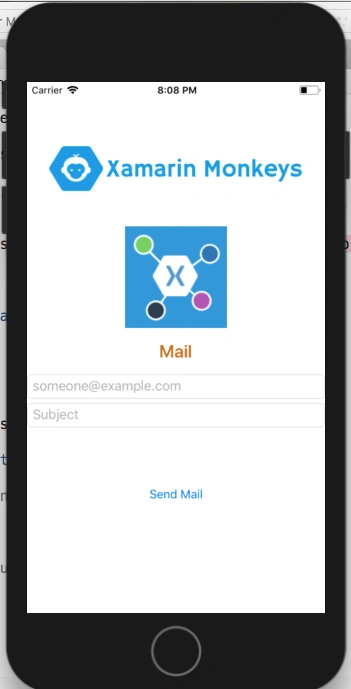
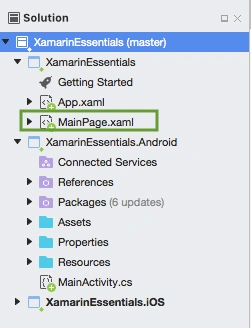
Go to MainPage.Xaml and write the following code.
MainPage.xaml
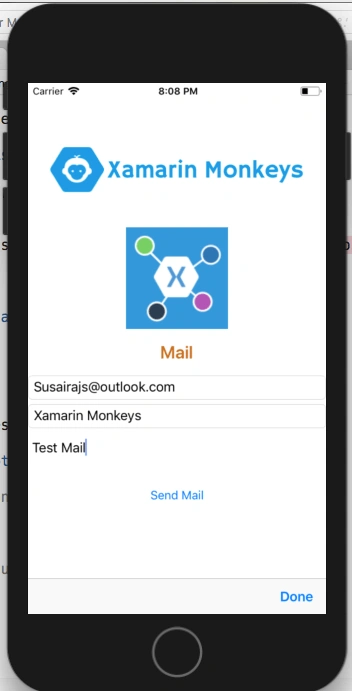
- <?xml version="1.0" encoding="utf-8" ?>
- <ContentPage xmlns="http://xamarin.com/schemas/2014/forms"
- xmlns:x="http://schemas.microsoft.com/winfx/2009/xaml"
- xmlns:local="clr-namespace:XamarinEssentials"
- x:Class="XamarinEssentials.MainPage">
- <StackLayout>
- <StackLayout HorizontalOptions="Center" VerticalOptions="Start">
- <Image Margin="0,50,0,0" x:Name="imgBanner" Source="banner.png" ></Image>
- <Image Margin="0,0,0,10" x:Name="imgXamarinEssential" Source="xamarinessential.png" ></Image>
- <Label Margin="0,0,0,10" FontAttributes="Bold" FontSize="Large" TextColor="#CA6F1E" HorizontalTextAlignment="Center" Text="Mail"></Label>
- <Entry x:Name="txtTo" Placeholder="[email protected]"> </Entry>
- <Entry x:Name="txtSubject" Placeholder="Subject"> </Entry>
- <Editor x:Name="txtBody" HeightRequest="50" > </Editor>
- <Button x:Name="btnSend" Text="Send Mail" Clicked="btnSend_Clicked"/>
- </StackLayout>
- </StackLayout>
- </ContentPage>
ThibaultPosted Aug 20, 2019, 3:49 AM
Hello sir,I would like to know if it was possible to manage the formatting of the email. For example if I add a field "first name" that the user must fill, how to make that in the mail, this first name appears like this: First name: Joe After the message is displayed normally. If you do not understand my request, tell me. Thank you so much Cordially Thibault
Keith PhillipsPosted Mar 26, 2019, 4:23 PM
Is there a way to add attachments?
Alain NataliniPosted Oct 9, 2018, 10:00 PM
Hi Delpin. I have to add the following string "Bundle bundle = null" into the OnCreate method in MainActivity.cs to fix the given error "CS0103 The name 'bundle' doesn't exist in the current context'. Can you verify about? Thanks.
Abhishek KumarPosted Sep 24, 2018, 11:23 AM
Very good article