

Problem:
In SharePoint 2013, when I tried to access the
external list I was getting the following error.
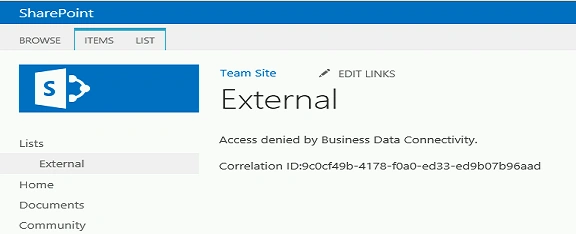
This is because the user doesn't have the permission to the external content type.
How to
resolve:
- Open Central Administration.
- Click on Manage service applications which
is available in the Service
Applications section.
- Click on BCS service application.
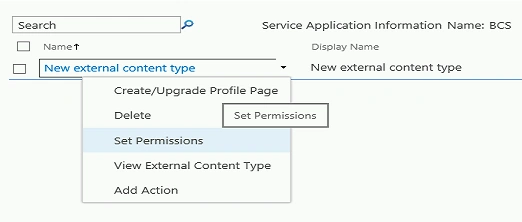
- Select the external content type, click on Set Permissions in the ECB menu.
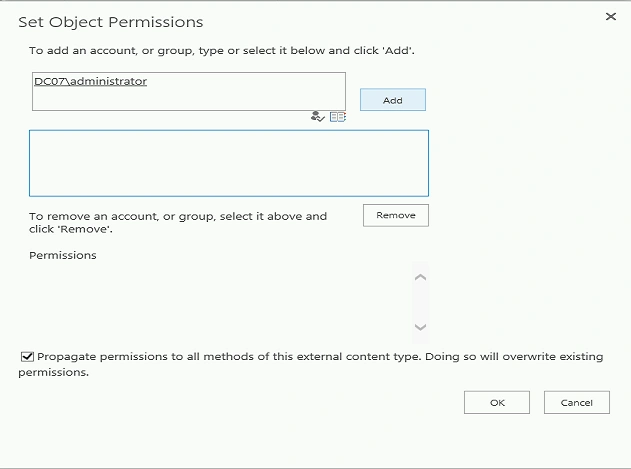
- Add the user and then click on Add.
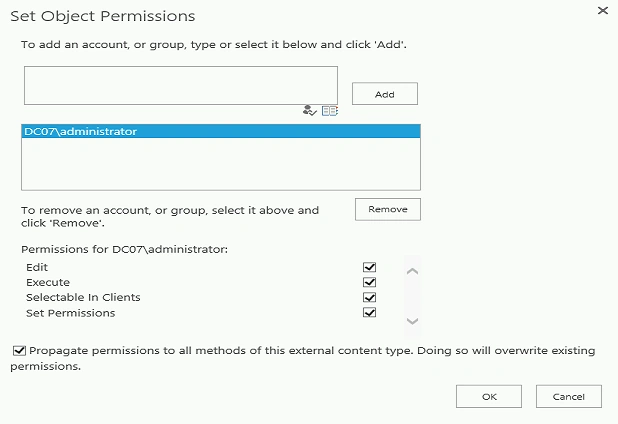
- Give the permissions for the user and click on Ok.
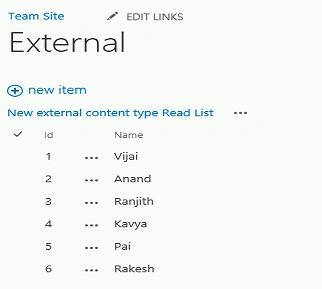
- Now navigate to the external list you will be able to
see the data in the list.
Summary:
Thus in this blog you have seen how to resolve “Access denied by business data connectivity” when accessing the external list in SharePoint 2013.
Mahesh AllePosted Apr 12, 2013, 1:57 AM
Hi Anand, this blog is relay helped me a lot. Thanks for posting this blog.