

Introduction:
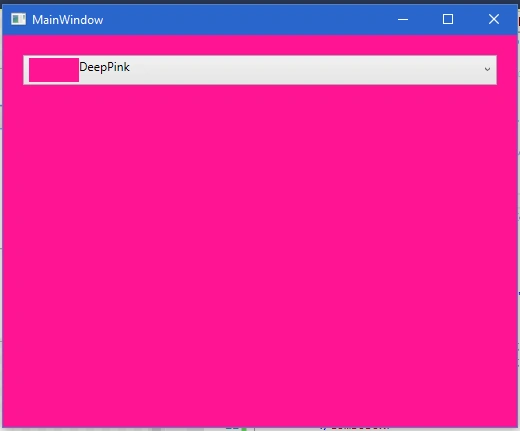
This article is used for binding system color properties in a combo box, even the same scenario will work with any other control. Combo box selected color applies to the form’s background color.
Background
- Open visual studio 2015 and createa new project from WPF.
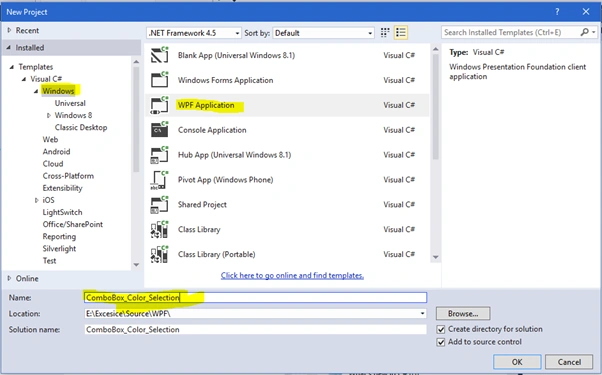
- Project opened like as below the figures.
- Normally WPF designxaml code .
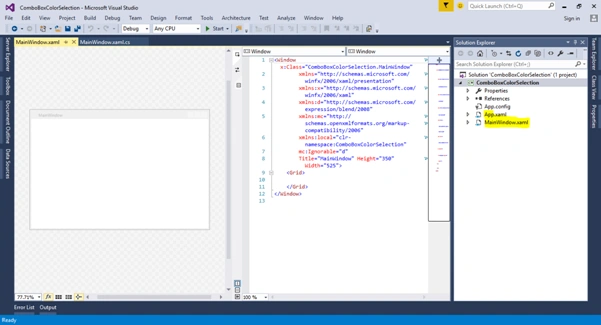
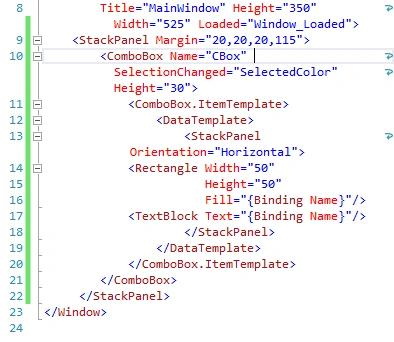
- Now I am replacing from grid to stack panel and placing the combo box inside the stack panel.

- Write the event in title tag Loaded.
Ex: Window_Loaded
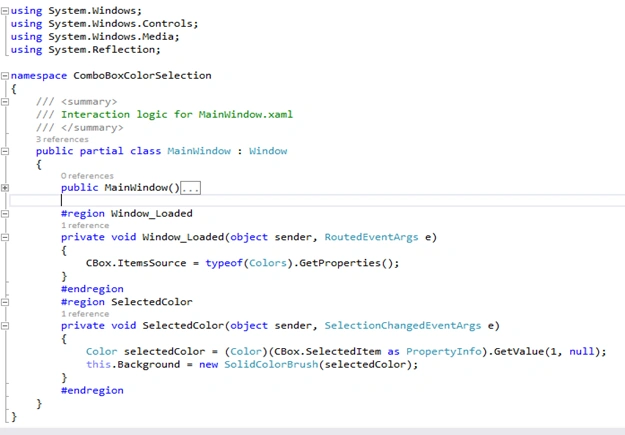
- #regionWindow_Loaded
- privatevoidWindow_Loaded(object sender, RoutedEventArgs e)
- {
- CBox.ItemsSource = typeof(Colors).GetProperties();
- }
- #endregion
- Binding Colors in Combo box ItemsSource.
Using the code
- Write a code for combo box selected change event. and assign color on background form color
- Run visual studio.
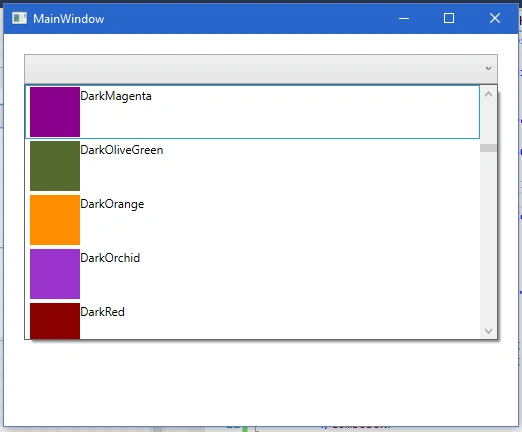
- Now colors are loaded in combo box. If you selected any color in this combo box, it should apply to the form background.
Prasanna MuraliPosted May 7, 2016, 10:51 PM
Nice