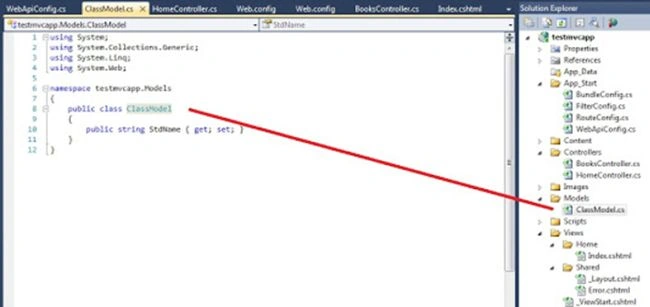
1. Add Model Class

  1. namespace testmvcapp.Models {
  2. public class ClassModel {
  3. public string StdName {
  4. get;
  5. set;
  6. }
  7. }
  8. }

Add Model Class

2. Modify on WebApiConfig

  1. public static class WebApiConfig {
  2. public static void Register(HttpConfiguration config) {
  3. config.Routes.MapHttpRoute(
  4. name: "DefaultApi",
  5. routeTemplate: "api/{controller}/{sLookUpString}",
  6. defaults: new {
  7. sLookUpString = RouteParameter.Optional
  8. });
  9. }
  10. }

WebApiConfig

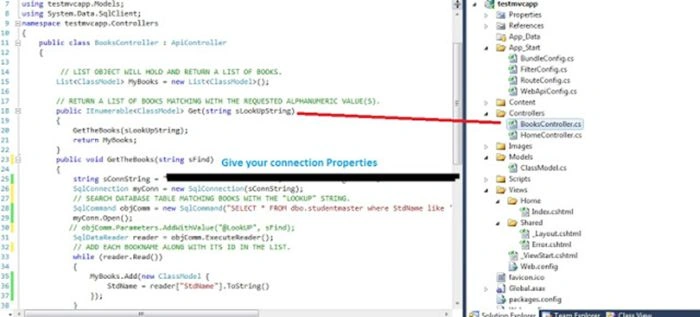
3. Add a controller and set the method to return string

  1. public class BooksController: ApiController {
  2. // LIST OBJECT WILL HOLD AND RETURN A LIST OF BOOKS.
  3. List < ClassModel > MyBooks = new List < ClassModel > ();
  4. // RETURN A LIST OF BOOKS MATCHING WITH THE REQUESTED ALPHANUMERIC VALUE(S).
  5. public IEnumerable < ClassModel > Get(string sLookUpString) {
  6. GetTheBooks(sLookUpString);
  7. return MyBooks;
  8. }
  9. public void GetTheBooks(string sFind) {
  10. string sConnString = "";
  11. SqlConnection myConn = new SqlConnection(sConnString);
  12. // SEARCH DATABASE TABLE MATCHING BOOKS WITH THE "LOOKUP" STRING.
  13. SqlCommand objComm = new SqlCommand("SELECT * FROM dbo.studentmaster where StdName like '" + sFind + "%' order by StdName desc ", myConn);
  14. myConn.Open();
  15. // objComm.Parameters.AddWithValue("@LookUP", sFind);
  16. SqlDataReader reader = objComm.ExecuteReader();
  17. // ADD EACH BOOKNAME ALONG WITH ITS ID IN THE LIST.
  18. while (reader.Read()) {
  19. MyBooks.Add(new ClassModel {
  20. StdName = reader["StdName"].ToString()
  21. });
  22. }
  23. myConn.Close();
  24. }
  25. }

Add a controller

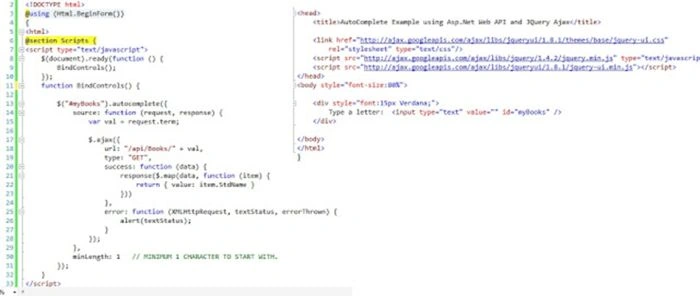
4. And Finally call in .cshtml Method

  1. < !DOCTYPE html > @using(Html.BeginForm()) { < html > @section Scripts { < script type = "text/javascript" > $(document).ready(function() {
  2. BindControls();
  3. });
  4. function BindControls() {
  5. $("#myBooks").autocomplete({
  6. source: function(request, response) {
  7. var val = request.term;
  8. $.ajax({
  9. url: "/api/Books/" + val,
  10. type: "GET",
  11. success: function(data) {
  12. response($.map(data, function(item) {
  13. return {
  14. value: item.StdName
  15. }
  16. }))
  17. },
  18. error: function(XMLHttpRequest, textStatus, errorThrown) {
  19. alert(textStatus);
  20. }
  21. });
  22. },
  23. minLength: 1 // MINIMUM 1 CHARACTER TO START WITH.
  24. });
  25. } < /script>
  26. }
  1. <head>
  2. <title>AutoComplete Example using Asp.Net Web API and JQuery Ajax</title>
  3. <link href="http://ajax.googleapis.com/ajax/libs/jqueryui/1.8.1/themes/base/jquery-ui.css"
  4. rel="stylesheet" type="text/css"/>
  5. <script src="http://ajax.googleapis.com/ajax/libs/jquery/1.4.2/jquery.min.js" type="text/javascript"></script>
  6. <script src="http://ajax.googleapis.com/ajax/libs/jqueryui/1.8.1/jquery-ui.min.js"></script>
  7. </head>
  8. <body style="font-size:80%">
  9. <div style="font:15px Verdana;">
  10. Type a letter:
  11. <input type="text" value="" id="myBooks" />
  12. </div>
  13. </body>undefined</html>

Method

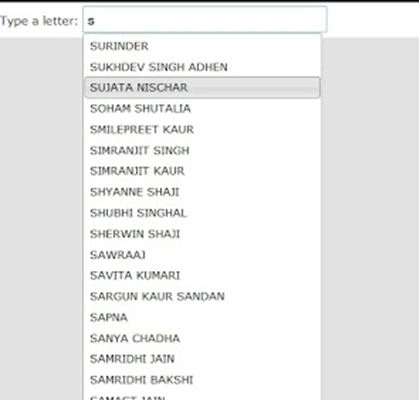
5. Final output is:

Final output is