

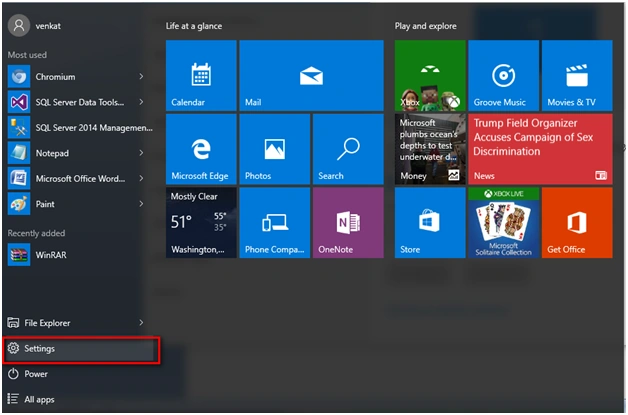
Step 1: Go to the Settings tab in the Windows Startup.
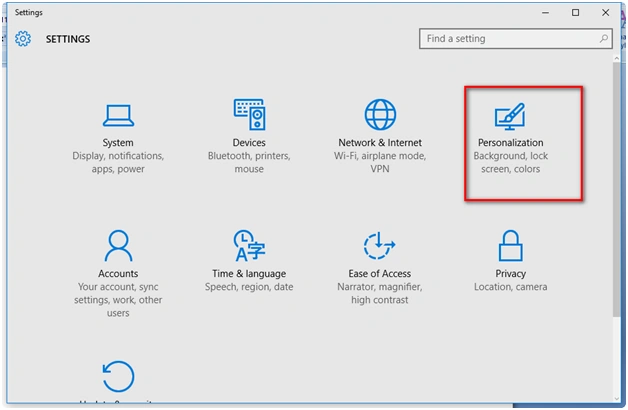
Step 2: Go to "Personalization" under the "Settings" tab.
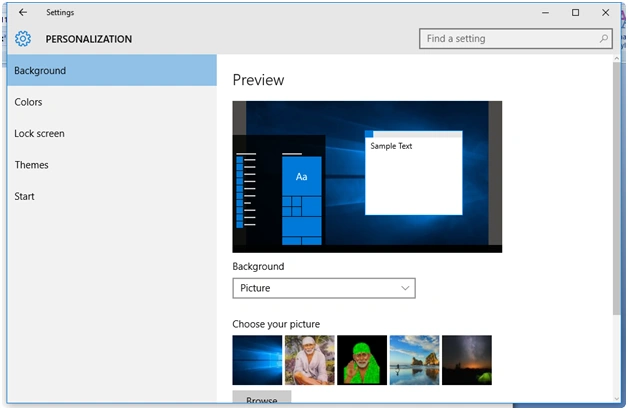
Step 3: Under Personalization -> Goto Background -> You are able to see the "Picture" option in Background.
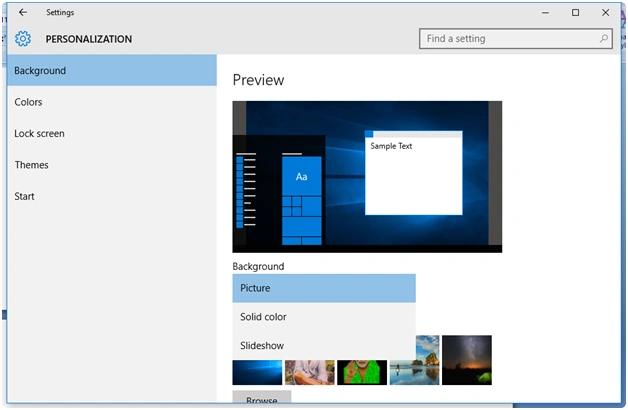
Step 4: Three options you can see, you are able to.
- Picture
- Solid Color
- Slideshow.
Step 5: Select the picture in which you choose it from the drive.
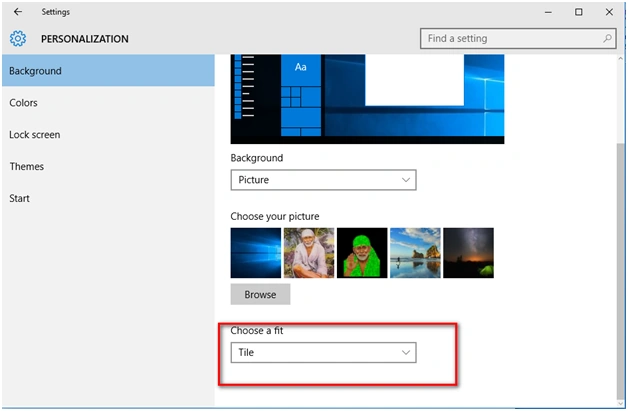
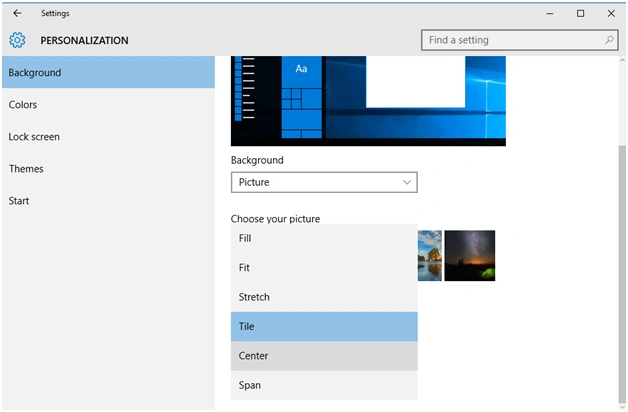
Step 6: "Choose a fit" The options available are:
- Fill
- Fit
- Stretch
- Tile
- Center
- Span
Join the conversation! Your thoughts help the community grow.