

Introduction
When it comes to Graphical User Interface based application, image(s) play a vital role. From the application icon to animation, it's useful.
To display images in labels, buttons, canvases, and text widgets, the PhotoImage class is used, which is present in tkinter package.
Display image using PhotoImage class
Example Code
from tkinter import *
root = Tk()
canvas = Canvas(root, width = 300, height = 300)
canvas.pack()
img = PhotoImage(file="ball.ppm")
canvas.create_image(20,20, anchor=NW, image=img)
mainloop()
"PhotoImage()" function returns the image object.
Output
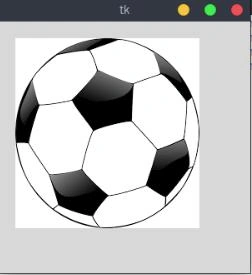
Display image using ImageTk and Image classes from PIL
To display image in Python is as simple as that. But, the problem is PhotoImage class only supports GIF and PGM/PPM formats.
The more generalized formats are JPEG/JPG and PNG. To open and display with those formats, we need help of ImageTk and Image classes from PIL(photo imaging Library) package.
With the help of PIL(photo imaging Library), we can load images in over 30 formats and convert them to image objects, even base64-encoded GIF files from strings!!
Example Code ??????
from tkinter import *
from PIL import ImageTk,Image
root = Tk()
canvas = Canvas(root, width = 300, height = 300)
canvas.pack()
img = ImageTk.PhotoImage(Image.open("ball.png"))
canvas.create_image(20, 20, anchor=NW, image=img)
root.mainloop()
Image class has an attribute "open()" which would open the not-so-directly-supported image formats and along with "ImageTk.PhotoImage()", we can return the image object and use it.
Output
Note
If you display an image inside a function, then make sure to keep the reference to the image object in your Python program, either by storing it in a global variable or by attaching it to another object.
global img
def foo(self):
    img = ImageTk.PhotoImage(Image.open("ball.png"))
def foo(self):
    self.img = ImageTk.PhotoImage(Image.open("ball.png"))
    self.canvas.create_image(20,20, anchor=NW, image=self.img)
    self.canvas.image = self.img
It's important because when you return from the function and if the image object is stored in a variable local to that function, the image is cleared by the garbage collector even if it's displayed by tkinter.
Jill WellmanPosted Feb 14, 2022, 4:35 PM
Root = tk.Tk() canvas = tk.Canvas(root, width = 500, height = 500) canvas.pack() img = ImageTk.PhotoImage(Image.open("zoom0.png")) canvas.create_image(5,5, anchor='nw', image=img) root.mainloop()
Jill WellmanPosted Feb 14, 2022, 4:34 PM
The following code works in its own file, displaying the image in 'zoom0.png' in a window. When I put the code at the top of another file (with zoom0.png in the same file) I get the error message: image "pyimage1" doesn't exist''
Choco ChipiePosted Feb 22, 2021, 5:44 AM
Hello, I need some help to add 2 images to one canva because I can't figure out how to add both images next to each other.
Rutik PatilPosted Jan 23, 2021, 6:42 AM
Why can't we write canvas.creat_image(image =ImageTk.PhotoImage(Image.open("ball.png"))
Halil OymacıPosted Dec 9, 2020, 10:42 AM
Thank you for this very important information: "keep reference to the image object in your Python program". I couldn't find the problem my code then fixed with your advance. Thanks again.
Max HillfredPosted Oct 8, 2020, 3:16 AM
Hello ! I tried your first code (with the same notations, i just change the name of the ppm image to match mine), I put the ppm image in the same folder as the python code, but it returned the error : "_tkinter.TclError: image "pyimage1" doesn't exist". Do you know what went wrong ?
Weston GrayPosted Jan 10, 2020, 12:03 PM
Did something fundamental change in Python 3? I can not get any image to display. It closes the python window immediately after opening it in the Desktop.
topa bePosted May 16, 2019, 6:22 AM
Image is displayed but not in full size how can i display that ,please help me
Pedro OrtizPosted Jun 26, 2018, 9:12 PM
Please, help me, i can't load any png images, just don't display in the canvas, jpg and gif works, but i want png! I did everything above