Introduction
In this blog post, we will explore how to build a secure SQL injection testing page using ASP.NET Web Forms and C#. This project is ideal for learning about basic SQL injection protection mechanisms and implementing input sanitization, error handling, and parameterized queries.
Technologies Used
- ASP.NET Web Forms (ASPX)
- C# (Code-Behind)
- SQL Server
- ADO.NET with SqlHelper (Application Block)
- Bootstrap 5 (Frontend UI)
Goal of This Application
- Provide a login form that is intentionally structured to test SQL injection patterns.
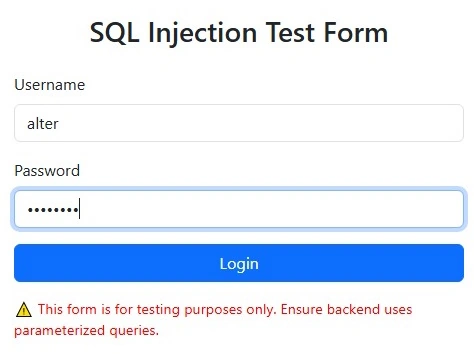
- Detect and block malicious inputs from both query string and form fields.
- Log all suspicious activity.
- Redirect users to a custom error page when SQL injection attempts are detected.
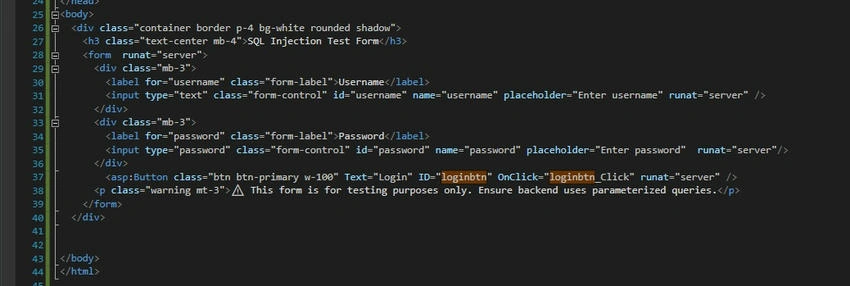
1. ASPX Page Code (Frontend Form)
<%@ Page Language="C#" AutoEventWireup="true" CodeBehind="SqlInjection.aspx.cs" Inherits="TaskPractices.SqlInjection" %>

<!DOCTYPE html>
<html lang="en">
<head>
    <meta charset="UTF-8" />
    <meta name="viewport" content="width=device-width, initial-scale=1.0" />
    <title>SQL Injection Test</title>
    <link href="https://cdn.jsdelivr.net/npm/[email protected]/dist/css/bootstrap.min.css" rel="stylesheet" />

    <style>
        body {
            background-color: #f8f9fa;
            padding: 50px;
        }

        .container {
            max-width: 500px;
            margin: auto;
        }

        .warning {
            color: red;
            font-size: 0.9rem;
        }
    </style>
</head>
<body>
    <div class="container border p-4 bg-white rounded shadow">
        <h3 class="text-center mb-4">SQL Injection Test Form</h3>
        <form runat="server">
            <div class="mb-3">
                <label for="username" class="form-label">Username</label>
                <input type="text" class="form-control" id="username" name="username" placeholder="Enter username" runat="server" />
            </div>

            <div class="mb-3">
                <label for="password" class="form-label">Password</label>
                <input type="password" class="form-control" id="password" name="password" placeholder="Enter password" runat="server" />
            </div>

            <asp:Button class="btn btn-primary w-100" Text="Login" ID="loginbtn" OnClick="loginbtn_Click" runat="server" />

            <p class="warning mt-3">
                ?? This form is for testing purposes only. Ensure backend uses parameterized queries.
            </p>
        </form>
    </div>
</body>
</html>

2. Code-Behind: SQL Injection Detection and Login Logic

using AppBlock;
using System;
using System.Collections.Generic;
using System.Configuration;
using System.Data;
using System.Data.SqlClient;
using System.Linq;
using System.Web;
using System.Web.UI;
using System.Web.UI.WebControls;
using TaskPractices.Allkindoflog;

namespace TaskPractices
{
    public partial class SqlInjection : System.Web.UI.Page
    {
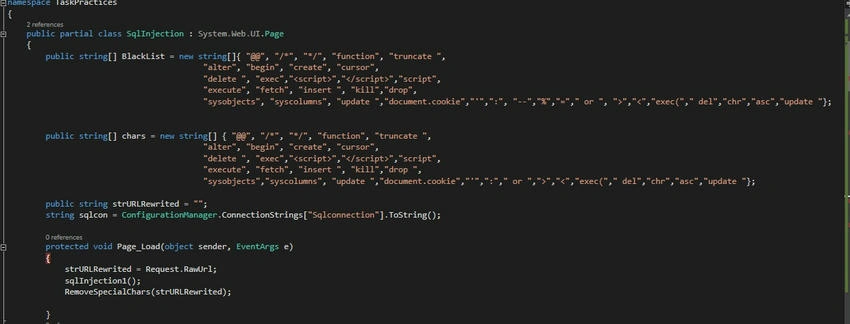
        public string[] BlackList = new string[]
        {
            "@@", "/*", "*/", "function", "truncate ", "alter", "begin", "create", "cursor",
            "delete ", "exec", "<script>", "</script>", "script", "execute", "fetch", "insert ",
            "kill", "drop", "sysobjects", "syscolumns", "update ", "document.cookie", "'", ":",
            "--", "%", "=", " or ", ">", "<", "exec(", " del", "chr", "asc", "update "
        };

        public string[] chars = new string[]
        {
            "@@", "/*", "*/", "function", "truncate ", "alter", "begin", "create", "cursor",
            "delete ", "exec", "<script>", "</script>", "script", "execute", "fetch", "insert ",
            "kill", "drop ", "sysobjects", "syscolumns", "update ", "document.cookie", "'", ":",
            " or ", ">", "<", "exec(", " del", "chr", "asc", "update "
        };

        public string strURLRewrited = "";
        string sqlcon = ConfigurationManager.ConnectionStrings["Sqlconnection"].ToString();

        protected void Page_Load(object sender, EventArgs e)
        {
            strURLRewrited = Request.RawUrl;
            sqlInjection1();
            RemoveSpecialChars(strURLRewrited);
        }

        private bool CheckStringForSQL(string pStr)
        {
            if (string.IsNullOrEmpty(pStr) || pStr.CompareTo("") == 0)
                return false;

            string lstr = pStr.ToLower();

            foreach (string item in BlackList)
            {
                if (lstr.ToUpper() == item.ToUpper())
                    return true;
            }

            return false;
        }

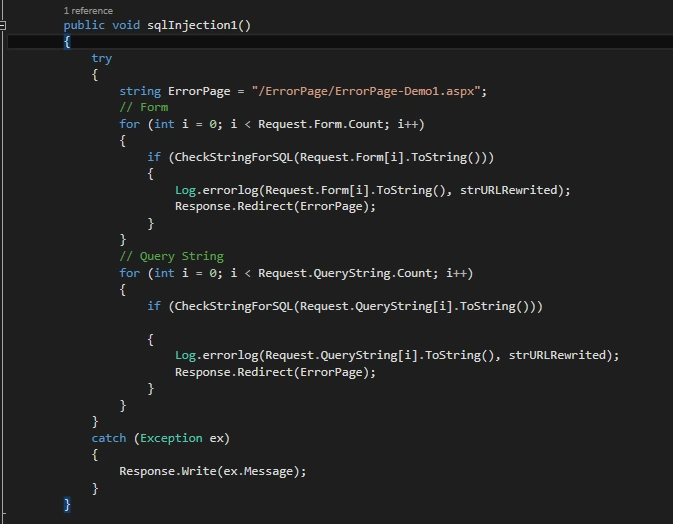
        public void sqlInjection1()
        {
            try
            {
                string ErrorPage = "/ErrorPage/ErrorPage-Demo1.aspx";

                // Form data check
                for (int i = 0; i < Request.Form.Count; i++)
                {
                    if (CheckStringForSQL(Request.Form[i]))
                    {
                        Log.errorlog(Request.Form[i], strURLRewrited);
                        Response.Redirect(ErrorPage);
                    }
                }

                // Query string check
                for (int i = 0; i < Request.QueryString.Count; i++)
                {
                    if (CheckStringForSQL(Request.QueryString[i]))
                    {
                        Log.errorlog(Request.QueryString[i], strURLRewrited);
                        Response.Redirect(ErrorPage);
                    }
                }
            }
            catch (Exception ex)
            {
                Response.Write(ex.Message);
            }
        }

        public void RemoveSpecialChars(string str)
        {
            foreach (string c in chars)
            {
                if (str.Contains(c))
                {
                    Log.errorlog(str, strURLRewrited);
                    Response.Redirect("/ErrorPage/ErrorPage-Demo1.aspx");
                }
            }
        }

        protected void loginbtn_Click(object sender, EventArgs e)
        {
            DataSet ds = new DataSet();

            try
            {
                SqlParameter[] param = {
                    new SqlParameter("@PAN", username.Value.Trim()),
                    new SqlParameter("@EMAIL", password.Value.Trim())
                };

                string sql = "SELECT * FROM ClientData (NOLOCK) WHERE PAN=@PAN AND EMAIL=@EMAIL";
                ds = SqlHelper.ExecuteDataset(sqlcon, CommandType.Text, sql, param);

                if (ds != null && ds.Tables[0].Rows.Count > 0)
                {
                    HttpContext.Current.Session["ClientCode"] = ds.Tables[0].Rows[0]["ClientId"].ToString().Trim();
                    HttpContext.Current.Session["ClientFname"] = ds.Tables[0].Rows[0]["Name"].ToString().Trim();
                    HttpContext.Current.Session["Pan"] = ds.Tables[0].Rows[0]["PAN"].ToString().Trim();
                    HttpContext.Current.Session["Email"] = ds.Tables[0].Rows[0]["EMAIL"].ToString().Trim();

                    ScriptManager.RegisterStartupScript(this, typeof(string), "Message", "alert('Login successfully');", true);
                }
                else
                {
                    ScriptManager.RegisterStartupScript(this, typeof(string), "Message", "alert('User Not Exists !');", true);
                }
            }
            catch (Exception ex)
            {
                ScriptManager.RegisterStartupScript(this, typeof(string), "Message", $"alert('{ex.Message}');", true);
            }
        }
    }
}



Key Takeaways
- Always use parameterized queries instead of string concatenation to prevent SQL injection.
- Implement input sanitization and validation on both the server and client sides.
- Maintain a blacklist of harmful SQL keywords to filter user input.
- Redirect to custom error pages and log malicious attempts for analysis.
Improvements You Can Add
- Use a whitelist approach for known safe characters.
- Integrate logging with tools like ELMAH or Serilog.
- Use Stored Procedures instead of inline queries for extra safety.
- Replace hard-coded blacklists with centralized config-based filters.
Conclusion
This project helps demonstrate SQL injection defense in a hands-on way using ASP.NET. It’s a great way to test and validate your security practices while building safe and user-friendly forms.
Would you like a downloadable PDF of this documentation?


Dhanush KPosted May 14, 2025, 2:44 PM
Thanks for sharing