

This blog shows simple steps to call WPF method from HTML page hosted inside a Web Browser.
Step 1
Create WPF Application.
Step 2
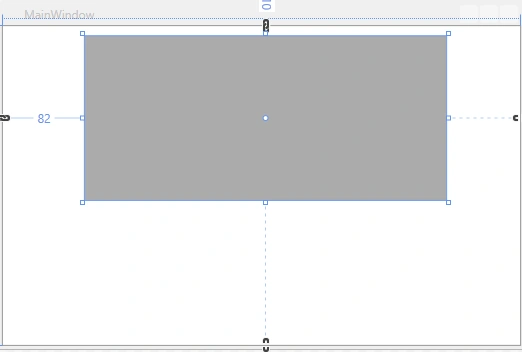
Add a Web browser control in the WPF application as in the following:
Step 3
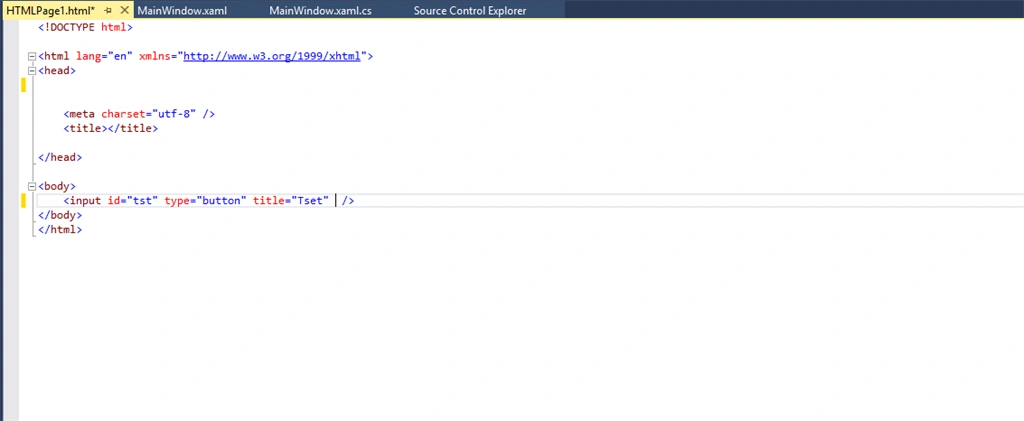
Create an HTML page and host inside the web browser control.
- {
- InitializeComponent();
- this.WebBrowser.Navigate(new Uri("../WpfApplication2/WpfApplication2/HTMLPage1.html"));
- }
Step 4
Creating HTML Bridge.
To create HTML Bridge, add a reference to Microsoft HTML Object Library.
Step 5
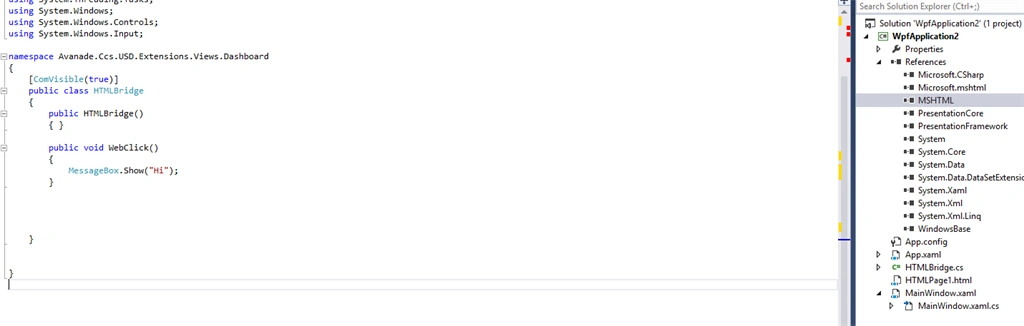
Add a class HTMLBridge and enable ComVisible property true for the class.
Step 6
Write a method to call from HTML page as shown above.
Step 7
Linking between HTML page events and WPF Method.
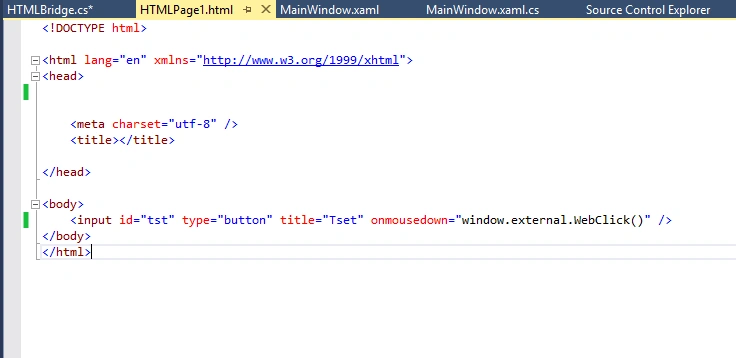
To call WPF method, we have to use “Window.External”. It is a method name written in the HTML bridge class.
Therefore, on click of button it will call the WPF method written in the HTML bridge class.
Creating HTML Bridge.
To create HTML Bridge, add a reference to Microsoft HTML Object Library.
Step 5
Add a class HTMLBridge and enable ComVisible property true for the class.
Step 6
Write a method to call from HTML page as shown above.
Step 7
Linking between HTML page events and WPF Method.
To call WPF method, we have to use “Window.External”. It is a method name written in the HTML bridge class.
Therefore, on click of button it will call the WPF method written in the HTML bridge class.
nandini nammiPosted Aug 8, 2022, 12:35 PM
Hii, Is there any github code for this, my side it is not working. can you please provide me source code.