

When developing graphics applications, it sometimes becomes necessary to provide the user with an interface for picking the tilt angle. In Windows Forms, for this purpose, we can use the NumericUpDown control or, at worst, a TextBox control or even a TrackBar. But it’s not convenient.
In the Photoshop interface, you can find a pretty handy component for adjusting the tilt angles. This is really visual and convenient. I made a similar control for Windows Forms projects.
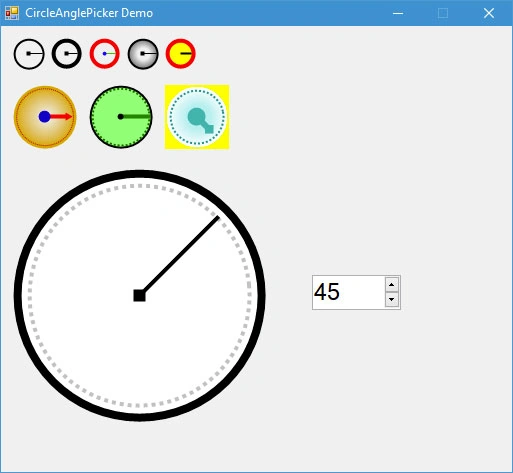
CircleAnglePicker — is a free user control written in C#. The source code is open and provided under the terms of the MIT license.
Installation
You can add CircleAnglePicker to your project in two ways.
Using the NuGet Package Manager (recommended).
Run the following command in the Package Manager Console:
Install-Package CircleAnglePicker
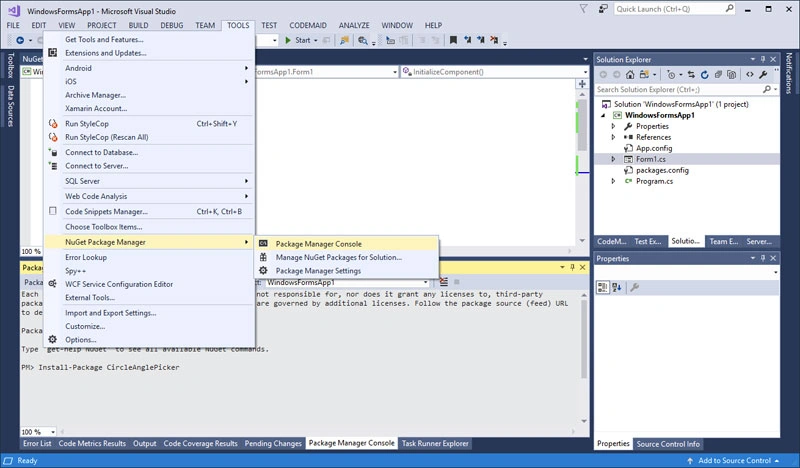
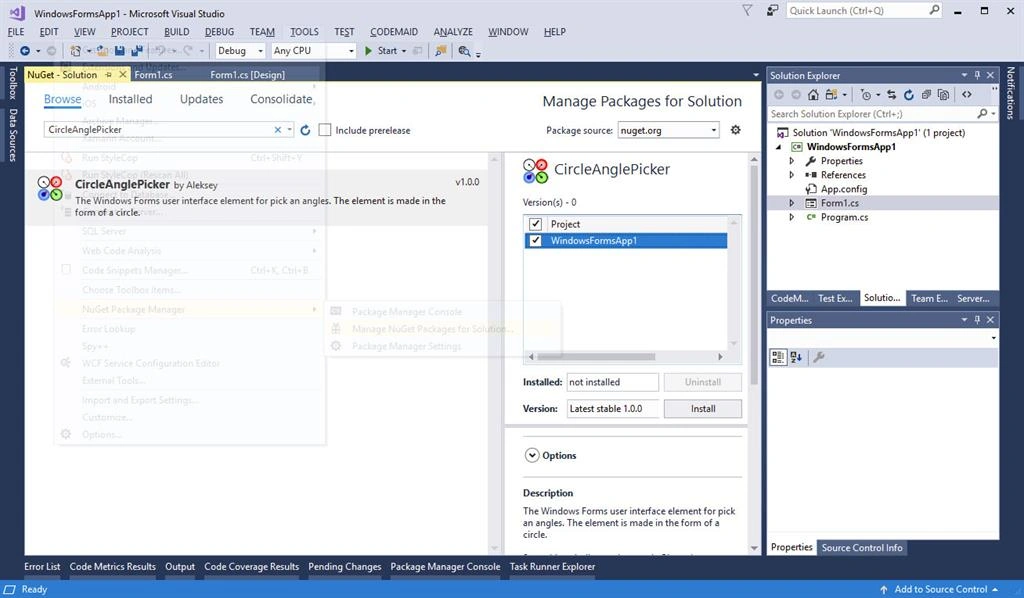
Or using the graphical interface of NuGet Packages,
Use the menu Project => Add Reference. In the window that appears, go to the Browse tab and find the CircleAnglePicker.dll file of the same version of the .NET Framework as in your project.
NOTE
This method can be convenient for older versions ofVisual Studio (2010 and earlier). If possible, it is better to use the first installation method, using NuGet.
Usage
CircleAnglePicker control is very easy to use.
Place the CircleAnglePicker control on the form.
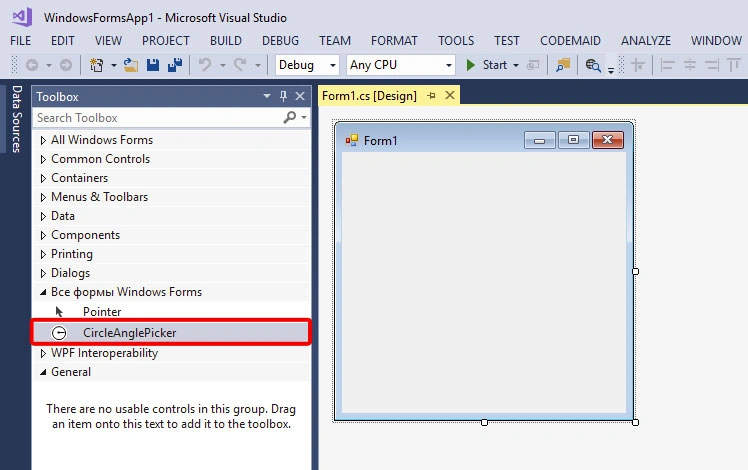
If for some reason you can not find theCircleAnglePicker control in the Toolbox panel, right-click on the Toolbox, select the “Choose Items…” menu and in the window that appears, browse and select the CircleAnglePicker.dll file.
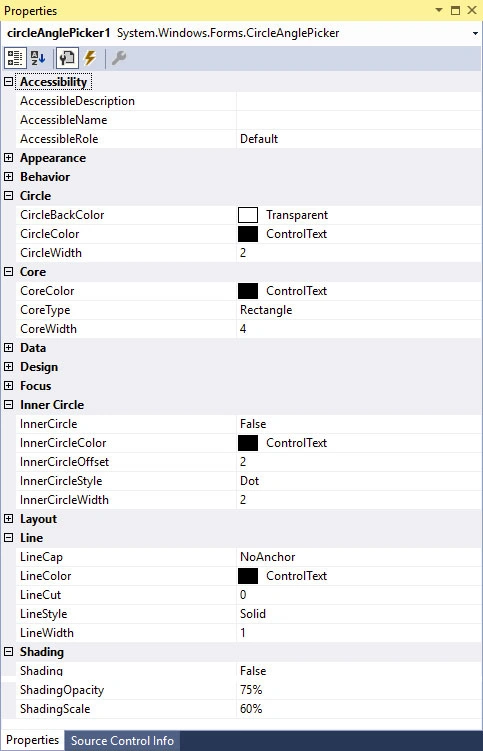
All property values of the control instance placed on the form can be left by default.
The main property is Value. When the value of the Value property changes, a ValueChanged event occurs. You can create a handler for this event by simply double-clicking on the CircleAnglePicker control instance on the form.

You can place an instance of NumericUpDown on the form and use it with CircleAnglePicker, as shown in the following example,
- public partial class Form1: Form {
- public Form1() {
- InitializeComponent();
- }
- private void Form1_Load(object sender, EventArgs e) {
- // set min and max value to numericUpDown1
- numericUpDown1.Minimum = -180;
- numericUpDown1.Maximum = 180;
- // set value to circleAnglePicker1
- circleAnglePicker1.Value = 45;
- // call handler
- circleAnglePicker1_ValueChanged(circleAnglePicker1, null);
- }
- private void circleAnglePicker1_ValueChanged(object sender, EventArgs e) {
- // set value from circleAnglePicker1 to the numericUpDown1
- numericUpDown1.Value = circleAnglePicker1.Value;
- }
- private void numericUpDown1_ValueChanged(object sender, EventArgs e) {
- // set value from numericUpDown1 to the circleAnglePicker1
- circleAnglePicker1.Value = (int) numericUpDown1.Value;
- }
- }
Enjoy!
Sagar Pandurang KapPosted Feb 16, 2018, 5:17 AM
Thats cool stuff...