Create an MVC application named "Operation". I named mine as "Addition".

By default, Visual Studio created some folders for you, like Controllers, Models, Views etc.
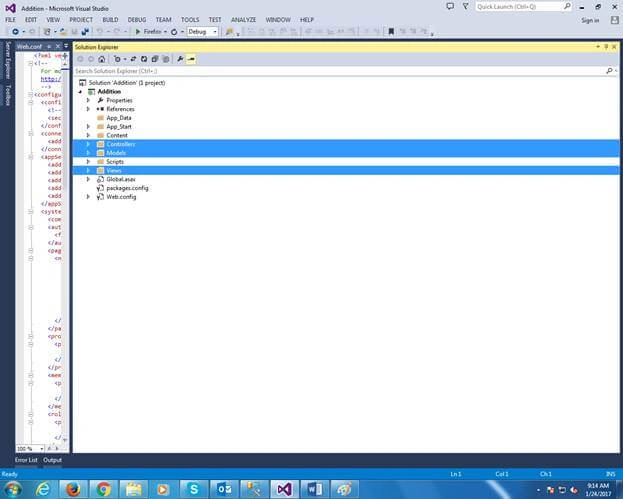
Now, go to "Models" folder and create a class file. Here, we define some entities for accessing the values through it and showing the output.

AdditionViewModel.cs
- using System;
- using System.Collections.Generic;
- using System.Linq;
- using System.Web;
- namespace Addition.Models {
- public class AdditionViewModel {
-
-
-
- public double A {
- get;
- set;
- }
- public double B {
- get;
- set;
- }
- public double Result {
- get;
- set;
- }
- }
- }
Then, go to "Controllers" folder and create a Controller class file as mentioned in the below snap.
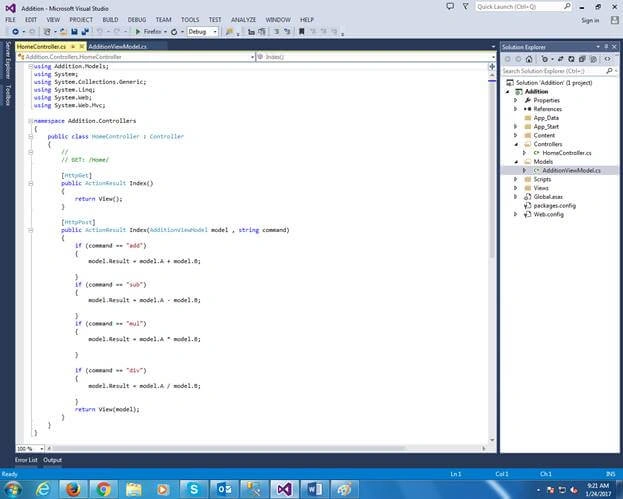
HomeController.cs
- using Addition.Models;
- using System;
- using System.Collections.Generic;
- using System.Linq;
- using System.Web;
- using System.Web.Mvc;
- namespace Addition.Controllers {
- public class HomeController: Controller {
-
-
- [HttpGet]
- public ActionResult Index() {
- return View();
- }
- [HttpPost]
- public ActionResult Index(AdditionViewModel model, string command) {
- if (command == "add") {
- model.Result = model.A + model.B;
- }
- if (command == "sub") {
- model.Result = model.A - model.B;
- }
- if (command == "mul") {
- model.Result = model.A * model.B;
- }
- if (command == "div") {
- model.Result = model.A / model.B;
- }
- return View(model);
- }
- }
- }
Go to "Views" folder and create a folder called "Home" inside which create a cshtml file named Index.cshtml.
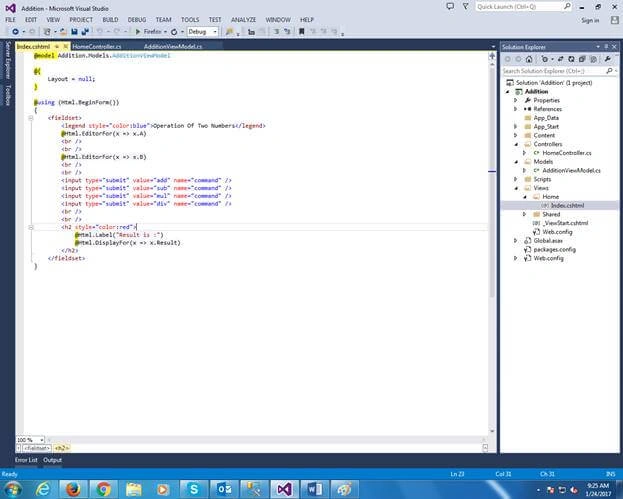
Index.cshtml
- @model Addition.Models.AdditionViewModel
- @ {
- Layout = null;
- }
- @using(Html.BeginForm()) { < fieldset > < legend style = "color:blue" > Operation Of Two Numbers < /legend>
- @Html.EditorFor(x => x.A) < br / > < br / > @Html.EditorFor(x => x.B) < br / > < br / > < input type = "submit"
- value = "add"
- name = "command" / > < input type = "submit"
- value = "sub"
- name = "command" / > < input type = "submit"
- value = "mul"
- name = "command" / > < input type = "submit"
- value = "div"
- name = "command" / > < br / > < br / > < h2 style = "color:red" > @Html.Label("Result is :")
- @Html.DisplayFor(x => x.Result) < /h2> < /fieldset>
- }
Then, go to "App_Start" folder and open the RouteConfig.cs file to add some code to set the start page when the application will load the first time, like ASP.NET.
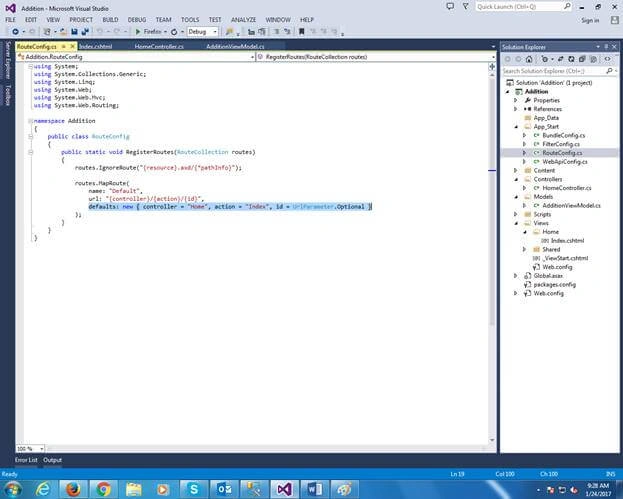
RouteConfig.cs
- using System;
- using System.Collections.Generic;
- using System.Linq;
- using System.Web;
- using System.Web.Mvc;
- using System.Web.Routing;
- namespace Addition {
- public class RouteConfig {
- public static void RegisterRoutes(RouteCollection routes) {
- routes.IgnoreRoute("{resource}.axd/{*pathInfo}");
- routes.MapRoute(name: "Default", url: "{controller}/{action}/{id}", defaults: new {
- controller = "Home", action = "Index", id = UrlParameter.Optional
- });
- }
- }
- }
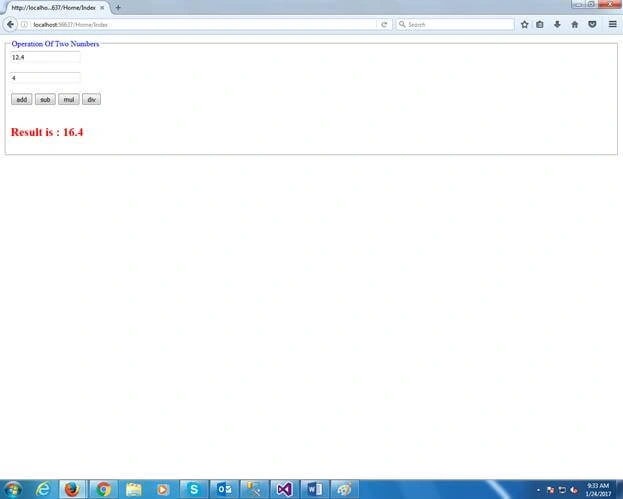
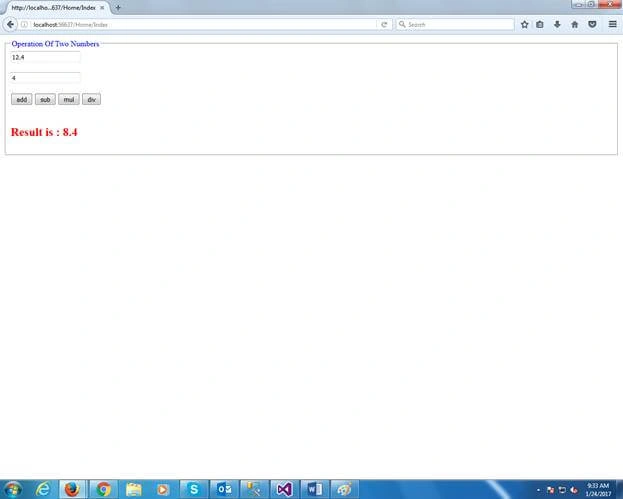
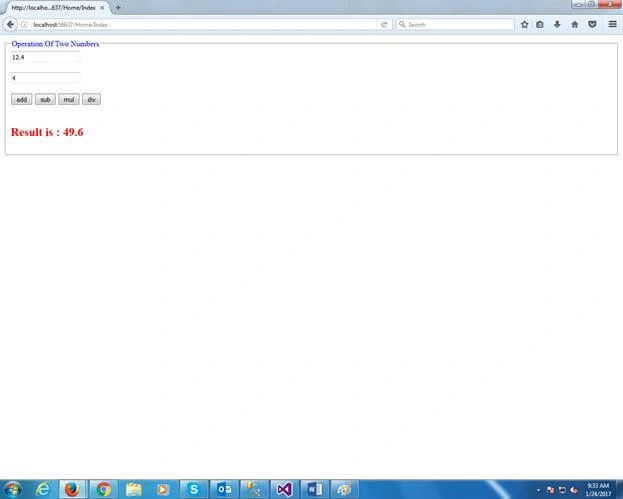
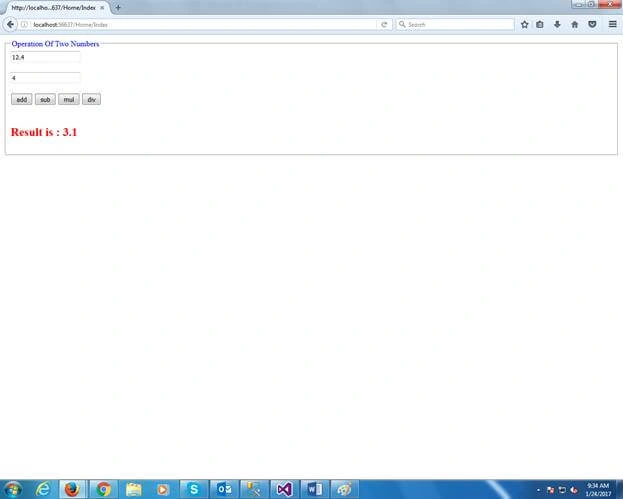
The output of this application will be like the following.
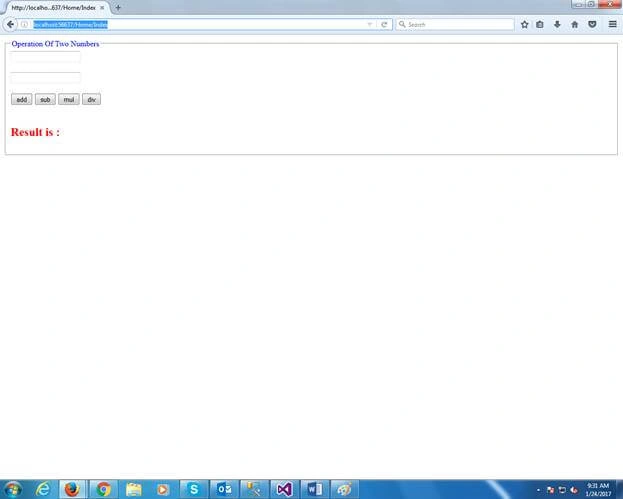
See the URL - http://localhost:56637/Home/Index
Here, "Home" is the Controller name and "Index" is the controller action method name.
Output
Happy coding….
Have a Nice Day and Good Luck.


Pravas RanjanPosted Apr 24, 2017, 6:01 AM
Super Article Bhai...Keep going...Many Thanks....
Bikesh SrivastavaPosted Jan 25, 2017, 8:35 AM
Very nice article ,well explained.