
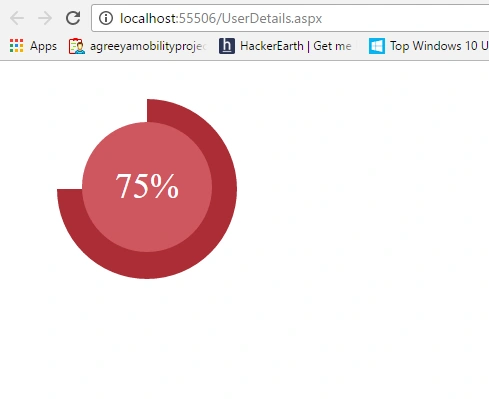
In this blog, we will see how we can create a circular progress bar in ASP.NET just by applying style.
Thus, let's go.
Let's take an example that we need to show the active users on a circular progress bar. For it, we will take a div and apply style to make it circular.
Thus, let's go.
Let's take an example that we need to show the active users on a circular progress bar. For it, we will take a div and apply style to make it circular.
- <div id="circularProgess" class="circularprogress background" runat="server">
- <div id="ProgressText" class="overlay" runat="server"></div>
- </div>
- <style>
- .background {
- background-image: linear-gradient(<%= Val1 %>, <%= ColorCode %> 50%, rgba(0, 0, 0, 0) 50%, rgba(0, 0, 0, 0)), linear-gradient(<%= Val2 %>, #AC2D36 50%, #ffffff 50%, #ffffff);
- }
- /* -------------------------------------
- * Bar container
- * ------------------------------------- */
- .circularprogress {
- float: left;
- margin-left: 50px;
- margin-top: 30px;
- position: relative;
- width: 180px;
- height: 180px;
- border-radius: 50%;
- }
- /* -------------------------------------
- * Optional centered circle w/text
- * ------------------------------------- */
- .circularprogress .overlay {
- position: absolute;
- width: 130px;
- height: 110px;
- color: white;
- background-color: #CF5760;
- border-radius: 50%;
- margin-left: 25px;
- margin-top: 23px;
- text-align: center;
- line-height: 90px;
- font-size: 35px;
- padding-top: 20px;
- }
- </style>
Join the conversation! Your thoughts help the community grow.