This blog shows how to change time at a fixed interval like in second, minute, hour using Dispatcher Timer. Set a timer interval, set a handler for the Tick event.
DispatcherTimer is the regular timer. It fires its Tick event on the UI thread, you can do anything you want with the UI. System.Timers.Timer is an asynchronous timer; its Elapsed event runs on a thread pool thread.
Let’s add a TextBlock control:
- <Window x:Class="TimersAndAnimationInXAML.MainWindow"
- xmlns="http://schemas.microsoft.com/winfx/2006/xaml/presentation"
- xmlns:x="http://schemas.microsoft.com/winfx/2006/xaml"
- xmlns:d="http://schemas.microsoft.com/expression/blend/2008"
- xmlns:mc="http://schemas.openxmlformats.org/markup-compatibility/2006"
- xmlns:local="clr-namespace:TimersAndAnimationInXAML"
- mc:Ignorable="d"
- Title="MainWindow" Height="350" Width="525">
- <Grid>
- <TextBlock Name="txtName" FontFamily="Verdana"
- FontSize="50" HorizontalAlignment="Center"
- VerticalAlignment="Center" Foreground="#FFEA2525"></TextBlock>
- </Grid>
- </Window>
Now create object of Dispatcher Timer and set interval time and fire Tick event and at last start timer.
- using System;
- using System.Windows;
- using System.Windows.Threading;
- namespace TimersAndAnimationInXAML
- {
-
-
-
- public partial class MainWindow : Window
- {
- public MainWindow()
- {
- InitializeComponent();
- DispatcherTimer timer = new DispatcherTimer();
- timer.Interval = TimeSpan.FromSeconds(1);
- timer.Tick += Timer_Tick;
- timer.Start();
- }
- private void Timer_Tick(object sender, EventArgs e)
- {
- txtName.Text = DateTime.Now.ToString("h:mm:ss tt");
- }
- }
- }
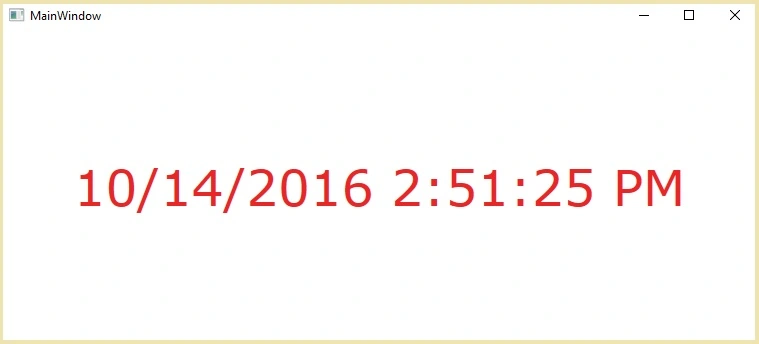
Run the project to see output:

- public MainWindow()
- {
- InitializeComponent();
- DispatcherTimer timer = new DispatcherTimer();
- timer.Interval = TimeSpan.FromSeconds(1);
- timer.Tick += Timer_Tick;
- timer.Start();
- }
- private void Timer_Tick(object sender, EventArgs e)
- {
- txtName.Text = DateTime.Now.ToString();
- }
- public MainWindow()
- {
- InitializeComponent();
- DispatcherTimer timer = new DispatcherTimer();
- timer.Interval = TimeSpan.FromSeconds(1);
- timer.Tick += Timer_Tick;
- timer.Start();
- }
- private void Timer_Tick(object sender, EventArgs e)
- {
- txtName.Text = DateTime.Now.ToString("HH:mm:ss.fff");
- }

Conclusion
In this blog we have learned about DispatcherTimer class using WPF. If you have any question or comment, drop me a comment in C# Corner comments section.


Former memberPosted Oct 14, 2016, 10:46 PM
You have neither disposed nor stopped timer. Timer is prone to memory leakage so it should be disposed or stopped properly.