

Draw Signature On Mobile Computer Screen (Portable Terminal Device) C#
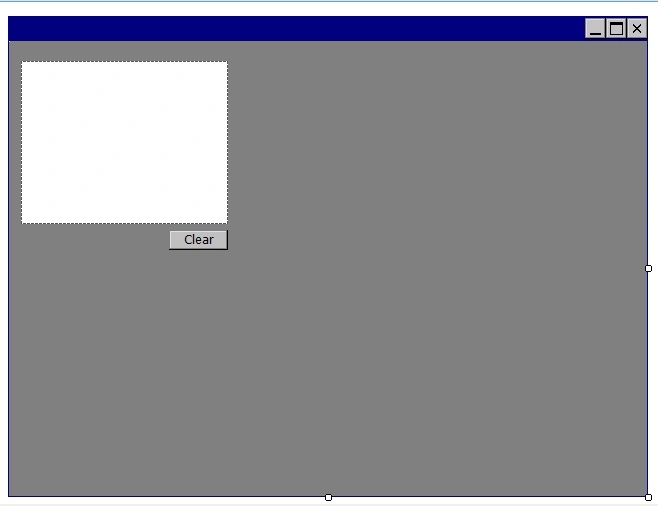
Fig 1 : Design Screen of Smart Device Application
Write the following code in the application
Name Spaces
- using System;
- using System.Linq;
- using System.Collections.Generic;
- using System.ComponentModel;
- using System.Data;
- using System.Drawing;
- using System.Text;
- using System.Windows.Forms;
- using System.IO;
- using System.Reflection;
- using System.Drawing.Imaging;
- using System.Collections;
- using System.Runtime.InteropServices;
- public partial class Form2 : Form
- {
- string Img;
- private string AppPath = Path.GetDirectoryName(Assembly.GetExecutingAssembly().GetName().CodeBase);
- private Signature cSignature;
- private Point? _Previous = null;
- private Pen _Pen = new Pen(Color.Black);
- private void pictureBox1_MouseDown(object sender, MouseEventArgs e)
- {
- _Previous = new Point(e.X, e.Y);
- pictureBox1_MouseMove(sender, e);
- }
- private void pictureBox1_MouseMove(object sender, MouseEventArgs e)
- {
- if (_Previous != null)
- {
- if (pictureBox1.Image == null)
- {
- Bitmap bmp = new Bitmap(pictureBox1.Width, pictureBox1.Height);
- using (Graphics g = Graphics.FromImage(bmp))
- {
- g.Clear(Color.White);
- }
- pictureBox1.Image = bmp;
- }
- using (Graphics g = Graphics.FromImage(pictureBox1.Image))
- {
- g.DrawLine(_Pen, _Previous.Value.X, _Previous.Value.Y, e.X, e.Y);
- }
- pictureBox1.Invalidate();
- _Previous = new Point(e.X, e.Y);
- }
- }
- private void pictureBox1_MouseUp(object sender, MouseEventArgs e)
- {
- _Previous = null;
- }
- private void btnClear_Click_1(object sender, EventArgs e)
- {
- pictureBox1.Image = null;
- }
Lets see the output below :
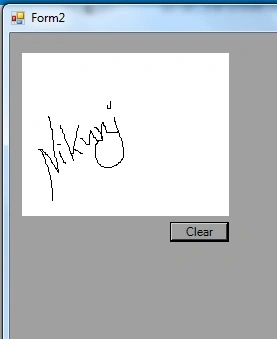
Its Done
Join the conversation! Your thoughts help the community grow.