

Here, I will explain how to display the current date and time by using the code in the window form.
Step 1: Form
Drag down a Level and a timer from the toolbox. When you drag down a timer, it will go downwards. And you can change its property, like interval.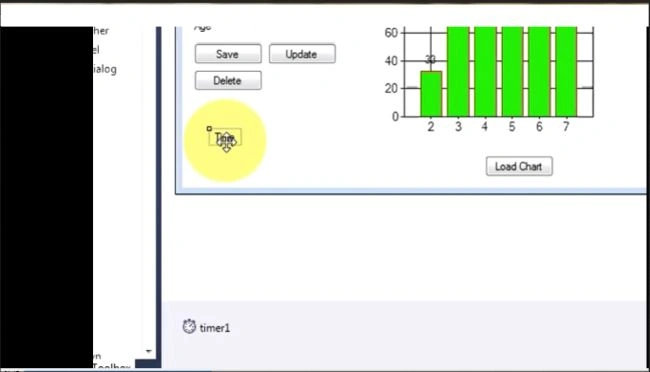
Step 2: Code
Double click on the timer and write this code.
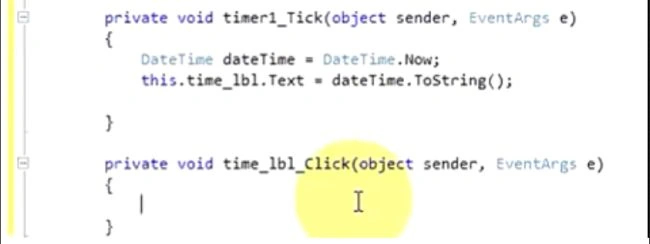
Private void timer_Tick(object sender, EventArgs e)
{
DateTime datetime = DateTime.Now;
this.time_lbl.Text = datetime.ToString();
}
Private void time_lbl_Click(object sender, EventArgs e)
{
}
And, you go at the "InitilizeComponent" and write, as shown below:
timer1.start();
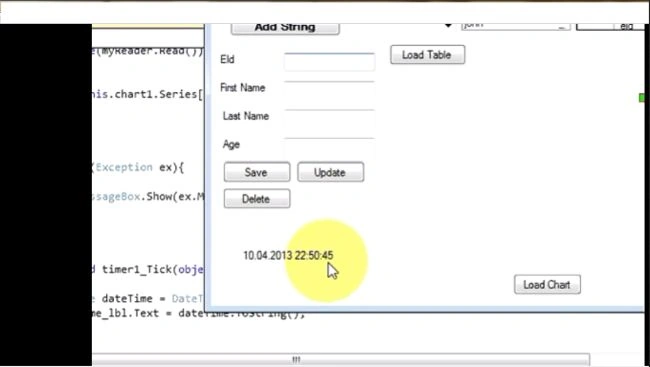
Step 3: Output
Now, run your application.
Munesh SharmaPosted Apr 22, 2016, 5:37 AM
it present in code section
Lavanya WebbiePosted Apr 22, 2016, 5:11 AM
where is "InitializeComponent" present? is it in the code section? or in menu bar? Thanks for any kind of help