
Introduction
In this blog, I will explain with an example, how to enable or disable HTML Anchor Links (HyperLink), using JavaScript and jQuery.
Enable Disable Anchor Tags (Links) using JavaScript
Disabling HTML Anchor Links (HyperLink)
Enabling HTML Anchor Links (HyperLink)
This makes HTML Anchor Link (HyperLink) once again enabled i.e. clickable.
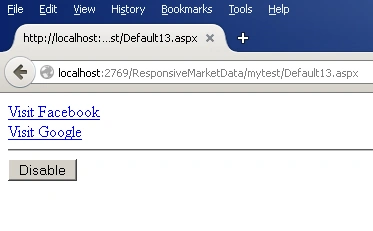
- <a href="http://facebook.com/">Visit Facebook</a><br /> <a href="http://google.co.in/">Visit Google</a><br />
- <hr /> <input type="button" id="btnEnableDisable" value="Disable" onclick="EnableDisableLinks(this)" />
- <script type="text/javascript">
- function EnableDisableLinks(btn) {
- var links = document.getElementsByTagName("a");
- if (btn.value == "Disable") {
- btn.value = "Enable";
- for (var i = 0; i < links.length; i++) {
- var href = links[i].href;
- links[i].setAttribute("rel", href);
- links[i].href = "javascript:;"
- }
- } else {
- btn.value = "Disable";
- for (var i = 0; i < links.length; i++) {
- var href = links[i].getAttribute("rel");
- links[i].removeAttribute("rel");
- links[i].href = href
- }
- }
- }
- </script>
Enable Disable Anchor Tags (Links) using jQuery
Disabling HTML Anchor Links (HyperLink)
Enabling HTML Anchor Links (HyperLink)
This makes HTML Anchor Link (HyperLink) once again enabled i.e. clickable.
- <a href="http://facebook.com/">Visit Facebook</a><br /> <a href="http://google.co.in/">Visit Google</a><br />
- <hr /> <input type="button" id="btnEnableDisable" value="Disable" />
- <script type="text/javascript" src="http://ajax.googleapis.com/ajax/libs/jquery/1.8.3/jquery.min.js"></script>
- <script type="text/javascript">
- $(function() {
- $("#btnEnableDisable").click(function() {
- if ($(this).val() == "Disable") {
- $(this).val("Enable");
- $("a").each(function() {
- $(this).attr("rel", $(this).attr("href"));
- $(this).attr("href", "javascript:;");
- });
- } else {
- $(this).val("Disable");
- $("a").each(function() {
- $(this).attr("href", $(this).attr("rel"));
- $(this).removeAttr("rel");
- });
- }
- });
- });
- </script>
Summary
In this blog, we learned how to enable or disable HTML Anchor Links (HyperLink), using JavaScript and jQuery.
Jin NecesarioPosted Aug 1, 2020, 5:55 AM
Maybe you can use the data attribute (e.g. data-previous, data-prvlink) instead of directly using the rel attribute. Anyways, good article. Cheers!
NehaPosted Dec 29, 2016, 9:06 AM
Nice........................................