

I recently had a requirement from a client to include the Facebook functionality to a SharePoint home page. You could easily go to the respective developer sites for Facebook, then copy and paste the code into a Content Editor Web part.
You can show part a "Like" button with a short feed from your page using a Facebook web part.
The Like Box is a social plugin that enables Facebook Page owners to attract and gain Likes from their own website. The Like Box enables users to:
· See how many users already like this Page.
Read recent posts from the Page .

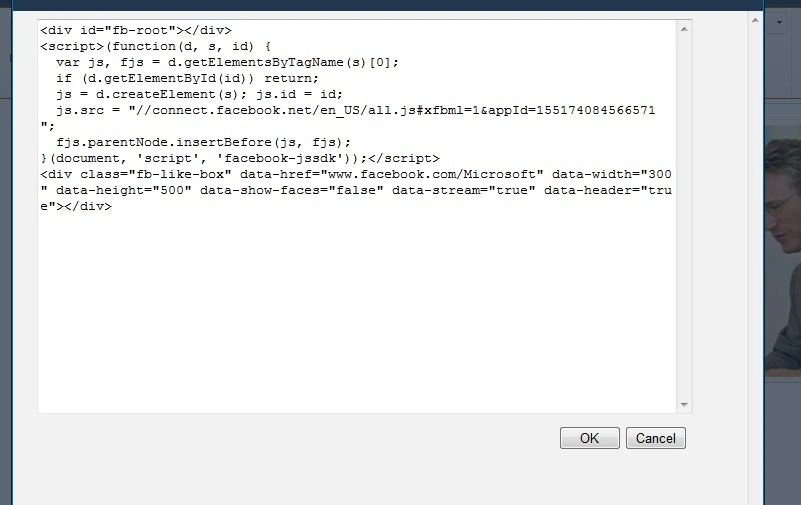

Step 1: Edit the page and add Content Editor WebPart
Step 2: Edit the content Editor WebPart and add the given below script:
- <div id="fb-root"></div>
- <script>(function(d, s, id) {
- var js, fjs = d.getElementsByTagName(s)[0];
- if (d.getElementById(id)) return;
- js = d.createElement(s); js.id = id;
- js.src = "//connect.facebook.net/en_US/all.js#xfbml=1&appId=155174084566571";
- fjs.parentNode.insertBefore(js, fjs);
- }(document, 'script', 'facebook-jssdk'));</script>
- <div class="fb-like-box" data-href="www.facebook.com/Microsoft" data-width="300" data-height="500" data-show-faces="false" data-stream="true" data-header="true"></div>
Step 3: Press OK in CEWP and save page. The Facebook webpart will show as below.
Join the conversation! Your thoughts help the community grow.