

Introduction
In this blog we will see how we can fill ListBox with ListBoxItems using entity framework.
Step 1: Create ASP.NET Web Application
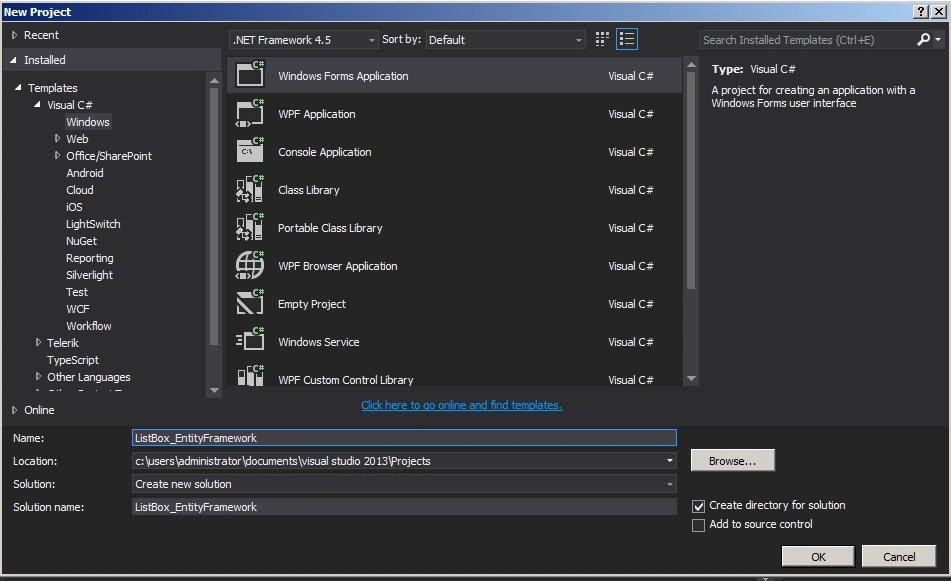
Form1.cs
- using System;
- using System.Collections.Generic;
- using System.ComponentModel;
- using System.Data;
- using System.Drawing;
- using System.Linq;
- using System.Text;
- using System.Threading.Tasks;
- using System.Windows.Forms;
- namespace WindowsFormsApplication1
- {
- public partial class Form1 : Form
- {
- public Form1()
- {
- InitializeComponent();
- }
- EmployeeDBEntities emp = new EmployeeDBEntities();
- private void btnForward_Click(object sender, EventArgs e)
- {
- listBox2.Items.Add(listBox1.SelectedItem);
- int i = 0;
- i = listBox1.SelectedIndex;
- listBox1.Items.RemoveAt(i);
- }
- private void btnBackward_Click(object sender, EventArgs e)
- {
- listBox1.Items.Add(listBox2.SelectedItem);
- int i = 0;
- i = listBox2.SelectedIndex;
- listBox2.Items.RemoveAt(i);
- }
- private void Form1_Load(object sender, EventArgs e)
- {
- foreach (var p in emp.Employees)
- {
- listBox1.Items.Add(p.FirstName);
- }
- }
- }
- }
Output of the application looks like this

Summary
In this blog we have seen how the listbox can be filled with listboxitems using entity framework. Happy coding!
Join the conversation! Your thoughts help the community grow.