Step 1: Create a Windows Application or Console Application.(I am taking Windows Forms Application here)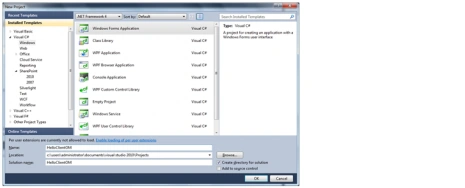
Step 2: "Microsoft.SharePoint.Client.dll" and "Microsoft.SharePoint.Client.Runtime.dll"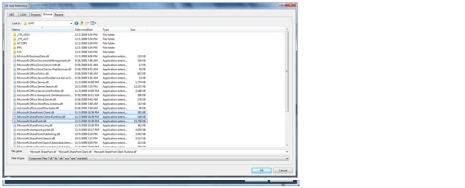
Step 3: Code Snippet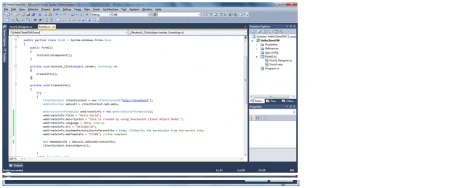
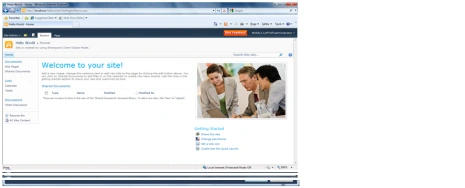
Step 4: Site Created Successfully.



Join the conversation! Your thoughts help the community grow.
Sign in to leave a comment
It is the same account you read, post and publish with — and you will come straight back to this page.

Abhinav SoodPosted Sep 26, 2012, 6:08 AM
Anyways Thanks, I got it Here is the code ClientContext clientContext = new ClientContext("http://sitename"); WebCollection collWeb = clientContext.Web.Webs; WebCreationInformation webCreationInfo = new WebCreationInformation(); webCreationInfo.Title = "New Site Name"; webCreationInfo.Description = "Describe your Site here"; webCreationInfo.Language = 1033; webCreationInfo.Url = "URL OF SITE"; webCreationInfo.UseSamePermissionsAsParentSite = true; webCreationInfo.WebTemplate = "STS#0"; Web oNewWebsite = collWeb.Add(webCreationInfo); clientContext.ExecuteQuery(); MessageBox.Show("Site Created");
Abhinav SoodPosted Sep 26, 2012, 6:08 AM
Anyways Thanks, I got it Here is the code ClientContext clientContext = new ClientContext("http://sitename"); WebCollection collWeb = clientContext.Web.Webs; WebCreationInformation webCreationInfo = new WebCreationInformation(); webCreationInfo.Title = "New Site Name"; webCreationInfo.Description = "Describe your Site here"; webCreationInfo.Language = 1033; webCreationInfo.Url = "URL OF SITE"; webCreationInfo.UseSamePermissionsAsParentSite = true; webCreationInfo.WebTemplate = "STS#0"; Web oNewWebsite = collWeb.Add(webCreationInfo); clientContext.ExecuteQuery(); MessageBox.Show("Site Created");
Abhinav SoodPosted Sep 26, 2012, 5:36 AM
i am not able to see code