

How to create modal in AngularJS with Bootstrap
Design for modal in AngularJS
- <div ng-controller="ModalDemoCtrl" ng-app="demo" id="modal">
- <script type="text/ng-template" id="modaldemo.html">
- <div class="modal-header">
- <h3 class="modal-title" style="background-color:red;">Select Name</h3>
- </div>
- <div class="modal-body">
- <ul>
- <li ng-repeat="name in names">
- <a ng-click="selected.name = name">{{ name }}</a>
- </li>
- </ul>
- Selected:
- <b>{{ selected.name }}</b>
- </div>
- <div class="modal-footer">
- <button class="btn btn-primary" ng-click="ok()">OK</button>
- <button class="btn btn-danger" ng-click="cancel()">Cancel</button>
- </div>
- </script>
- <center>
- <button id="bt1" class="btn btn-default" ng-click="open()">Modal 1</button>
- <br />
- <button id="bt2" class="btn btn-default" ng-click="open('lg')">Modal 2</button>
- <br />
- <button id="bt3" class="btn btn-default" ng-click="open('sm')">Modal 3</button>
- <br />
- </center>
- <hr />
- <div ng-show="selected" id="Selected_text">Selected Name is: {{ selected }}</div>
- </div>
CSS for design
- <style type="text/css">
- #modal
- {
- background-color:#DFBFFF;
- }
- #Selected_text
- {
- color:#FF9933;
- font-size:x-large;
- }
- #bt1
- {
- background-color:#FF9933;
- }
- #bt2
- {
- background-color:#FFFFFF;
- }
- #bt3
- {
- background-color:#33CC33;
- }
- </style>

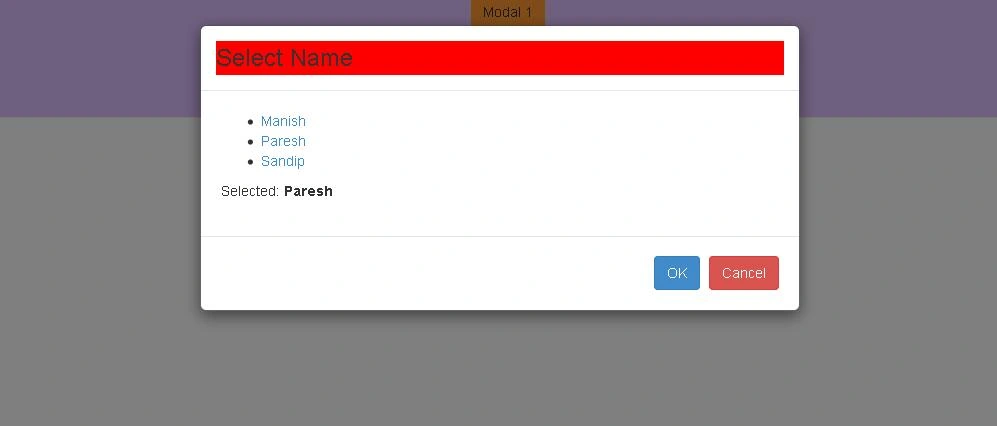
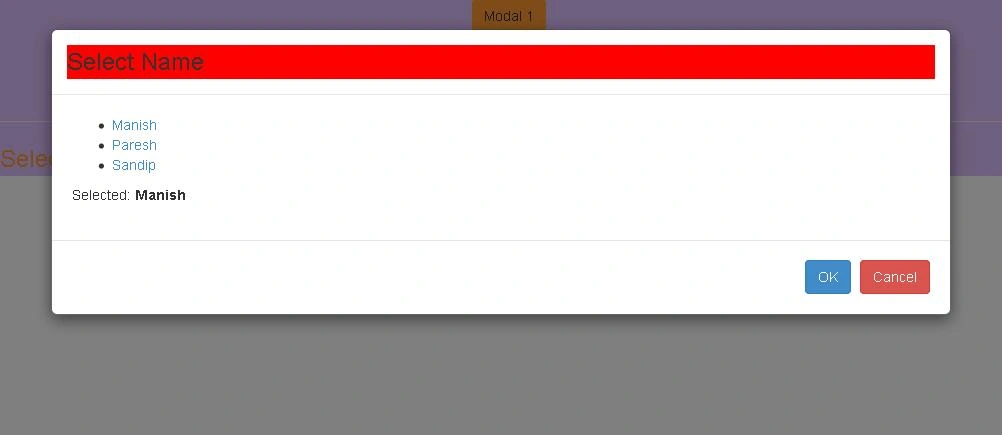
There are 3 design examples shown here.
- Normal
- Large
- Small
Normal
Large
Small
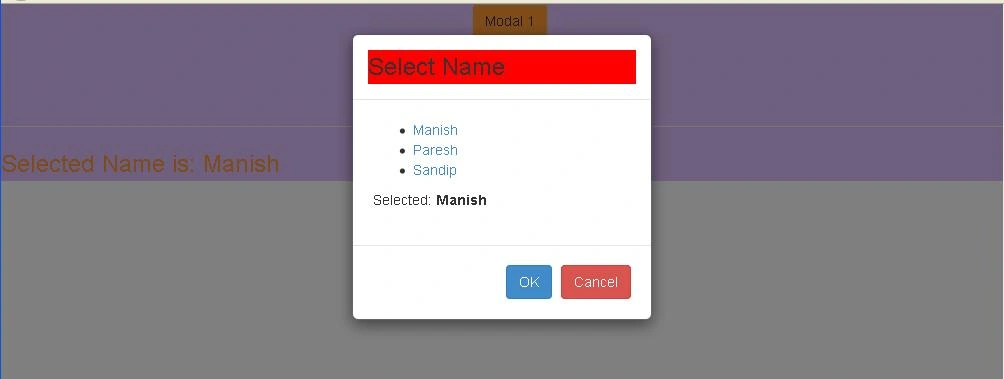
Let say I have selected any one name from the preceding design. Here, it will be shown in div tag.


This design is responsive.
AngularJS Code for Modal
- ngular.module('demo', ['ui.bootstrap']);
- angular.module('demo').controller('ModalDemoCtrl', function ($scope, $modal, $log) {
- $scope.names = ['Manish', 'Paresh', 'Sandip'];
- $scope.animationsEnabled = true;
- $scope.open = function (size) {
- var modalInstance = $modal.open({
- animation: $scope.animationsEnabled,
- templateUrl: 'modaldemo.html',
- controller: 'ModalInstanceCtrl',
- size: size,
- resolve: {
- names: function () {
- return $scope.names;
- }
- }
- });
- modalInstance.result.then(function (selectedname) {
- $scope.selected = selectedname;
- }, function () {
- $log.info('Modal dismissed at: ' + new Date());
- });
- };
- });
- angular.module('demo').controller('ModalInstanceCtrl', function ($scope, $modalInstance, names) {
- $scope.names = names;
- $scope.selected = {
- name: $scope.names[0]
- };
- $scope.ok = function () {
- $modalInstance.close($scope.selected.name);
- };
- $scope.cancel = function () {
- $modalInstance.dismiss('cancel');
- };
- });
Enjoy coding!
Thank You
Santhakumar MunuswamyPosted May 21, 2015, 3:10 PM
Nice