

Overview
Power BI is a popular "Business Intelligence" tool developed by Microsoft. Microsoft is constantly working on new visuals and feature development for enhancing and improving the Power BI.
They release these visuals or features as the preview of Power BI. Once these features are in stable condition, the company will release it in their next update.
If we want to use these preview visuals, we should follow the below steps.
Step 1
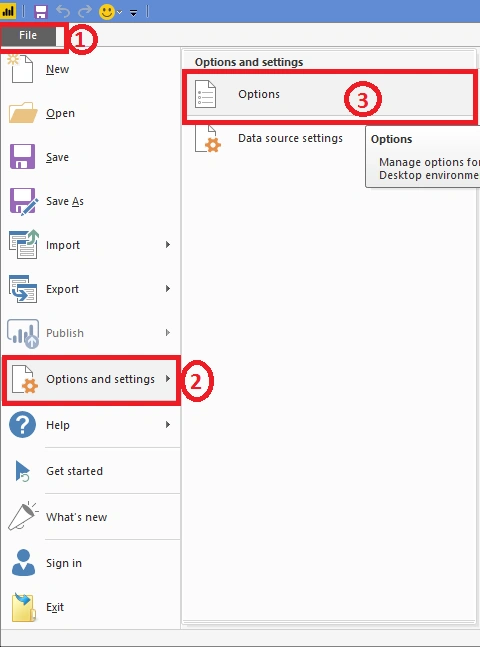
Select File > Options and Settings > Options.
Step 2
Step 3
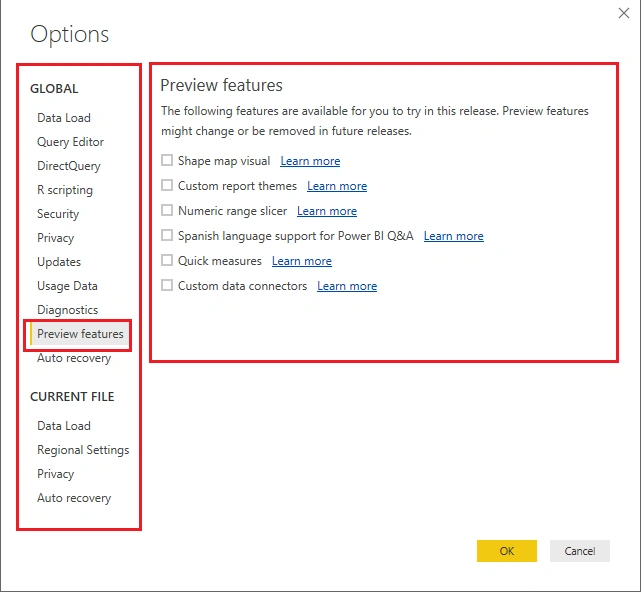
Now, the right side shows the list of all available visuals which are going to be released. It may be different as per your current Power BI Desktop version.
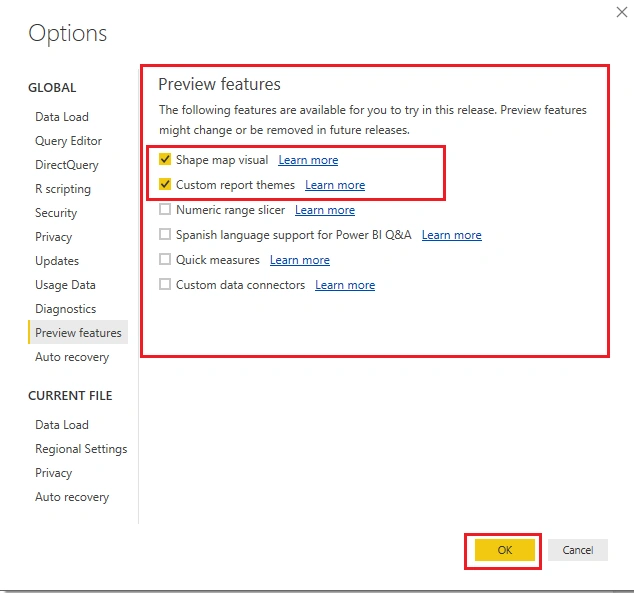
Check the checkboxes for a visual which you want to use. Click OK.
Step 4
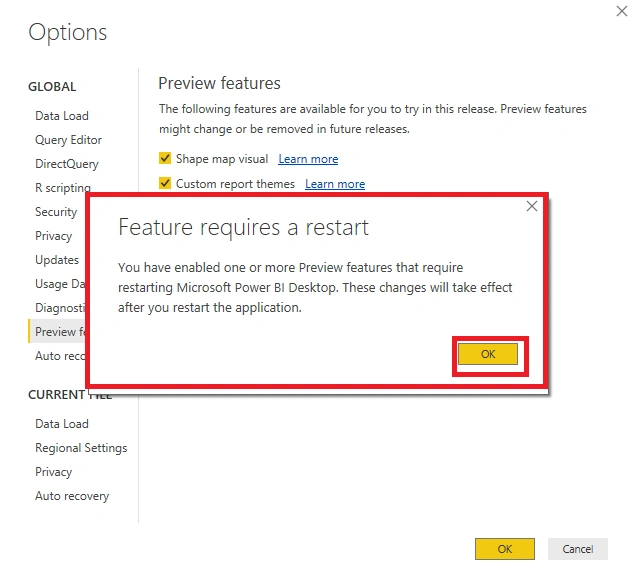
It will pop up a prompt saying "You have enabled one or more Preview Features that require restarting Microsoft Power BI Desktop. Thease changes will effect after you restart the application."
Step 5
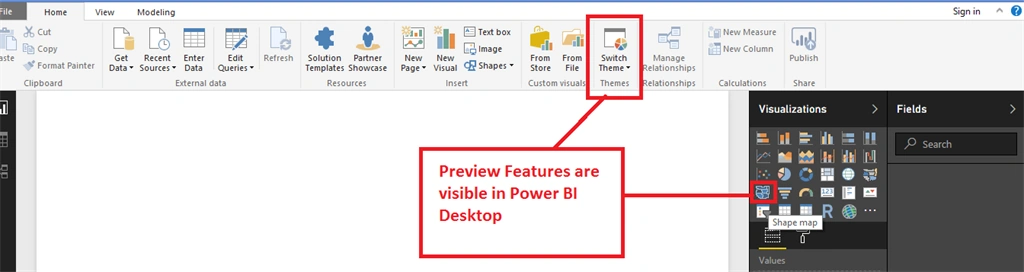
In our example, we have enabled the below two features.
- Shape Map Visual.
- Custom report theams.
Conclusion
This is how we can enable preview features for Power BI Desktop.
Join the conversation! Your thoughts help the community grow.