

This blog contains text about getting all index script of a specific sql table.
Every time when i create a copy table of any abc table (using select * into) it doesnt copy their indexes.
at that time i took single-single index which was very time taking. Now i got the solution .So I want to share this solution to you all.
at the time of script creation I have an option to choose script index true/false. which creates all clustered and non-clustered indexes of table.
Please go through with following screens to get table script with their indexes...
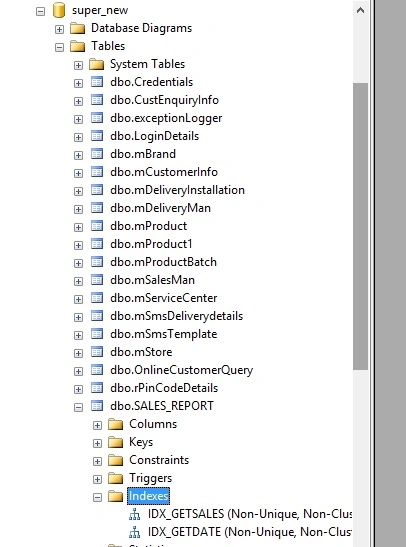
In above image sales_report table contains two non-clustered index IDX_GETSALES and IDX_GETDATE
Now I create a script of sales_report table which contains their all index script too.
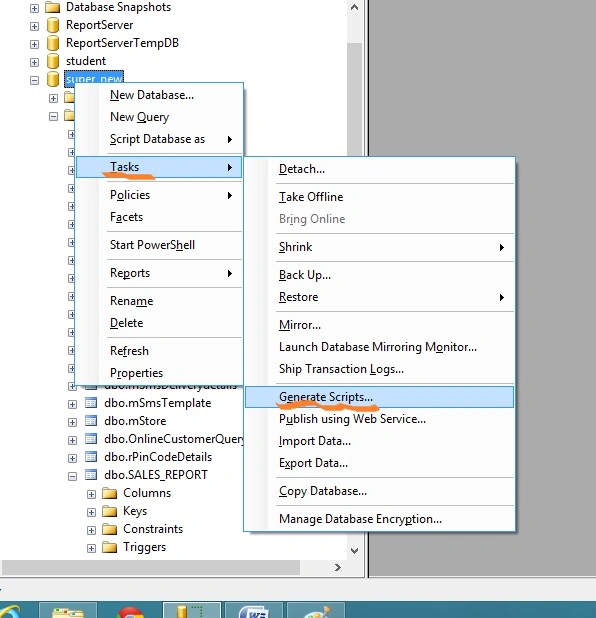
Steps: Right click on you database - > Tasks - > Generate Scripts ->
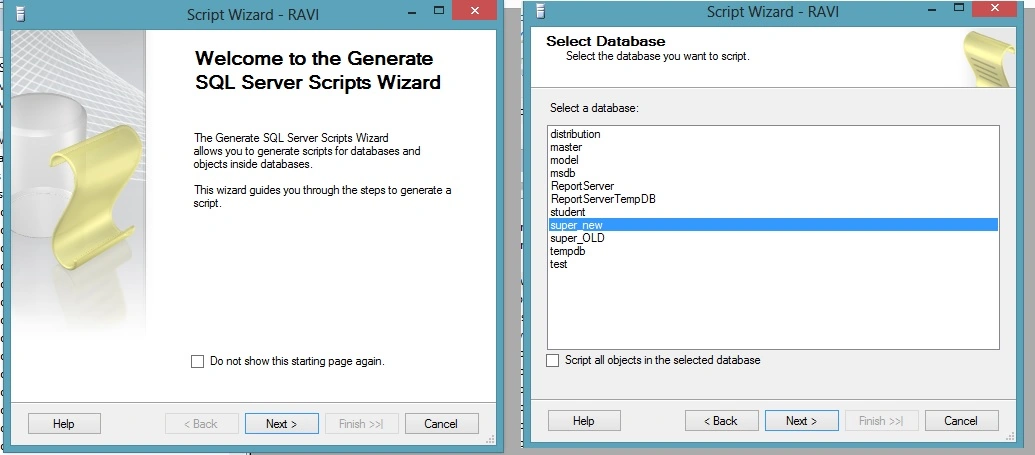
Next - > Next ->
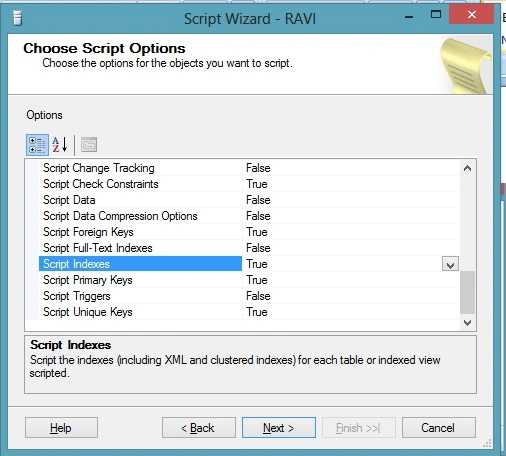
Set Script indexes =true
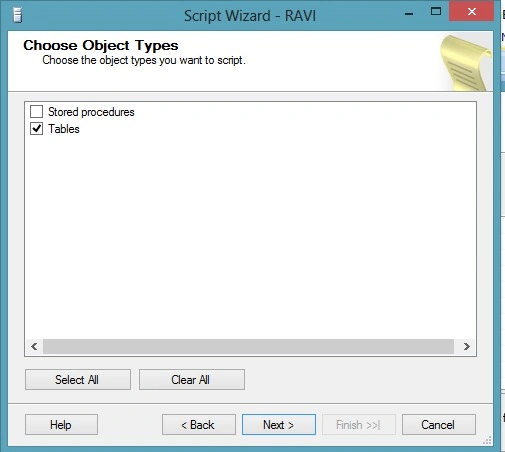
Check tables - > next
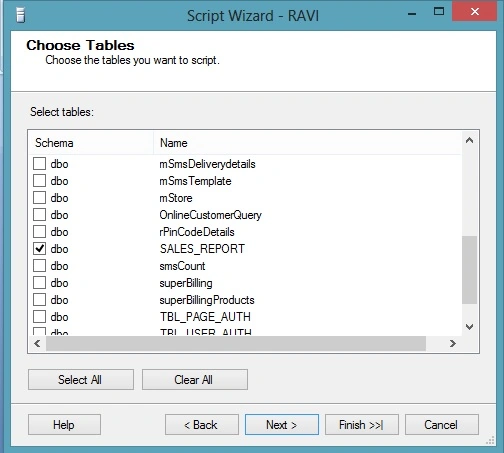
Check sales_report table - > next
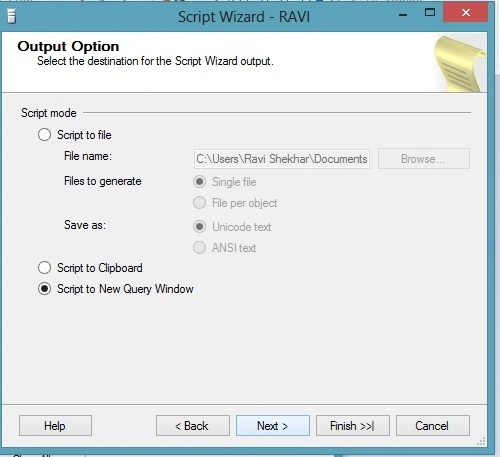
Check script to new query window - > next - > finish.
It returns a query which contains table script and their indexes. Example script -
Roleigh MartinPosted Dec 8, 2020, 1:04 PM
Where is the create index ddl stored inside the database? Your solution requires manual clicking inside Sql Server Management Studio, I wish to be able to have a stored procedure do the same using system tables and dynamic sql, but can't figure out where the ddl for create index resides, I don't see a system information.schema view to use.