

There are three ways to hide quick launch in SharePoint.
- Using Out of Box
- Using SharePoint Designer
- Using CSS
Using Out of Box
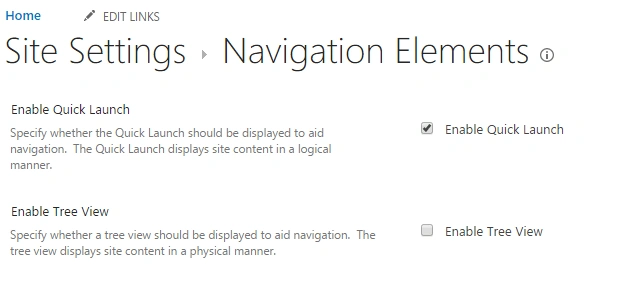
Go to Site Settings -> Navigation Elements, and uncheck the "Enable Quick Launch" box.
Using SharePoint Designer
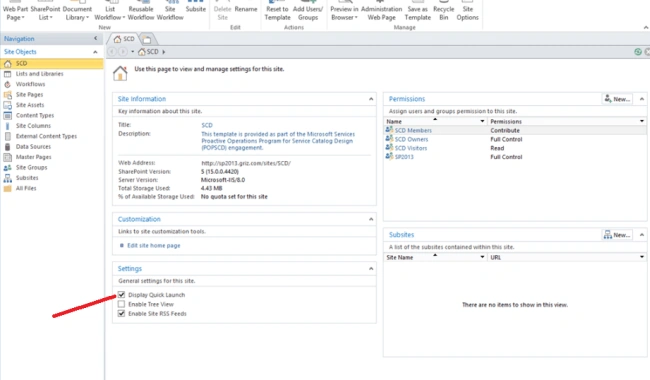
Open SharePoint Designer, click on Home, and disable the "Quick Launch" checkbox.
Using SharePoint Designer
Open SharePoint Designer, click on Home, and disable the "Quick Launch" checkbox.
Using CSS
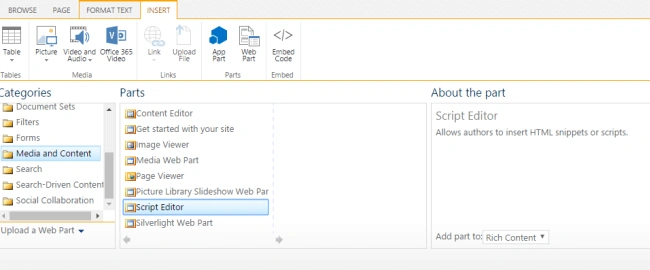
Add Webpart->Media and Content-> Add Script Editor Webpart.
Edit the Webpart -> Edit Snipped -> Embed the code over here.
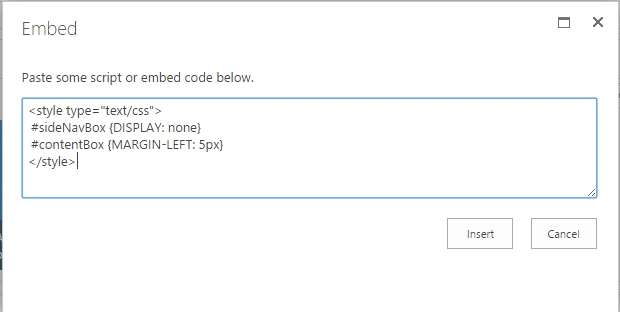
- <style type="text/css">
- #sideNavBox {DISPLAY: none}
- #contentBox {MARGIN-LEFT: 5px}
- </style>
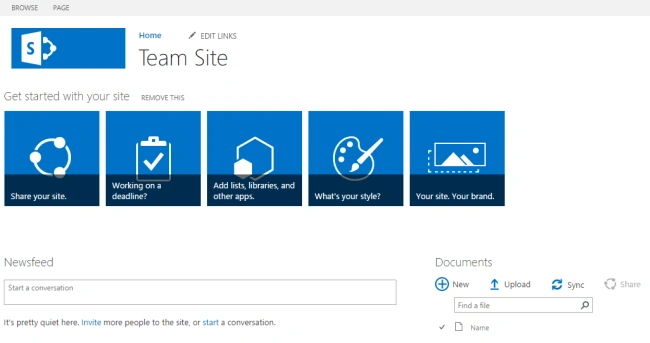
This is the final result.
Please try it, and let me know if you are having any problems.
Tapan MallickPosted Jun 27, 2017, 5:04 AM
Nice One ................................................