

In Windows Phone 8.1, there are two ways to project your screen.
- Wireless
- Wired
Wireless
Projecting your screen wirelessly uses Miracast technology. This requires a compatible receiver (e.g. a Smart TV, Netgear PTV3000) and will support only on newer WP 8.1.
Wired
Here I am going to show the steps to project your windows phone 8.1 screen to an external display by using USB cable.
Steps:
- You’ll need to install the Project My Screen App on your Windows device (Windows PC, laptop, or tablet).Link to download Project My Screen App http://www.microsoft.com/en-in/download/details.aspx?id=42536.
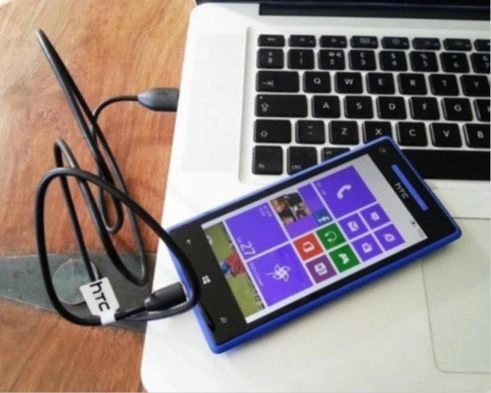
- Use a USB cable to connect your phone to your Windows device as shown below.
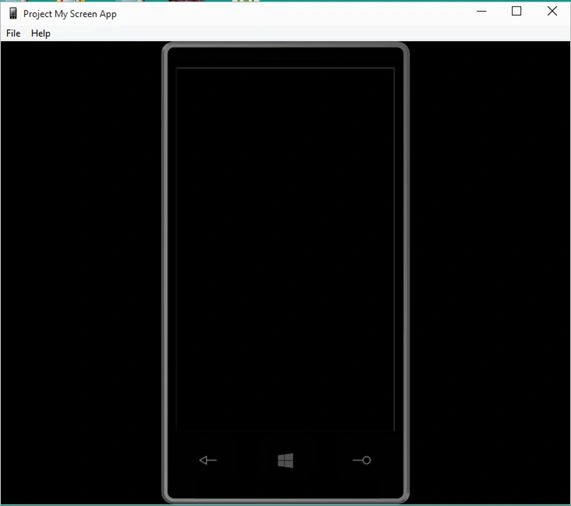
- Start the Project My Screen App on your Windows device as like the following screen.
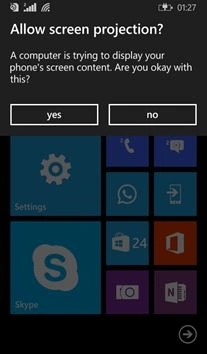
- Once the App starts, it ask permission on your phone. Yes or No is prompted to allow screen projection as like below.
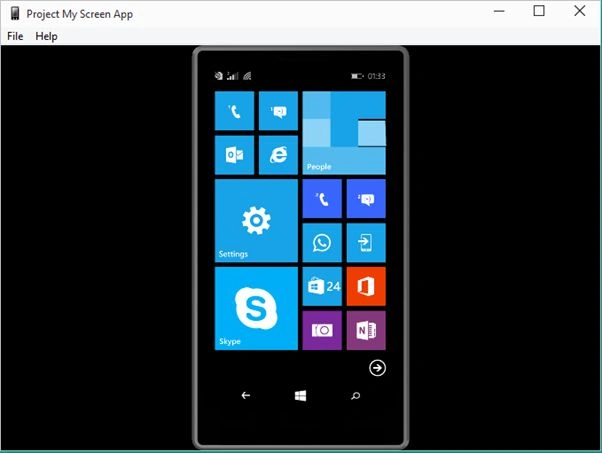
- Select Yes to project your screen as shown below.
Join the conversation! Your thoughts help the community grow.