

In C#, the System.Threading.Thread class is utilized for working with the thread. It permits making and getting to the individual thread in a multi-threaded application. The principal thread to be executed in a procedure is known as the principle thread. At the point when a C# program begins execution, the fundamental thread is consequently made.
Example with image shown below,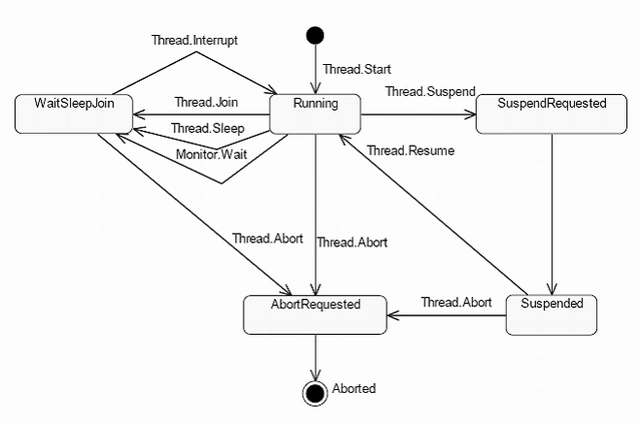
Step 1: Create a Window form with three buttons (image given below).
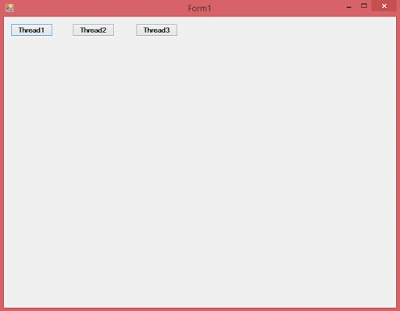
Step 2: Write the code on the button click and Form1_Load like the example, given below:
- using System;
- using System.Collections.Generic;
- using System.ComponentModel;
- using System.Data;
- using System.Drawing;
- using System.Linq;
- using System.Text;
- using System.Windows.Forms;
- using System.Threading;
- namespace ThreadApplication
- {
- public partial class Form1 : Form
- {
- public Form1()
- {
- InitializeComponent();
- }
- private void btnTh1_Click(object sender, EventArgs e)
- {
- Thread th = new Thread(t =>
- {
- for (int i = 0; i <= 100; i++)
- {
- int Width = rd.Next(0, this.Width);
- int Height = rd.Next(50, this.Height);
- this.CreateGraphics().DrawEllipse(new Pen(Brushes.Red, 1), new Rectangle(Width, Height, 100, 100));
- Thread.Sleep(100);
- }
- }) { IsBackground = true };
- th.Start();
- }
- Random rd;
- private void Form1_Load(object sender, EventArgs e)
- {
- rd = new Random();
- }
- private void btnTh2_Click(object sender, EventArgs e)
- {
- Thread th = new Thread(t =>
- {
- for (int i = 0; i <= 100; i++)
- {
- int Width = rd.Next(0, this.Width);
- int Height = rd.Next(50, this.Height);
- this.CreateGraphics().DrawEllipse(new Pen(Brushes.Blue, 1), new Rectangle(Width, Height, 100, 100));
- Thread.Sleep(100);
- }
- }) { IsBackground = true };
- th.Start();
- }
- private void btnTh3_Click(object sender, EventArgs e)
- {
- Thread th = new Thread(t =>
- {
- for (int i = 0; i <= 100; i++)
- {
- int Width = rd.Next(0, this.Width);
- int Height = rd.Next(50, this.Height);
- this.CreateGraphics().DrawEllipse(new Pen(Brushes.Green, 1), new Rectangle(Width, Height, 100, 100));
- Thread.Sleep(100);
- }
- }) { IsBackground = true };
- th.Start();
- }
- }
- }
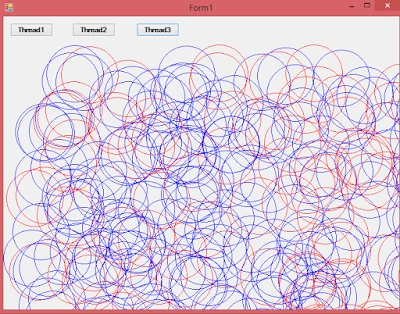
Description
In this example, I created three buttons to create and manage new threads with the different color structure, with an example to show an eclipse graph inside the form on the individual thread start.
SubashPosted Sep 14, 2016, 12:24 AM
Nice one
Bhuvan PandeyPosted Aug 8, 2016, 7:51 AM
Nice